Category: Blog Article

  • Spring Clean-Up: Enhancing Legal Workflows for Smoother Collaboration

    Spring Clean-Up: Enhancing Legal Workflows for Smoother Collaboration

    Spring is quickly approaching, which means a season of new clients, new opportunities, and, inevitably, new challenges. Suppose your team isn’t ready to tackle a steady stream of cases. In that case, your firm could be tripping over muddled information and frustrating staff, leading to missed or duplicated work and dissatisfied clients.

    Just like a spring clean-up in your home, legal teams should take time to streamline processes to ensure smooth and successful case management.

    This article will explore practical solutions to help legal teams enhance collaboration, client follow-ups, and task management without extra effort. 

    These simple changes will offer your team a fresh perspective and set them up for success by reducing bottlenecks, improving communication, and automating routine tasks.

    Many legal teams struggle with mismanaged tasks, delayed follow-ups, and inefficient client communication. These workflow bottlenecks result in delays, client retention, and new client signing.

    Regardless of law firm size or specialty, workflow challenges are shared. These include missed deadlines due to slow, manual tracking that takes up valuable support staff time; scattered communication across multiple tools like Slack, email, Google chat, phone, and text; over-reliance on email instead of streamlined collaboration platforms; and time-consuming administrative tasks that reduce billable hours.  

    These bottlenecks have one thing in common: they can be reduced or eliminated with a commitment to streamlining processes.

    Solution: Begin with a workflow audit to map processes, identify inefficiencies, and establish clear task ownership.

    You may have a team of talented support staff, but without automated, specialized task tracking, essential steps of your process are sure to be lost along the way. Organized, reliable task tracking ensures cases progress smoothly and nothing falls through the cracks.

    Firstly, you should ensure your team has access to and is trained on whichever task management system you use.

    Though email is a quick and easy method to communicate internally and externally, teams should aim for transparent, centralized task management rather than relying on email chains.

    When deciding on your new task management system, consider using task boards or Kanban-style workflow tools to track case progress visually.

    Automated reminders and notifications for court dates and deadlines can keep you on track and on time. Another helpful tool is role-based task assignments to ensure accountability and visibility across teams.

    Solution: Use legal-specific task management software to assign, track, and automate critical tasks in real-time.

    3. Automating Client Follow-Ups to Save Time

    No matter the case type, clients must be informed of ongoing case information, but keeping clients informed without constant manual updates can be challenging.

    Law firms that rely on staff support only to manually contact their clients often struggle with missed or delayed responses, leading to client dissatisfaction.

    Redundant communication follow-ups also take up valuable time. In addition, tracking client interactions across multiple cases is a monumental task.

    Many task management software programs include an automation feature that allows support staff to schedule emails and messages more efficiently. This saves valuable time and ensures clients receive regular communication.

    Solution: Implement automated email and message scheduling, ensuring clients receive timely updates without burdening your team.

    Collaboration is vital for any law firm, regardless of the specialty. However, effective communication and teamwork can be difficult in a dynamic, growing firm.

    Other challenges that impact legal team collaboration include siloed information across different tools like Slack, email, etc., lack of visibility into case progress, and duplicate work due to miscommunication.

    A centralized communication hub is key to efficiency. To improve collaboration, firms should use cloud-based document sharing to ensure real-time access to case files. Leadership should also encourage firm-wide visibility by using dashboards that track workflows.

    In addition, teams should streamline communication with integrated chat and case discussion threads.

    Solution: Transition to collaborative legal software integrating task tracking, document management, and team communication.

    5. Simplifying Compliance and Risk Management

    Non-compliance can be a costly obstacle that can and should be avoided. To prevent legal issues that create even more administrative work,  firms need structured workflows to ensure regulatory deadlines are met.

    Solutions for reducing compliance risks include automated compliance alerts to notify teams of upcoming requirements; pre-built document templates for contracts, filings, and client agreements; and audit trails to track case actions and maintain transparency.

    Solution: Set up compliance-focused automations to avoid last-minute scrambles.

    Streamlining legal workflows doesn’t require a complete overhaul—small changes like automating routine tasks and improving communication can significantly improve them.

    By starting with intentional workflow audits, adopting automation, and investing in collaborative tools for seamless operations, firm leadership can decrease staff frustration and miscommunication while increasing efficiency and profits.

    A spring clean-up of your legal workflows ensures smoother processes and more time for high-value legal work. Future-forward adjustments like these will put your firm at the leading edge of the industry while increasing client satisfaction across the board.

    Final Tip: Make incremental improvements and measure their impact — minor workflow optimizations can lead to major efficiency gains.
  • Case Study: How Legalboards Transformed Workflow Automation at Simmons & Schiavo

    Case Study: How Legalboards Transformed Workflow Automation at Simmons & Schiavo

    Simmons & Schiavo, an estate planning law firm, faced challenges in automating Clio tasks as the firm’s workflow rapidly increased. To improve efficiency and streamline their case management, they turned to Legalboards, a Clio-recommended platform, to enhance workflow automation.

    “Legalboards lets us set up our workflow so we always know where every file is at any given time. If someone’s out, we know exactly where to pick up. That’s the best part—it’s made us so much more efficient.” – John E. Zuccaro III, Associate Attorney at Simmons & Schiavo.

    Key Challenges Before Legalboards

    1. Difficulty moving and accessing files 
    2. Automating Clio tasks was a major bottleneck in their workflow
    3. Scaling operations without a structured workflow was inefficient
    4. Lack of easy, efficient interface beyond time tracking 

    Why They Chose Legalboards

    “Before Legalboards, we had 47 overdue tasks just sitting there, but you don’t really know where anything is in the workflow.” – John E. Zuccaro III, Associate Attorney at Simmons & Schiavo.

    Simmons & Schiavo selected Legalboards based on a recommendation from Clio, ensuring seamless integration with their existing legal tech stack.

    The Legalboards Impact

    • Successfully automated Clio tasks, improving workflow efficiency.
    • Easily set workflow, which led to improved collaboration.
    • Improved task management with structured tracking and follow-ups.
    • Enabled quick, efficient access to files with the Legalboards dashboard.
    • Reduced micromanagement that empowered team members in their roles.

    Measurable Impact of Legalboards

    “If Legalboards just up and folded, we would be in trouble.” – John E. Zuccaro III, Associate Attorney at Simmons & Schiavo.

    Since implementing Legalboards, Simmons & Schiavo has seen significant improvements:

    MetricValue (Monthly)
    Automations Executed1,129.67
    Time Saved3,389 minutes (56.48 hours)

    ROI Estimate for Simmons & Schiavo

    Beyond workflow automation, Legalboards delivered real cost savings by reducing administrative workload and improving operational efficiency.

    “We pull up Legalboards every week for our meetings. We talk about every single file in the office, where we’re at with it, if there are any problems, and we can track it all in one place.” – John E. Zuccaro III, Associate Attorney at Simmons & Schiavo.

    How These Savings Were Achieved

    • Automated tasks eliminated 1,129+ manual actions per month.
    • Time savings of over 56 hours per month reduced staff workload.
    • Workflow automation improved tracking and reduced redundant work.

    Estimated Cost Savings

    • Hourly cost of a legal assistant: ~$25.
    • Labor savings from automation: ~$1,412 per month.

    A Collaborative Approach to Workflow Optimization

    One of the standout experiences for Simmons & Schiavo was Legalboards’ knowledge, responsiveness and helpfulness in resolving issues and finding creative solutions to workflow challenges. – John E. Zuccaro III, Associate Attorney at Simmons & Schiavo shared his experience:

    “Legalboards is essential to formulating our process and workflow. It makes things much simpler, reduces stress and saves time. It’s really been very helpful for us across the board. Ready to transform your firm’s workflow and achieve tangible cost savings like Simmons & Schiavo?

    Try Legalboards for free and experience streamlining your operations and boosting efficiency!

  • Case Study: How Legalboards Transformed Workflow Automation at Goldberg & Osborne

    Case Study: How Legalboards Transformed Workflow Automation at Goldberg & Osborne

    Goldberg & Osborne, a leading personal injury law firm, faced challenges in automating Clio tasks and transitioning from an on-premise CMS to a cloud-based solution. To improve efficiency and streamline their case management, they turned to Legalboards, a Clio-recommended platform, to enhance workflow automation.

    Key Challenges Before Legalboards

    • Automating Clio tasks was a major bottleneck in their workflow.
    • Transitioning from an on-premise CMS to Clio required an effective task management strategy.
    • Scaling operations without a structured workflow was inefficient.

    Why They Chose Legalboards

    Goldberg & Osborne selected Legalboards based on a recommendation from Clio, ensuring seamless integration with their existing legal tech stack.

    The Legalboards Impact

    • Successfully automated Clio tasks, improving workflow efficiency.
    • Seamlessly migrated their task flow from their legacy CMS to Clio.
    • Improved task management with structured tracking and follow-ups.

    “We were able to take our current Task flow from our existing on-prem CMS solution and put it in Clio effectively.” – Goldberg & Osborne.

    Measurable Impact of Legalboards

    Since implementing Legalboards, Goldberg & Osborne has seen significant improvements:

    MetricValue (Monthly)
    Automations Executed7,618.67
    Time Saved22,856 minutes (380.93 hours)

    ROI Estimate for Goldberg & Osborne

    Beyond workflow automation, Legalboards delivered real cost savings by reducing administrative workload and improving operational efficiency.

    How These Savings Were Achieved

    • Automated tasks eliminated 7,618+ manual actions per month.
    • Time savings of over 380 hours per month reduced staff workload.
    • Workflow automation improved tracking and reduced redundant work.

    Estimated Cost Savings

    • Hourly cost of a legal assistant: ~$25.
    • Labor savings from automation: ~$9,523 per month.
    • Additional efficiency gains: ~$1,428 per month.

    Total Estimated Monthly Savings

    • $10,951 saved per month in operational costs.

    A Collaborative Approach to Workflow Optimization

    One of the standout experiences for Goldberg & Osborne was Legalboards’ responsiveness and long-term problem-solving approach.

    “When issues arose with the Legalboards platform, the team was extremely responsive and corrected our issues quickly and also took the issue and instead of firefighting it, they fixed it moving forward which is always amazing to see.” – Goldberg & Osborne,

    They also loved the structured onboarding process, which also played a key role in the smooth transition to Clio.

    The onboarding process was extremely helpful to get us up and running quickly.” – Goldberg & Osborne,

    Ready to transform your firm’s workflow and achieve tangible cost savings like Goldberg & Osborne? Try Legalboards for free and experience streamlining your operations and boosting efficiency!

  • The Biggest Challenges in Legal Operations Today

    The Biggest Challenges in Legal Operations Today

    The legal industry is undergoing rapid transformation. Law firm partners face increasing client expectations, rising competition, and operational inefficiencies. Traditional methods—email threads, spreadsheets, and manual workflows—no longer support sustainable growth.

    To remain competitive, law firms must embrace Legal Project Management (LPM) software. By integrating automation, real-time tracking, and data-driven insights, firms can enhance efficiency and client service.

    This article explores key legal operations challenges, how legal technology provides solutions, and why Legalboards is a critical tool for modern law firms.


    1. Inefficient Task Management

    Legal teams handle multiple administrative tasks daily, including case tracking, document management, and client updates. Without automation, firms lose valuable billable hours on repetitive, non-strategic tasks.

    Solution: Legalboards automates deadline reminders, case progress tracking, and client notifications, allowing legal professionals to focus on complex legal work.

    2. Limited Case Visibility

    Without centralized case management, tracking case progress across multiple platforms leads to miscommunication, missed deadlines, and inefficiencies.

    Solution: Legalboards offers visual workflows and Kanban boards that provide real-time insights, keeping teams aligned and ensuring case milestones are met.

    3. Communication Gaps

    Clients expect real-time updates on their legal matters, while legal teams require seamless collaboration to ensure efficiency. However, many firms still rely on disconnected systems, leading to lost emails and delays.

    Solution: Legalboards centralizes internal communication and client updates, reducing errors and improving response times.

    4. Billing and Compliance Complexities

    Managing billable hours, budgets, and regulatory compliance can be overwhelming. Disorganized billing processes lead to revenue loss and compliance risks.

    Solution: Legalboards integrates time tracking, budget monitoring, and compliance management, ensuring accurate financial reporting and regulatory adherence.

    1. Streamlining Workflows with Automation

    Reducing manual workload through automation optimizes:

    • Case tracking and progress monitoring
    • Automated client notifications and updates
    • Document management and centralized storage
    • Deadline tracking with real-time alerts

    2. Enhancing Team Collaboration

    As remote and hybrid work environments become standard, law firms require tools that support efficient collaboration across legal teams. Legalboards provides:

    • Centralized case management to track progress efficiently
    • Real-time communication tools for internal team updates
    • Automated task delegation to improve productivity

    3. Increasing Client Satisfaction with Transparency

    Clients value visibility and timely updates. Legalboards improves transparency with:

    • Automated case status updates
    • Secure client portals for case tracking
    • Shared dashboards for better collaboration

    4. Boosting Profitability Through Efficiency

    Firms using Legalboards report saving up to 59 hours per month on non-billable tasks. Increased efficiency translates into:

    • More billable hours captured
    • Higher revenue potential
    • Reduced administrative costs

    Case Study: How Legalboards Improved Law Firm Operations

    Challenge: A mid-sized law firm struggled with inefficient task management and poor internal communication, leading to missed deadlines and dissatisfied clients.

    Solution: By implementing Legalboards, the firm:

    • Automated key processes and introduced structured workflows
    • Improved real-time case tracking
    • Optimized communication between attorneys and support staff

    Results:

    • 40% reduction in administrative work
    • Higher client satisfaction scores
    • Improved revenue through better time management

    Selecting the right LPM software is essential for law firm efficiency and growth. Key factors to consider:

    1. Ease of Use

    Legal tech adoption is hindered by complex platforms. Legalboards offers an intuitive Kanban-based interface, minimizing training time.

    2. Customization

    Every law firm has unique needs. Legalboards allows custom workflows, task automations, and tailored dashboards to fit different practice areas.

    3. Seamless Integration

    Legal software should integrate with existing tools. Legalboards connects with Clio, Office 365, Google Workspace, and other legal management platforms for streamlined operations.

    4. Scalability

    As firms grow, their needs evolve. Legalboards is designed to scale with firms of all sizes, ensuring long-term operational efficiency.

    5. Dedicated Support & Training

    Successful adoption requires reliable support. Legalboards offers:

    • Onboarding assistance
    • Ongoing customer support
    • Training resources for firm-wide implementation

    Future-Proof Your Law Firm with Legalboards

    The legal industry is evolving rapidly. Firms that do not adopt legal automation and project management solutions risk losing efficiency and competitive edge.

    With Legalboards, firms can:
    Streamline operations with automated workflows
    Enhance collaboration through real-time tracking
    Improve client relationships with greater transparency
    Increase profitability by reducing inefficiencies

    Take the first step toward streamlined workflows and increased profitability.

  • Case Study: How Strauss Attorneys PLLC Enhanced Workflow Precision with Legalboards

    Case Study: How Strauss Attorneys PLLC Enhanced Workflow Precision with Legalboards

    See how Strauss Attorneys PLLC improved their workflow precision with Legalboards.

    About Strauss Attorneys PLLC

    • Legalboards User Since: 2022
    • Website: Strauss Attorneys PLLC
    • Key Benefits: Workflow precision, automation, process consistency, enhanced visibility

    Before adopting Legalboards, Strauss Attorneys PLLC relied on Trello for estate administration workflows. While Trello provided basic task management, it lacked automation, legal-specific features, and deep integrations with their existing tools.

    “We were rebuilding our estate administration process and initially structured everything in Trello. But after discovering Legalboards at ClioCon, we realized it was a much better fit.”
    Brad, Partner at Strauss Attorneys PLLC

    The Challenge: Limited Precision, Automation, and Integration Capabilities

    Why Trello Wasn’t Enough

    • Lack of deep integrations with Clio and other legal tools
    • Limited automation for repetitive legal tasks
    • No built-in visibility for tracking estate administration processes with precision

    The Legalboards Solution

    By transitioning to Legalboards, Strauss Attorneys PLLC gained better workflow control, automation, and seamless Clio integration, improving precision and efficiency in legal case management.

    “Legalboards had more versatility, primarily because of its ability to sync with Clio. That made a huge difference.”
    Brad, Partner at Strauss Attorneys PLLC

    Learn more about how automation enhances legal workflows:
    How Legalboards Transformed Law Firm Operations

    Key Improvements After Legalboards Adoption

    1. Increased Workflow Precision & Automation

    Legalboards enabled Strauss Attorneys PLLC to automate recurring tasks, ensuring that every estate administration step is tracked with precision.

    “We’ve automated a lot of our processes, so we always know exactly where we are in an estate case.”
    Jessica, Drafting Paralegal at Strauss Attorneys PLLC

    Read more about automation in legal workflows:
    Visual Mapping and Automating Legal Operations

    2. Enhanced Client Communication & Transparency

    With a seven-step workflow system, staff can now track progress with precision and provide real-time client updates.

    “We can tell clients exactly where they are in the process, how much longer it will take, and what documents are still needed.”
    Jessica, Drafting Paralegal at Strauss Attorneys PLLC

    3. Elimination of Manual Tracking & Guesswork

    Legalboards introduced a structured workflow, ensuring precision in every step of estate administration.

    “Precision has been the biggest improvement. We’re not missing steps, and every estate’s assets are fully captured.”
    Jessica, Drafting Paralegal at Strauss Attorneys PLLC

    Explore more about process efficiency in legal operations:
    The Importance of Process Discovery for Legal Operational Efficiency

    Quantifiable Results: Efficiency Gains with Legalboards

    • 762 automations per month
    • Over 38 hours saved monthly (2,286 minutes)
    • $1,217 in average monthly cost savings

    What Makes Legalboards Stand Out?

    1. Responsive & Personalized Customer Support

    Brad and Jessica emphasized the exceptional support from Legalboards’ team.

    “We get responses within hours, often from the same team member who knows our setup. If needed, they even jump on a video call to resolve issues.”
    Jessica, Drafting Paralegal at Strauss Attorneys PLLC

    2. Continuous Product Evolution Based on User Feedback

    Legalboards actively enhances precision and functionality by implementing feature requests based on user needs.

    “We’ve seen new features added that weren’t available when we first started, and that’s been a game-changer.”
    Jessica, Drafting Paralegal at Strauss Attorneys PLLC

    Final Thoughts: A Scalable, Precision-Driven Solution

    As Strauss Attorneys PLLC grows, Legalboards continues to support their expanding operations with automation and structured workflows.

    “Managing our workflows now takes just 15 to 30 minutes per month—Legalboards runs itself.”
    Jessica, Drafting Paralegal at Strauss Attorneys PLLC

    Explore Kanban and Agile strategies for workflow precision:
    Improving Legal Workflows with Kanban and Agile

    Key Takeaways

    • Seamless transition from Trello to Legalboards, improving workflow precision
    • Increased visibility ensures every estate case follows a structured process
    • 762 automations per month, reducing manual work
    • Over 38 hours saved monthly through automation
    • $1,217 in average monthly cost savings
    • Exceptional customer support with quick responses & proactive solutions

    Watch the Case Study

    Ready to Enhance Workflow Precision Like Strauss Attorneys PLLC?

    Discover how Legalboards can streamline your firm’s operations, improve precision, and scale effortlessly.

    Schedule a Demo Today

  • How Legalboards Transformed Law Firm Operations

    How Legalboards Transformed Law Firm Operations

    Law firms face increasing pressure to optimize workflows, manage caseloads efficiently, and reduce administrative burdens. How Legalboards Transformed Law Firm Operations demonstrates how legal workflow automation has become a crucial tool for modern law firms, helping streamline case management and improve operational efficiency. Legalboards, a legal workflow automation tool tailored for the legal industry, has been instrumental in addressing these challenges.

    This case study explores how Legalboards transformed law firm operations with its transformative impact, backed by real performance data and user testimonials.

    Common Challenges in Law Firm Operations

    Legal professionals juggle multiple cases, deadlines, and compliance requirements. Before adopting Legalboards for workflow automation, firms faced common pain points such as:

    • Time wasted on manual task tracking
    • Lack of workflow visibility
    • Delays in case progression due to inefficient communication

    “Legalboards has helped me stay on top of cases and make sure that all tasks are completed in a timely manner. My staff does not need to remember to do things, Legalboards automatically assigns the tasks based on the rules we set up.”Frances, CEO

    On average, law firms spent over 20 hours per month on manual task tracking, with inconsistent follow-ups leading to missed deadlines. Teams struggled to see real-time case progress, and communication gaps between attorneys and support staff resulted in redundant work.

    “[…] You can see the status of matters from a bird’s-eye view. It made it easy to visualize the flow of our cases and discover where the bottlenecks were.” – Tina, Office Manager

    How Legalboards Transformed Law Firm Operations

    Legalboards provided an intuitive, legal workflow automation system that seamlessly integrated with existing legal practice management tools. The automation rules reduced manual task allocation by over 80%, the kanban-style visual boards enabled real-time workflow tracking, and the integration with Clio improved data synchronization and reduced duplicate work.

    “Legalboards was incredibly easy to integrate with my existing practice management software. The automation tools allow us to move cases through our workflow effortlessly, reducing human error and improving efficiency.” – David, Attorney at Law

    Measurable Impact of Legalboards

    The impact of Legalboards has been evident across firms of various sizes. The table below highlights the automation efficiency gains and cost savings for different firm sizes over a three-month period:

    Firm Size Avg. Processes Automated (monthly) Avg. Time Saved (minutes/month) Avg. Cost Reduction ($/month)
    Large (15+ users) 31,668.33 95,005 50,544.13
    Mid-Sized (7-15 users) 8,274.33 24,823 13,227.98
    Small (<5 users) 693.67 2,081 1,108.65

    These numbers translate into tangible operational improvements. Firms now experience:

    • More efficient collaboration
    • Faster response times
    • Improved workflow visibility

    “Being able to have a bird’s-eye view of where our matters are in workflow allows us to identify areas in our process that need attention. The continual improvements to the product make it even more valuable.”Megan, COO

    The flexibility of Legalboards allows for a ton of customization in addition to two-way syncing with practice management software. The main selling feature for me is the automation features.”Karin, Legal Tech Administrator

    Why Law Firms Choose Legal Workflow Automation

    How Legalboards Transformed Law Firm Operations goes beyond simple task management. The system provides a seamless, automated approach to case management, with benefits such as:

    • Time savings exceeding 95,000 minutes per month for large firms
    • Cost reductions reaching $50,500 monthly
    • Improved workflow visibility and efficiency across all firm sizes

    Get Started with Legalboards

    Experience the power of legal workflow automation tailored for law firms. Schedule a demo with Legalboards and take the first step toward a more efficient practice.

    “Legalboards is not just software—it’s a transformational solution for modern law firms. – Will, Managing Partner, U.S. Law Firm

  • Visual Mapping and Automating Legal Operations

    Visual Mapping and Automating Legal Operations

    In our previous post, we discussed the importance of process discovery in legal operations, focusing on how mapping out your workflows can streamline tasks, clarify roles, and enhance communication within your firm. Now, we’ll take the next step by transforming those documented workflows into a visual format, making them more accessible and easier to optimize for everyone on your team. But, you may be asking yourself, why should I start visually mapping my processes? What impact will this really have on my work?

    Visual mapping is a powerful tool that builds on the process discovery work you’ve already completed. By converting your list of activities—such as initial consultations, document reviews, and trial preparations—into a visual map, you create an overview of your legal operations that is clear, intuitive, and adaptable to different learning styles.

    Visual mapping is especially impactful for update meetings. We’ve heard from office managers, paralegals, and other legal professionals that having a visual way to look at case progression directly impacts how their law firm collaborates and communicates to effectively provide superior services to clients.

    Why Create Visual Maps of Your Processes?

    Visual mapping is more than just diagramming; it’s about making your workflows universally accessible and easier to manage. Here’s why visual mapping is so effective:

      1. Cater to Diverse Learning Styles: People absorb and process information differently. Visual mapping caters to various learning styles, making complex processes easier to understand for everyone, whether they prefer visual aids, step-by-step guides, or holistic overviews.
      2. Leverage Popular Visual Tools: Visual representations of information, such as infographics, have become incredibly popular because they simplify complex data and processes into digestible formats. By using visual mapping in your legal operations, you tap into this trend, making your workflows not only functional but also engaging and easier to comprehend.
      3. Identify Redundancies and Bottlenecks: A visual workflow helps you quickly pinpoint areas where tasks are duplicated or where bottlenecks occur, allowing you to address inefficiencies more effectively.
      4. Enhance Team Collaboration and Transparency: Team members can more easily understand their roles and responsibilities when workflows are visually mapped, leading to better collaboration and fewer misunderstandings.

    How Does Visual Mapping Work in Legalboards?

    Legalboards is designed to make the transition from written process discovery to visual mapping as seamless as possible. Here’s how you can use Legalboards to bring your processes to life:

      1. Drag-and-Drop Interface: With Legalboards, you can easily translate the steps from your process discovery—such as initial consultations, document reviews, and trial preparations—into a visual workflow using a simple drag-and-drop interface. You can even take that a step further and drag-and-drop cards between columns to reflect the case progression.
      2. Customizable Workflows: Every firm has its unique needs. Legalboards allows you to customize each step of the workflow to fit the specific requirements of your team, ensuring that your visual maps are both accurate and practical. To give you an idea of this, you can customize your column colours, give custom labels to cards, and choose the board or task view depending on your needs.
      3. Real-Time Updates: As your cases progress, Legalboards ensures that your visual workflows are always up-to-date, providing real-time visibility into every aspect of your operations. We integrate with other leading legal technology, so you can reduce your need for dual data entry, keep everything you need in one place, and more.
      4. Task Assignment and Monitoring: By visually mapping your workflows, you can assign tasks to specific team members directly within the platform, making it easier to track progress and ensure accountability.

    Example: Litigation Board

    Legalboards uses the Kanban framework, a prominent agile methodology, to organize matters, contacts, and tasks. Consider the same example from our first post, a litigation board. You know that while some matters are more complex, most follow the same general process.

    As shown below, you can take the general steps and translate them into different columns that organize your workflow. If you need more help taking your current workflows into visual maps or digitalizing that, contact us at support@legalboards.com.

    Our Business Litigation Board is designed to provide clear, step-by-step visibility into each phase of a case. The board is divided into columns, each representing a key stage, from ‘Intake’ to ‘Post-Trial.’ This structure allows teams to easily track the progression of tasks and ensures a smooth workflow. Let’s walk through a few examples using our litigation board.

    Real Automation Examples:

    1. Intake/Initial Consultation

      • Automation: When a new case card enters the ‘Intake’ column, Legalboards can automatically create and assign tasks like ‘Schedule Initial Meeting,’ ‘Send Client Agreement,’ and ‘Request Basic Documents’ to the responsible team member.

      • Why this matters: Automates the first steps, ensuring nothing is missed right at the start and speeding up case onboarding.


    2. Document Gathering

      • Automation: If a task like ‘Collect Financial Statements’ or ‘Request Signed Affidavit’ isn’t completed within 5 days, an automated reminder email is sent to the client, and the team gets a notification.

      • Why this matters: Ensures proactive follow-up without manual reminders, keeping the document collection phase on schedule.


    3. Trial Prep

      • Automation: When a card moves to ‘Trial Prep,’ Legalboards can generate a checklist that includes tasks like ‘Finalize Witness Statements,’ ‘Organize Exhibit Binder,’ and ‘Prepare Opening Arguments.’ Each task is auto-assigned to relevant team members.

      • Why this matters: Ensures systematic preparation by breaking down the complex trial prep phase into manageable, clear tasks, reducing the risk of oversight.


    These automations take routine tasks off your plate, keep the workflow moving, and ensure that your team can focus on strategic, high-value activities.

    Automating Your Legal Operations

    Automation is what really takes your visual mapping to the next level. Automating routine tasks can significantly enhance your firm’s efficiency, allowing your team to focus on more critical, high-value activities.

    Steps to Start Automating with Legalboards

    As a refresher, you can check out this guide to the basics of automation within Legalboards. But, it’s important to think of automation as an “if this, then that” recipe as you get started. This process will help you identify what needs to be automated and how:

    1. Identify Repetitive Tasks:
      Review your visual workflows to pinpoint repetitive tasks that can be automated, such as sending reminders, scheduling meetings, or updating case statuses.
    2. Set Up Triggers and Actions:
      Legalboards lets you create automated triggers based on your visual workflows. For instance, once a document is reviewed, the system can automatically notify the next person in line or update the client’s case status. For detailed guides on specific triggers and actions, check out our guides on automation.
    3. Integrate with Other Tools:
      Legalboards can integrate with your existing tools, ensuring that your automation process is smooth and that data flows seamlessly across your platforms. You can find the full list here.
    4. Monitor and Adjust:
      Automation is not a set-it-and-forget-it solution. Use the reporting features in Legalboards to regularly monitor the effectiveness of your automations and make necessary adjustments for optimal results.

    Conclusion

    As you can see, visual mapping and automation are powerful extensions of the process discovery work we’ve covered previously. By bringing your workflows into a visual format and then automating repetitive tasks, you can significantly boost your firm’s efficiency and client satisfaction. 

    If you’re ready to take the next step in optimizing your legal processes, contact us today to learn how Legalboards can help you streamline and automate your legal operations.

  • Customer Stories: Athena @ Bernhardt Riley

    Customer Stories: Athena @ Bernhardt Riley

    As law firms grow, managing operations and ensuring that tasks are handled efficiently becomes increasingly challenging. This is especially true for remote firms that operate across multiple locations. Bernhardt Riley, Attorneys at Law, PLLC, a legal firm with offices spread across Florida, faced these exact challenges. In this blog post, we’ll explore how Legalboards played a crucial role in transforming their operations, improving productivity, and enabling them to scale successfully.

    The Challenges of a Growing Remote Firm

    Bernhardt Riley, Attorneys at Law, PLLC. is a rapidly expanding firm that needed a solution to streamline their operations and handle repetitive tasks efficiently. With a remote team working from various locations, they struggled with maintaining clear communication and keeping track of tasks. 

    Despite using a popular tool for law firms, they found that it wasn’t sufficient for their growing needs. They needed something more- something that could connect the dots in their processes and allow them to automate repetitive tasks.

    Discovering Legalboards

    The journey to finding the right solution led Bernhardt Riley, Attorneys at Law, PLLC to Legalboards, which they discovered through its integration with Clio. Initially, they were attracted to Legalboards because of its customization options and the potential to automate processes, but what truly set Legalboards apart was the dedicated support team. 

    Athena from Bernhardt Riley, Attorneys at Law, PLLC recalls how they wished they had known about the support team earlier, as it made a significant difference in their experience: “Legalboards has changed the game for us.”

    Customization and Support: The Winning Combination

    One of the most significant benefits that Bernhardt Riley, Attorneys at Law, PLLC experienced with Legalboards was the ability to customize the platform to fit their specific needs. The firm re-examined its workflows and took advantage of our special setup service. This service allowed them to design a process that was efficient, scalable, and tailored to their needs. This was particularly important for a remote firm where effective communication and seamless task management are crucial.

    Athena highlighted the importance of having a dedicated support team to help guide them through the process of taking what they already do and just enhancing it for their team. The personalized guidance provided by Legalboards helped them overcome technical challenges and optimize their processes in ways they hadn’t anticipated.

    Transforming Operations with Automation and Insights

    Since implementing Legalboards, Bernhardt Riley, Attorneys at Law, PLLC has seen improvements in its operational efficiency. They’ve been able to automate repetitive tasks, create new boards tailored to specific processes, and ensure that all team members are on the same page. This level of customization has allowed them to operate more efficiently and focus on what truly matters- providing top-notch legal services to their clients.

    Why Legalboards is the Right Choice for Your Firm

    For law firms like Bernhardt Riley, Attorneys at Law, PLLC, Legalboards offers more than just a task management tool- it provides a comprehensive solution that can be tailored to meet the unique needs of each firm. Whether you’re looking to streamline operations, improve communication within a remote team, or gain deeper insights into your firm’s productivity, Legalboards has the features and support to help you succeed.

    Ready to See How Legalboards Can Transform Your Firm?

    If you’re facing challenges similar to Bernhardt Riley, Attorneys at Law, PLLC, or if you’re simply looking for a way to optimize your firm’s operations, Legalboards could be the solution you need. Schedule a demo with us today to see how Legalboards can help you solve your firm’s unique challenges. 

    Whether you’re looking to automate tasks, improve profitability, or enhance team communication, we’re here to help. Get in touch with us to see how we can assist your firm, or start a free trial today.

  • The Importance of Process Discovery for Legal Operational Efficiency

    The Importance of Process Discovery for Legal Operational Efficiency

    In the fast-paced world of legal services, efficiency and accuracy are paramount. Yet, many law firms need help with disorganized workflows, unclear roles, and outdated processes. This often leads to delays, increased costs, and dissatisfied clients. The solution? A thorough process discovery to map and refine your firm’s operations.

    How Can Process Discovery Help Your Firm?

    1. Streamline Workflows
      Mapping out your processes reveals the hidden inefficiencies that bog down your team. Identifying and addressing these bottlenecks can streamline workflows, making your practice more agile and responsive.
    2. Clarify Roles and Responsibilities
      A clear understanding of who is responsible for what at each stage of a case is crucial. This not only reduces confusion but also ensures accountability. Everyone knows their role, leading to smoother operations and better outcomes for the firm and clients.
    3. Enhance Communication
      Process discovery helps you evaluate current communication methods and tools, ensuring that information flows seamlessly among team members. This reduces errors and enhances collaboration.
    4. Improve Client Satisfaction
      Efficient processes lead to faster case resolutions and better client experiences. Client trust and satisfaction grow when clients can be assured that your firm handles cases with precision and speed. Which then leads to repeat business and referrals.
    5. Leverage Technology
      In today’s digital age, the right technology can significantly boost your firm’s efficiency. Process discovery allows you to assess your current tools and identify opportunities for upgrading or implementing new solutions that better meet your needs.

    Getting Started

    Mapping out your firm’s processes and workflows can seem daunting at first, but the initial effort is well worth it. By going through a discovery process, you’ll be able to comprehensively map your legal workflows, clearly define the roles and responsibilities of your team, enhance communication, utilize performance metrics for efficiency, and optimize your technology to work with you.

    The first step to transforming your legal operations is to map out your process. To give you an idea of how this process works, let’s examine an example of a process within a firm focused on business litigation. 

    We’ve also put together a Process Discovery Checklist that can help you examine your workflows.

    Legal Workflow Example: Business Litigation

    1. Initial Client Consultation
      1. Client Inquiry: The client contacts the firm with a business dispute.
      2. Initial Consultation: The lawyer meets with the client to discuss the case, gather basic information, and determine the next steps.
      3. Engagement Agreement: The client signs an engagement agreement outlining the terms of representation.
    2. Case Assessment and Strategy Development
        1. Document Review: The lawyer reviews relevant documents provided by the client.
        2. Legal Research: Conduct thorough legal research to understand the applicable laws and precedents.
        3. Case Strategy Meeting: Internal meeting with the legal team to develop a case strategy.
    3. Pleadings and Initial Motions
        1. Complaint Filing: Prepare and file the complaint with the court to initiate the lawsuit.
        2. Service of Process: Serve the defendant with the complaint and summons.
        3. Response to Complaint: Defendant files an answer or motion to dismiss.
        4. Initial Motions: File any necessary initial motions, such as motions to dismiss or motions for summary judgment.
    4. Discovery Phase
        1. Interrogatories and Requests for Production: Send written questions and requests for documents to the opposing party.
        2. Depositions: Conduct depositions of key witnesses and parties involved in the case.
        3. Expert Witnesses: Identify and engage expert witnesses, if necessary.
        4. Document Review and Analysis: Review and analyze documents and evidence obtained during discovery.
    5. Pre-Trial Preparation
        1. Pre-Trial Motions: File motions in limine, motions to exclude evidence, etc.
        2. Settlement Negotiations: Engage in settlement discussions with the opposing party.
        3. Pre-Trial Conference: Attend pre-trial conferences with the court to discuss trial logistics and potential settlement.
    6. Trial
        1. Jury Selection: Select a jury, if applicable.
        2. Opening Statements: Present opening statements to the court.
        3. Presentation of Evidence: Present evidence, call witnesses, and cross-examine opposing witnesses.
        4. Closing Arguments: Present closing arguments to summarize the case for the jury or judge.
    7. Post-Trial
        1. Verdict: Receive the verdict from the jury or judge.
        2. Post-Trial Motions: File any necessary post-trial motions, such as motions for a new trial or motions for judgment notwithstanding the verdict.
        3. Appeal: If necessary, prepare and file an appeal to a higher court.

    Translating Legal Workflows and Applying Automation

    You can use our discovery process checklist to apply these concepts to your firm. Mapping your processes helps you ensure that your firm is operating efficiently and analyze your workflow to help make your team and your client’s lives easier. 

    Translating this workflow into a digital process is the next step so that your firm can apply automations to reduce the amount of time spent on repetitive tasks like email reminders, scheduling meetings, and follow-ups. We’ll cover this in more detail in our next blog.

    You can use programs like Legalboards to document, organize, manage, and track your operations. Contact us today to learn how we can help you manage your legal operations more effectively.

  • Improving Legal Workflows with Kanban and Agile

    Improving Legal Workflows with Kanban and Agile

    It’s no secret that Kanban and Agile methodology is one of our favorite subjects. Here at Legalboards, we see firsthand how much it can affect a law firm’s productivity and efficiency. At its most basic level, it opens up the visibility into daily work, which then positively impacts the service provided to clients. But, it can seem like an overwhelming concept to start applying to your firm even when in reality, it’s not.

    Why Kanban and Agile?

    Kanban allows law firms to make their work visible. For many of us, our first task of the day is figuring out a to-do list of action items based on our memory. This can quickly become complicated. It relies on a perfect memory for every case we’re working on, which can be difficult to achieve for many reasons. 

    By implementing Kanban, this process itself can be simplified. A Monday morning meeting between team members is simple- let’s look at our board to see where we left off, and make a plan of action for the most important items.

    Law firms especially can see the benefits of this, and you can learn more about how to get started with the basics of Kanban here, or learn more about it in our “Applying Agile to Legal Practices” course here.

    Making Kanban and Agile More Effective For Your Team

    One thing to keep in mind when considering Kanban and other Agile methodologies is that it can help reduce inefficiencies in your process. Using Kanban, you can document and analyze your workflow, and that visibility is important. But, how can we make sure we’re using this new insight into work properly?

    Avoid Multitasking

    It’s well documented that multitasking is hindering our ability to work effectively. By multitasking, we’re unable to complete mental tasks effectively when we’re switching between tasks constantly. Psychologists recommend avoiding multitasking when complex tasks are involved as shifting between tasks can cost up to 40% of productive time.

    Setting Priorities and Cadence of Tasks

    With Kanban, you can identify the tasks that need to be completed and their priority level. By avoiding multitasking and instead creating Work-In-Progress (WIP) limits or queues of tasks, you can set yourself up for success. WIP limits are simply a way to make sure that completing work remains attainable, taking into account what is a reasonable task to complete. For more information about WIP limits, check out John Grant’s “Kanban For Lawyers”.

    WIP limits are a helpful way to rein in how much work your team is taking on while also ensuring that the proper cadence is followed. Priorities can change depending on if there’s an emergency related to a case or even just internally for the responsible attorney. Those changes can easily be reflected in the framework because of its flexibility. 

    How to Start Using Agile Methodology

    If Kanban and Agile sound like something you’re interested in implementing at your firm, we can help with that. Check out our other resources, our webinar with Gimbal Canada, or get in touch with us at support@legalboards.com for a personalized demo session of our Kanban interface for your firm.

  • Customer Stories: Miriam @ Goff Legal, PC

    Customer Stories: Miriam @ Goff Legal, PC

    Goff Legal, PC. is a mid-sized law firm that focuses on estate planning, trust administration, probate, and conservatorship based in California. 

    They had noticed that while they had a list of all of the clients they had, they couldn’t visualize where those clients were in the process. They weren’t sure if their clients were in specific stages, and wanted to be able to quickly understand just what was going on within the firm.

    Visualizing their workflow

    Miriam, their firm administrator, described this as “because our estate plans move in and out in an average of one to three months, we’re dealing with faster times than the case average of others”. Their estate planning paralegal especially wanted a way to visually track cases. 

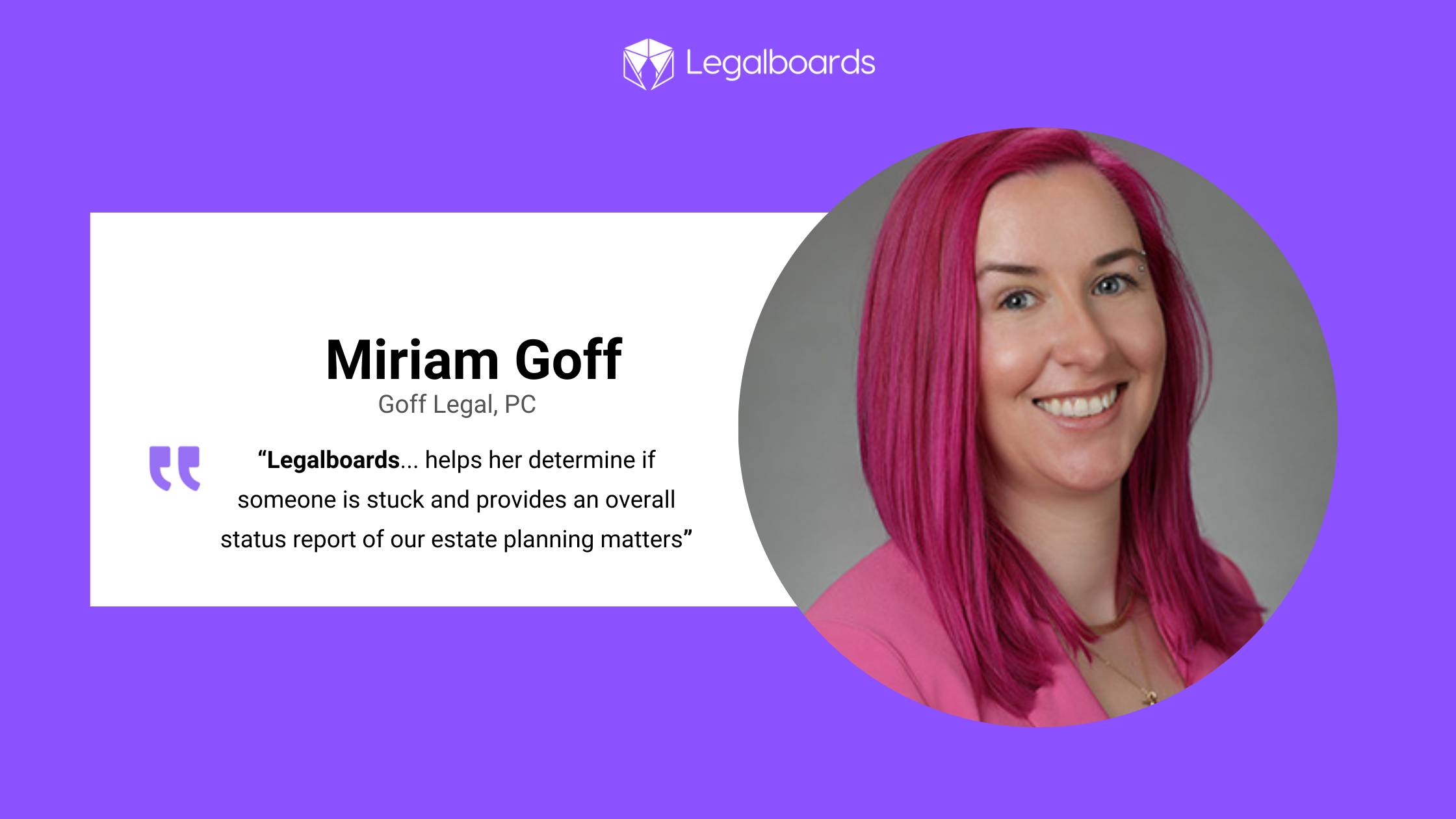
    “Legalboards is used by our paralegal for her visual representation of where all of our estate planning cases are. It helps her determine if someone is stuck and provides an overall status report of our estate planning matters”, Miriam says.

    By using Legalboards, Goff Legal is now able to visualize their firm’s workflows. But, they also found real value in the automation capabilities.

    Saving time with automations

    “We started with visualizing and then we found the automations,” Miriam describes, “which cuts down a lot of the time that was spent on sending reminders to the client. It has taken a lot of tasks off of our paralegal.” 

    Goff Legal found the automated emails helpful for creating a more effective and efficient scheduling process with clients. They were able to reduce their workload by creating automated reminders about scheduling their review, design, and signing meetings. 

    They also started using automated task reminders for tasks that they noticed were often getting overlooked. One of their automations within Legalboards directly solves this issue by automating the assigning of tasks. When their team moves a card from one column to another, they have automated task creation based on that phase. 

    In their estate planning process, this is their document drafting process. Between their Legalboards and Clio accounts, their paralegal can set up an automation that pulls the required documents and drafts what they need. Then, similar to their scheduling process, they’ve set up an automation for a 30-day follow-up with clients after they receive their closing letters.

    Legalboards as an organizational tool

    Because of the visualization and automation capabilities, Legalboards is used as a tool at the firm’s comprehensive meeting to see a status report of their cases. Automations run in the background to streamline the functions of their office by removing repetitive tasks that don’t need to be done by a human.

    Ready to start visualizing how you work?

    Schedule a demo with us to see how we can help you solve a problem- whether it’s similar to Goff Legal, PC, or not, we can help improve an aspect of your workflow in 15 minutes or less.

  • Customer Stories: Frances @ Shefter Law, PA

    Customer Stories: Frances @ Shefter Law, PA

    Shefter Law, P.A is a small education and IEP firm based in Maryland. They believe in empowering families with the knowledge and support they need to navigate the school system. They learned about Legalboards from a recommendation from another attorney and specifically, about how Legalboards could help them automate their tasks.

    Preventing cases from falling through the cracks

    Before Legalboards, the team was struggling to keep on top of every aspect of their cases. They needed a solution that would ensure that no cases were overlooked and they could focus on providing their important services to clients.

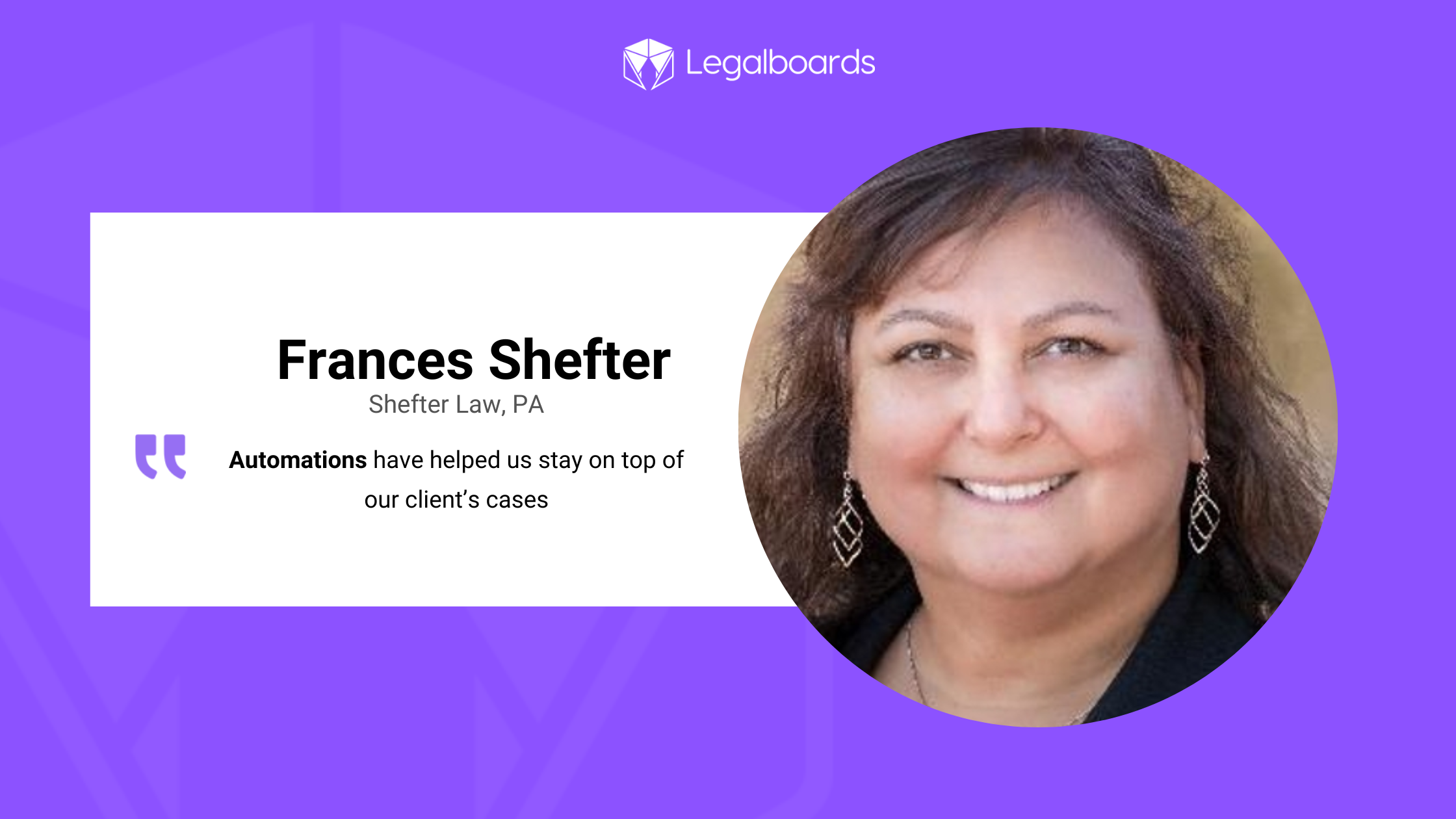
    By using Legalboards, Shefter Law was able to automate much of its work. As Frances said, “Automations have helped us stay on top of our client’s cases”.

    Although they originally started using Legalboards for the automation features, they also saw improvements to their processes.

    Legalboards as a business tool

    While Shefter Law uses Legalboards to stay on top of all tasks, they also use Legalboards to ensure they are operating their firm efficiently. They used Legalboards to improve both their internal processes and profitability.

    It goes without saying how important knowing your firm’s financial standing is. Profitability analysis is crucial for operations. Frances says that Legalboards helped them conduct that analysis and adjust as needed.

    Making new boards

    When the firm has new needs, the responsible attorney creates a corresponding board to reflect the new area or specific process. From there, the firm can automate aspects of this new process or area with ease. 

    Ready to start visualizing how you work?

    Schedule a demo with us to see how we can help you solve a problem- whether it’s similar to Shefter Law, P.A.’s experience, or something different. Get in touch with us to see how we can help your firm or start a free trial today.