Category: Blog Article

  • Best Practices for Legal Document Sharing Security

    Best Practices for Legal Document Sharing Security

    In today’s legal world, client trust doesn’t just come from courtroom victories or well-drafted contracts; it comes from how securely you handle sensitive information.

    Law firms are guardians of highly confidential data, from personal financial records to corporate trade secrets. 

    Any breach, even a minor one, can severely damage credibility and client relationships. That’s why legal document sharing security is no longer just an IT issue; it’s a core part of running a modern, competitive firm.

    Whether you’re sending a single contract to a client for signature or collaborating on complex case files with your team, adopting best practices for secure document sharing is essential. 

    The good news? With the right strategies and technology, you can protect your clients’ data, stay compliant, and work more efficiently.

    Why Secure Document Sharing Matters

    Legal documents contain some of the most sensitive information a client will ever entrust to another party. From merger agreements and IP filings to wills and divorce proceedings, the stakes are high.

    Without proper security measures, risks include:

    • Data breaches exposing client details to unauthorized parties.

    • Compliance violations, especially with regulations like GDPR or HIPAA.

    • Reputation damage that can take years to recover from.

    A proactive approach to document security prevents problems and signals to your clients that their trust is well-placed.

    Consumer-grade file-sharing apps (like Dropbox or Google Drive) are convenient, but they aren’t always designed with attorney-client privilege in mind. Instead, law firms should opt for tools built specifically for legal professionals.

    For example, Clio Manage provides encrypted client portals where documents can be uploaded, shared, and even signed electronically, all while maintaining a secure audit trail. 

    Other solutions like NetDocuments or iManage are also popular in firms seeking advanced compliance features.

    2. Encrypt Everything

    Encryption is the gold standard for protecting legal documents. Whether files are stored on your firm’s servers, in the cloud, or being transmitted via email, they should be encrypted at rest and in transit. 

    This ensures that even if data is intercepted, it remains unreadable without the proper authorization.

    3. Implement Access Controls

    Not every staff member needs access to every client file. Restricting document access to the right individuals and revoking it when no longer needed is key. 

    Secure systems allow firms to set permissions by role or case, so sensitive files don’t fall into the wrong hands.

    4. Leverage Multi-Factor Authentication (MFA)

    Passwords alone are no longer sufficient. Adding an extra layer of protection with MFA, such as SMS codes, authenticator apps, or biometric verification, can drastically reduce the risk of unauthorized access.

    5. Monitor and Audit Activity

    Modern document management software lets you track who accessed a file, when, and what actions they took. This visibility is invaluable for both security and compliance audits.

    If a breach occurs, having a full record of activity makes it easier to respond quickly and appropriately.

    6. Train Your Team (and Clients)

    Even the best technology can be undermined by human error. 

    Training your staff on best practices, like recognizing phishing attempts or avoiding insecure email attachments,  is just as important as implementing software safeguards. 

    Many firms also provide basic training for clients to help them use portals securely.

    • Clio Manage – Client portal with secure messaging, file sharing, and e-signatures.

    • NetDocuments – Cloud-based document management designed for compliance-heavy industries.

    • iManage – Advanced document and email management with enterprise-grade security.

    • Legalboards – While not a file storage platform itself, Legalboards integrates with your document workflows, ensuring case-related information moves smoothly and securely through your firm’s processes.

    The Future of Secure Document Sharing in Law

    As cyber threats evolve, so too must the tools and practices law firms use to safeguard client data. 

    Artificial intelligence is beginning to play a role in detecting unusual access patterns, while blockchain technology could offer new ways to verify the integrity of legal documents. 

    What won’t change is the client’s expectation that their data remains private and protected at every step.

    Essential, Safe Document Sharing

    In a profession built on confidentiality and trust, secure document sharing is essential. 

    By adopting best practices, such as utilising specialised legal software, enforcing encryption and access controls, and providing effective staff training, law firms can both protect their clients and streamline their operations. 

    Solutions like Clio Manage and Legalboards help firms modernize their workflows without sacrificing security, ensuring peace of mind for lawyers and clients alike.


    Your Questions, Answered

    How do I securely share documents with clients?

    The best way to share documents securely is through encrypted client portals offered by legal-specific platforms like Clio Manage. These tools provide end-to-end protection, preventing data from being exposed through insecure email attachments.


    👉 With Legalboards, you can integrate document-sharing tools directly into your workflows, ensuring that files move securely through the right stages of a case.

    Email is vulnerable to interception, phishing, and misdirected recipients, making it an insecure choice for sensitive files. Even with basic encryption, email lacks the audit trails and access controls required for compliance.


    👉 Legalboards minimizes email reliance by keeping your document workflows centralized and integrated with secure sharing solutions.

    Which software is best for law firms to manage document security?

    Popular options include Clio Manage, NetDocuments, and iManage, all of which provide strong encryption, access control, and compliance features. The right choice depends on your firm’s size, practice area, and existing systems.

     👉 Legalboards complements these tools by providing workflow automation that integrates document handling into broader case management processes.

    How can my firm ensure staff follow secure document-sharing practices?

    Security is as much about people as it is about technology. Regular training sessions, clear internal policies, and user-friendly secure platforms reduce human error and keep sensitive files protected.


    👉 Legalboards helps enforce best practices by aligning document sharing with your workflow steps, so staff have clear, guided processes to follow.

    Encryption ensures that documents are unreadable to anyone who doesn’t have the proper access credentials. This is essential whether files are stored in the cloud, on servers, or transmitted between parties.


    👉 With Legalboards integrations, your encrypted document workflows remain part of your automated case management system,  no extra steps required.

    How do audit trails help with compliance?

    Audit trails track every action taken with a document, including who accessed it, when, and what changes were made. This record-keeping is vital for GDPR, HIPAA, and other regulatory compliance requirements.


    👉 Legalboards ensures that audit trail information stays linked to your case workflows, giving you visibility and control at every stage.

    Can clients easily use secure sharing platforms?

    Yes. Modern legal-specific software like Clio Manage provides simple portals that clients can access without needing technical expertise. The easier the system, the more likely clients are to use it securely.


    👉 Legalboards makes this even smoother by ensuring that client-facing tasks, such as secure file uploads or approvals, are automatically tied into your matter workflow.

  • Top Features to Look for in Legal Workflow Automation Tools

    Top Features to Look for in Legal Workflow Automation Tools

    The legal industry is moving fast. Firms that want to stay ahead must embrace tools that help them work smarter, not just harder. 

    Legal workflow automation tools are no longer a luxury. They’re essential for reducing administrative overhead, enhancing collaboration, and delivering a more consistent client experience.

    Whether you’re a solo practitioner or managing a growing team, choosing the right legal workflow automation software matters. It starts with understanding the features that truly make a difference. 

    Here are the top capabilities every modern law firm needs.

    1. Firm Visibility: Clarity Across Every Case and Role

    When matters are moving quickly, your team needs instant insight into what’s happening at every stage

    The most effective workflow tools allow you to create custom processes that mirror your firm’s operations, complete with tailored labels and statuses that make sense for your practice areas and roles.

    By building workflows that reflect how your firm functions. From client intake to case resolution- teams can track progress at a glance.

    Custom stages like “Awaiting Discovery” or “In Draft Review” offer clarity. While visual indicators can flag task ownership, deadlines, or departmental responsibility.

    This level of visibility supports stronger coordination across the firm, reduces bottlenecks, and ensures no step is overlooked, resulting in a more productive team that’s always aligned.

    2. Automation: Save Time on Repetitive Tasks and Communication

    The best legal workflow tools go beyond task organization to help eliminate repetitive, manual work through smart automation

    Features like automated task chains and client communication triggers save time and free up legal professionals to focus on higher-value responsibilities.

    For example, after a motion is filed, your system can automatically assign a follow-up task, update the matter’s status, and notify the appropriate stakeholders.

    Similarly, client emails can be scheduled in advance or triggered by key workflow events, keeping everyone informed without the need for constant oversight.

    This automation reduces delays, keeps clients in the loop, and maintains a professional, responsive experience without increasing your administrative workload.

    3. Integration: Simplify Billing and Client Intake

    A strong workflow automation platform should seamlessly connect to the tools you already rely on. This especially applies to billing systems and intake software. Integrated platforms bring your legal tech stack together, ensuring information flows efficiently from one process to the next.

    With support for dynamic billing, firms can link time entries to specific tasks and manage flat-fee or hourly billing models with ease.

    Integrated systems sync billing data across platforms so that attorneys can track billable work without duplication or missed entries.

    The intake process is equally important. Automation tools that support customizable intake forms allow firms to collect client information accurately and funnel it directly into workflows. 

    This shortens onboarding timelines, reduces data entry errors, and helps new matters move forward without delay.

    Build a More Efficient Firm with the Right Tools

    Not all legal workflow automation tools are created equal. The most valuable platforms offer flexible features that fit your team’s real-world needs, empowering your firm to grow without adding unnecessary complexity.

    Legalboards delivers everything modern firms need: visibility into what’s happening now, automation to eliminate routine tasks, and integrations that tie it all together. Whether your goal is improving team productivity, enhancing client satisfaction, or scaling your operations, Legalboards gives you the tools to get there.

    Ready to work smarter?

    👉 Explore Legalboards Features
    👉 Use the ROI Calculator to see what automation could save your firm.


    Legal workflow automation software helps law firms automate routine administrative tasks, manage case progress, and track deadlines across matters.

    👉 Legalboards simplifies this process by offering customizable workflows, task automation, and real-time visibility into every case stage.

    How does workflow automation increase productivity at law firms?

    Automation reduces time spent on manual processes like assigning tasks, sending reminders, and updating matter statuses, allowing legal teams to focus on actual legal work.

    👉 Legalboards boosts productivity by linking tasks into automatic chains and handling client communication triggers with ease.

    Can workflow automation tools integrate with my billing and case management system?

    Yes, many legal automation tools offer integrations with billing platforms and other legal tech systems.

    👉 Legalboards integrates seamlessly with tools like Clio and PracticePanther, helping you sync time tracking and manage both flat-fee and hourly billing without disruption.

    How can workflow automation improve client communication?

    Workflow tools can automatically send updates, reminders, and documents to clients based on case milestones or task completions.

    👉 Legalboards helps firms maintain consistent, professional communication through automated emails and updates tailored to your workflows.

    Is workflow automation suitable for small or solo firms?

    Absolutely. Even small firms can benefit from automating repetitive tasks and organizing case progress visually.

    👉 Legalboards is designed to scale, from solo attorneys to large practices, making it easy to implement and adjust as your firm grows.

  • The Real ROI of Legal Project Management Software: See For Yourself with our ROI Calculator

    The Real ROI of Legal Project Management Software: See For Yourself with our ROI Calculator

    When you’re running a law firm, efficiency is a business necessity. Legal project management software helps firms streamline workflows, improve collaboration, and eliminate time-consuming manual tasks. 

    Beyond smoother operations, the real question is: does it deliver a measurable return on investment?

    The answer is yes, and in more ways than one. By automating routine processes, reducing administrative overhead, and giving your team better visibility into active matters, legal project management tools can unlock significant time and cost savings. 

    Whether you’re a solo practitioner or managing a large team, the right software can directly impact your bottom line and help your firm grow smarter.

    Evolving Beyond the Dollar

    You may be thinking, “My firm is already profitable and productive without software. Why start now?” 

    We’ve already seen the rapid shifts possible with the constant evolution in technology, and these changes will only continue.

    Here are three additional, and urgent, reasons why implementing case management software now can help you ensure your firm’s stability in the very near future.

    1. Attracting the Next Generation of Attorneys

    The legal workforce is changing. Next-gen attorneys prioritize flexibility, remote work, and access to modern tools that support both work-life balance and professional growth. 

    Case automation software plays a key role in meeting these expectations by offering cloud-based access, intuitive interfaces, and seamless task management from anywhere.

    According to Daniel Farrar, CEO of Assembly Software and Forbes Council Member,

    This new generation of lawyers seeks quick feedback from their peers and collaborative environments that enable a more effective way of working on a case. Additionally, clients today expect fast communication and transparency throughout each stage of a case lifecycle. For law firms that stick to traditional methods, this means those outdated systems that provide a poor user experience and lack functionality will no longer cut it for most legal professionals entering the space.”

    Firms that embrace automation signal they’re forward-thinking and invested in the tools that help legal professionals do their best work in the office or remotely. 

    In a competitive hiring market, this can be a major differentiator, helping attract and retain top-tier talent that values efficiency and adaptability.

    2. Improving Productivity and Shifting the Focus to Quality

    While billable hours have long been the legal industry’s gold standard, there’s a growing shift toward measuring value by quality, outcomes, and client satisfaction. 

    Case automation software supports this evolution by reducing manual work, eliminating bottlenecks, and enabling teams to focus more on strategy and legal execution rather than administrative tasks.

    William Josten Senior Manager – Enterprise Legal Thought Leadership for the Thomson Reuters Institute, says:

    “Rate growth continues at a historic pace, and there is increasing discussion in the market of wider use of alternative fee arrangements such as fixed or flat fees that would seek to focus more on the value of the outcome of the task or matter for the client rather than the amount of work input into the matter.”

    Automation tools increase cross-firm visibility into caseloads, deadlines, and performance, helping partners and managers identify areas for improvement in real time. 

    This boosts productivity and fosters a culture of collaboration and excellence as expectations shift from hours logged to results delivered.

    3. Competing with Tech-Enabled Law Practices

    Clients today expect transparency, speed, and seamless communication, and law firms that can’t deliver may find themselves falling behind. Case automation software gives firms the tools to meet (and exceed) these expectations with automated updates, document sharing, and real-time case tracking.

    Daniel Farrar, in “Eight Legal Tech Trends Set To Impact Law Firms In 2025,” said, “Whether it’s real-time updates or scheduling, today’s clients often expect better communication and transparency from their law firms throughout the entire case lifecycle.”

    As more legal practices adopt technology to streamline operations and enhance client service, automation becomes less of a competitive advantage and more of a requirement. Investing now ensures your firm stays ahead of the curve, providing a modern client experience that builds trust and drives long-term loyalty.

    Measure the Impact: Try the Legalboards ROI Calculator

    Still unsure whether legal project management software is worth the investment? 

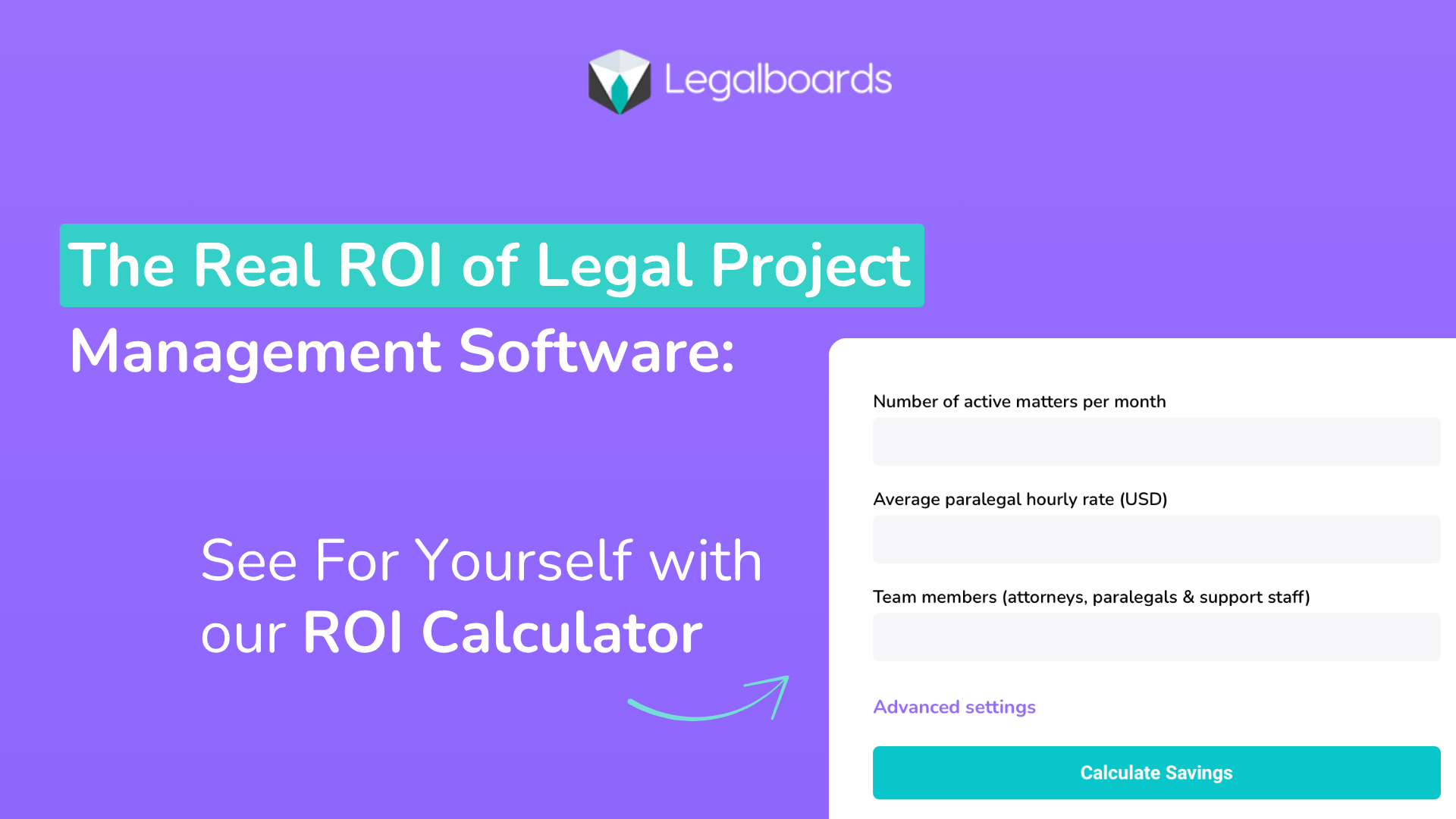
    Legalboards makes it easy to find out. Our free ROI Calculator lets you estimate how much time and money your firm could save by automating workflows and improving task management.

    Just enter a few details, like firm size, average case volume, and time spent on administrative work, and get a personalized report showing your potential return on investment. 

    Whether your goal is to increase billable hours, reduce overhead, or improve client service, this tool gives you the data you need to make an informed decision. 

    It’s a fast, no-commitment way to see how Legalboards can help your firm work more efficiently and profitably.

    Legal project management software isn’t just about keeping up with technology; it’s about building a smarter, more agile firm ready to meet the demands of modern legal work. 

    From attracting forward-thinking attorneys to delivering better client outcomes and freeing up valuable time, the returns are tangible. 

    With tools like Legalboards’ ROI Calculator, you can clearly see how the right investment today can yield lasting gains in efficiency, productivity, and profitability.

     Now’s the time to streamline, scale, and set your firm up for long-term success.


    Your Questions, Answered

    How can case management software actually save my firm money?

    By automating routine tasks like document handling, time tracking, and workflow management, case management software reduces the time your team spends on administrative work, freeing them to focus on billable tasks.

    👉Legalboards helps law firms eliminate inefficiencies by streamlining task management, communication, and file organization, all in one platform.


    How long does it take to see a return on investment with case management software?

    Most firms begin to see measurable improvements in efficiency and client service within the first few months. ROI depends on your current processes, but even modest improvements in time saved can quickly add up. 

    👉With Legalboards’ built-in ROI Calculator, you can estimate your potential savings based on real data before you even commit.


    What types of firms benefit most from case management software?

    Solo practitioners, midsize firms, and large practices all benefit, but especially those juggling multiple cases and looking to scale without increasing overhead. 

    👉Legalboards is designed to be flexible and scalable, providing tools that match the unique workflows of firms of any size.


    Does automation really improve client satisfaction?

    Yes. Automation allows for faster updates, fewer errors, and better communication, which translates into a smoother experience for clients.

    👉Legalboards includes features like real-time task tracking and automated case updates to help firms provide consistent, transparent service that clients appreciate.


    How can I measure the ROI of my case management software?

    Track time savings, reduced administrative overhead, increased billable hours, and improved client retention over time. 

    👉Legalboards makes this easy with its ROI Calculator, helping you quantify how automation directly impacts your bottom line and workflow efficiency.

  • 5 Ways Case Tracking Software Improves Client Communication for Law Firms

    5 Ways Case Tracking Software Improves Client Communication for Law Firms

    Strong client communication can make or break a law firm’s reputation. In an already fast-paced, high-stakes environment made exponentially faster and more complex with evolving technology, clients expect prompt, transparent, and consistent updates on their cases. 

    However, when law firms rely on disjointed systems, such as spreadsheets, email threads, and physical files, client communication can quickly become inefficient and prone to errors.

    That’s where case tracking software comes in. 

    By centralizing case information, automating workflows, and enabling secure communication, the right software can dramatically improve the way law firms engage with their clients.

    Here are five key ways case tracking software enhances client communication and builds stronger, trust-based relationships.

    1. Centralized Client Information for Faster, More Accurate Responses

    One of the biggest obstacles to effective client communication is scattered information. When case details are stored across multiple platforms like email, personal notes, or physical files, responding to client inquiries takes longer, and the risk of providing incomplete or outdated information increases.

    Case tracking software eliminates this problem by consolidating everything in one place. From contact information and case notes to documents and deadlines, your entire team has access to the latest updates. 

    This unified view ensures that every interaction, from quick check-ins to detailed case updates, is accurate, informed, and consistent.

    2. Real-Time Case Status Updates Keep Clients in the Loop

    Clients hate feeling left in the dark. Without clear updates, they’re more likely to call or email repeatedly, adding strain to your team’s workload. Case tracking software provides real-time insights into a case’s status, enabling attorneys and staff to proactively communicate with clients.

    Many modern platforms even offer automated status notifications or client portals, where clients can log in securely to check on the progress of their matter. 

    This self-service approach not only satisfies clients’ need for transparency but also reduces the time your team spends fielding routine inquiries.

    3. Streamlined Task and Deadline Management Prevents Communication Gaps

    Missed deadlines and forgotten tasks delay cases and can significantly erode client confidence. Case tracking software features automated task lists, deadline reminders, and calendar integrations that ensure your team stays on top of every aspect of a case.

    This level of organization leads to more proactive communication. Instead of clients chasing updates, your team can provide timely notifications on upcoming court dates, required documentation, or changes in case strategy. 

    This proactive communication boosts client satisfaction and trust.

    4. Better Team Collaboration Leads to Consistent Messaging

    In a busy law firm, it’s common for multiple team members to touch the same case. Without a central system, internal communication breakdowns can result in inconsistent messages being relayed to clients, leading to confusion and frustration.

    Case tracking software solves this issue by creating a shared workspace where all case-related information, notes, and updates are visible to authorized users. Everyone involved is aware of the latest developments, responsibilities, and next steps. 

    With a central hub and visibility across the firm, your clients can rely on consistent, unified responses at every touchpoint.

    5. Secure Messaging and Document Sharing Build Client Trust

    Email is notoriously insecure, and clients entrusting sensitive information to their legal team expect confidentiality and data protection. 

    Many case tracking platforms include built-in secure messaging and document sharing features, providing a safer alternative to traditional communication channels.

    With these tools, clients can share confidential information, receive case documents, and ask questions with the knowledge that their data is protected by robust security protocols. 

    This level of security enhances the client experience and helps your firm meet compliance requirements for data privacy and client confidentiality.

    It’s Time to Level Up Your Client Communication

    Enhancing client communication is crucial for any law firm seeking to establish trust, cultivate loyalty, and maintain a robust reputation. 

    Case tracking software transforms the way firms manage client interactions by streamlining case information, automating updates, and enabling secure, consistent communication across the entire team. 

    With the right tools in place, your firm can respond more quickly, collaborate more effectively, and keep clients informed at every step.


    Your Questions, Answered

    How does case tracking software help my law firm respond to client inquiries faster?

    Case tracking software centralizes all client information, case updates, documents, and deadlines in one secure system. This eliminates the need to search across emails, notes, or paper files when a client calls or emails.

    👉 Legalboards makes this even easier with its visual dashboard and organized matter details, so any team member can provide an immediate, accurate update to the client.

    Can case tracking software send automated updates to clients?

    Yes. Many platforms allow you to automate notifications for case status changes, upcoming deadlines, or document requests. This helps keep clients informed without requiring manual check-ins from your team.

    👉 With Legalboards, you can set up automated triggers and notifications that alert clients or internal teams when the case reaches specific milestones, ultimately improving transparency and communication.

    How secure is client communication within case tracking software?

    Security varies by platform, but leading case tracking software includes encrypted messaging, access controls, and secure document sharing to protect sensitive client information.

    👉 Legalboards prioritizes security with features like encrypted storage and role-based permissions, ensuring that only authorized team members can view or share confidential client data.

    What if multiple attorneys or staff are working on the same case? How does the software help avoid miscommunication?

    Case tracking software provides a shared workspace where all case activity, tasks, and notes are visible to authorized users, minimizing confusion and duplicated efforts.

    👉 Legalboards excels in this area with collaborative task boards and real-time updates, so everyone stays aligned and clients receive consistent information from each member of your team.

    Will case tracking software integrate with my existing tools like email or calendars?

    Many case tracking platforms offer integrations with popular email, calendar, and legal management tools to streamline workflows.

    👉 Legalboards integrates seamlessly with tools like Gmail, Outlook, and Clio, helping your firm keep all communications and schedules connected without extra effort.

  • Why Small Law Firms Need Case Management Software: Ditch the Manual Tracking

    Why Small Law Firms Need Case Management Software: Ditch the Manual Tracking

    If you’re heading up a small law firm, you know that the variety of tasks at every level can often pile up.

    In addition to managing your staff, you’re also responsible for client communications, court deadlines, billing, documentation, compliance, and case updates on a daily, and sometimes minute-to-minute, basis. 

    While you may have been getting by with spreadsheets, email folders, or sticky notes on your monitor, those manual methods can only go so far before something slips through the cracks. 

    That’s where case management software comes in.

    If you’re tired of chasing paper trails or worrying about missed deadlines, it’s time to consider a smarter, more secure way to manage your practice.

    What Is Case Management Software?

    Case management software is a digital system designed to help law firms manage every aspect of their legal cases from one central platform. 

    More than a task and workflow management tool, it typically includes features like contact and client record management, document storage and version control, and court date and deadline tracking. Some software even offer time and billing tools and customizable reporting

    Think of it as a hub for legal operations. Rather than using multiple apps or paper-based methods to track what’s happening in your firm, case management software consolidates everything. In one easy-to-use dashboard accessible by your entire team 24/7, whether they’re in the office or working remotely.

    Why Manual Tracking Falls Short

    Manual case tracking systems may be effective for a short period. However, they pose serious limitations as your caseload grows or your team expands.

    Some of the most common challenges small law firms face with manual systems are:

    • Information silos: Client notes and case updates are stored in individual inboxes or personal notebooks.

    • Human error: Dates are entered incorrectly or overlooked entirely.

    • Wasted time: Staff spend hours locating documents or confirming who’s responsible for what.

    • Lack of accountability: Without task tracking, it’s difficult to determine what has been done and what is overdue.

    • No audit trail: If a case is ever reviewed, you don’t have a clear timeline of actions taken.

    These issues can impact productivity and put your clients and professional reputation at risk.

    Top Reasons Small Law Firms Should Use Case Management Software

    If you’ve been on the fence about implementing case management software for your firm, here are six reasons that should help you make your case to leadership and get your staff on board.

    1. Stay Organized and Reduce Risk

    Legal work is full of moving parts, and missing even a single deadline can lead to serious consequences. Case management software automatically tracks deadlines, court dates, and tasks, and sends reminders, so you don’t have to rely on memory or manual calendars.

    You’ll also have a centralized location for every case file, eliminating the need to dig through email threads or filing cabinets.

    2. Work More Efficiently with Fewer Resources

    Small firms often operate without dedicated admin or IT teams. That makes time-saving tools essential.

    With case management software, you can streamline routine tasks like document assembly, intake workflows, and client follow-ups. Many platforms also offer integrations with email, e-signature tools, and billing software, so you can manage more cases with fewer headaches.

    3. Improve Collaboration and Team Communication

    Whether your team is in one office or spread across locations, staying aligned is vital.

    Most case management platforms include internal notes, file sharing, and task assignments, so everyone on a case knows what’s happening and who’s responsible for the next step. 

    You can track progress in real time, reduce miscommunication, and make onboarding new team members easier.

    4. Enhance Client Service and Satisfaction

    Especially in today’s fast-paced, ever more connected world, clients expect timely updates and clear communication. 

    With the right software, your team can log every client interaction, respond more quickly, and keep case progress moving forward, all while creating a documented record of your work.

    Some systems even include client portals for secure messaging and document exchange, boosting transparency and trust.

    5. Get Paid Faster and More Accurately

    Human error involved in manually tracking billable hours can lead to lost income or disputes. 

    Case management software often includes integrated time tracking, invoicing, and payment features, so your billing stays accurate and compliant.

    Many systems allow you to log time directly within each case, generate invoices with a click, and even accept online payments.

    6. Secure Your Data and Ensure Compliance

    Paper files and email threads are inefficient and easily lost or hacked. Legal professionals must adhere to strict confidentiality standards and data protection laws; case management software is designed with these requirements in mind.

    Look for platforms that offer encrypted storage, role-based access controls, audit logs, and cloud backups to protect your firm and your clients.

    What to Look for in a Case Management Solution

    When evaluating options, small law firms should prioritise:

    • Ease of use: The system should be intuitive, with minimal training required

    • Affordability: Pricing should reflect the needs and budget of smaller practices

    • Customization: You should be able to tailor workflows, fields, and templates to your practice area

    • Scalability: The platform should grow with you as your firm expands

    • Support: Look for responsive customer service and onboarding assistance

    Final Thoughts: A Small Firm’s Big Advantage

    Investing in case management software isn’t just for large firms with big budgets. In fact, it can be even more valuable for smaller practices that need to make every hour and every resource count. 

    By streamlining operations, reducing errors, and improving visibility across your caseload, the right tool can help your team work smarter, not harder.

    So if you’re still relying on spreadsheets, shared drives, or inboxes to manage your legal work, now is the time to make the switch. The benefits will impact your bottom line, your client satisfaction, and your firm’s long-term success.


    Your Questions, Answered

    What is case management software, and why do small firms need it?

    Case management software is a digital tool that helps law firms organize, track, and manage legal cases, tasks, deadlines, documents, and communications in one central place. For small firms with limited staff and growing caseloads, it helps reduce admin burdens, minimize errors, and improve efficiency.


    👉 Legalboards simplifies case oversight with a visual, Kanban-style dashboard that lets you manage every matter from intake to closure without missing a beat.

    Can case management software help me avoid missed deadlines?

    Yes. Many small firms struggle to keep track of court dates, filing deadlines, and client meetings.

    👉 Legalboards provides built-in automated reminders, deadline alerts, and calendar integrations that ensure critical dates are never overlooked.

    How does case management software improve collaboration in small teams?

    Without a centralized system, it’s hard to know who’s doing what, what stage a case is in, or where key documents are stored.

    👉 Legalboards enables seamless team collaboration by assigning tasks, tracking progress in real time, and storing case files in one secure, accessible platform.

    Is it difficult or time-consuming to set up case management software?

    Not at all. The best platforms are built for ease of use and can be set up with minimal technical knowledge.

    👉 Legalboards is designed for quick onboarding, with intuitive workflows and customizable templates so your firm can hit the ground running in hours, not days.

    Will it integrate with the other tools I already use (e.g., email, billing, time tracking)?

    Yes. Integrations are key for small firms that need to stay lean and efficient without duplicating effort.


    👉 Legalboards integrates with popular legal tools like Clio, Gmail, Outlook, and Google Calendar, giving your firm a streamlined, all-in-one solution.

  • Confidential, Compliant, and Organized: A Legal Team’s Guide to Document Management

    Confidential, Compliant, and Organized: A Legal Team’s Guide to Document Management

    In the legal world, precision and reliability aren’t just preferred, they’re essential. Legal professionals manage an overwhelming volume of documentation: contracts, case files, evidence records, regulatory filings, and more. 

    Every detail matters, every version counts, and every document must be readily accessible, secure, and accurately stored. When working on legal projects, efficient document management can be the difference between success and setbacks.

    So, how can legal teams ensure they’re handling documentation the right way? By following best practices that align with the unique demands of legal work.

    Legal projects are often complex, high-stakes, and deadline-driven. Whether you’re preparing for litigation, managing a corporate transaction, or navigating regulatory compliance, you’re working with dozens, sometimes hundreds, of sensitive documents.

    Poor document management can lead to:

    • Missed deadlines due to lost or inaccessible files

    • Costly errors caused by outdated versions

    • Non-compliance with regulatory requirements

    • Security breaches and client trust issues

    A structured document management system (DMS) isn’t just helpful; it’s critical. It brings clarity, accountability, and efficiency to every stage of a legal project.

    Legal teams frequently encounter several persistent challenges when it comes to managing documents effectively. Version control can quickly become a nightmare, particularly when multiple stakeholders, such as partners, associates, clients, and external counsel, are all editing the same file at different stages of development. 

    This lack of clarity often results in the use of duplication, inconsistencies, or outdated versions by mistake.

    At the same time, legal documents contain highly sensitive information, so maintaining robust access controls and data security is non-negotiable. 

    However, this must be carefully balanced with the need to ensure that authorized users can quickly access the information they need, especially under time-sensitive conditions.

    Legal projects are also rarely siloed; they often require seamless collaboration among various parties, including clients, external law firms, and internal departments such as finance, human resources, or compliance.

    Add to this the burden of regulatory compliance, which demands rigorous standards for record-keeping, confidentiality, retention, and auditability, and it’s clear why document management remains a critical pressure point for legal teams aiming to work both efficiently and securely.

    To overcome these hurdles, legal teams should implement the following best practices:

    1. Use a Centralized, Cloud-Based DMS: A cloud-based platform ensures that documents are always available from any device, in any location. Look for systems that offer encryption, two-factor authentication, and automated backups.

    2. Enforce Strict Version Control Protocols: Use software that automatically tracks and labels versions. This ensures that everyone works from the most current file and that previous versions are still accessible when needed.

    3. Establish Consistent Naming Conventions and Folder Structures: Create a documented protocol for naming files and organizing folders. This improves searchability, reduces duplication, and helps onboard new team members quickly.

    4. Implement Role-Based Access Controls: Assign permissions based on job function. This protects client confidentiality and ensures users only access what they need.

    5. Regularly Archive and Review Files: Outdated documents should be archived by established retention policies. Regular file reviews reduce clutter and improve compliance.

    6. Integrate Document Management with Legal Project Tools: Connect your DMS with project management software. This keeps documents linked to relevant tasks, milestones, and timelines, providing better visibility and workflow automation.

    Tools and Technologies to Consider

    Several platforms are designed specifically for the legal sector:

    • Clio: Combines case management with document storage

    • NetDocuments: A popular cloud DMS tailored to law firms

    • iManage: Offers robust compliance and collaboration features

    Additionally, tools like DocuSign, Adobe Acrobat Pro, and Microsoft 365 support document automation, electronic signatures, and secure document sharing.

    Building a Culture of Best Document Practices

    While having the right technology in place is essential, it’s not sufficient on its own to ensure effective document management within legal teams. Lasting success depends on building a strong internal culture that prioritizes clarity, consistency, and accountability. 

    This begins with a well-defined document management policy that outlines key standards for file naming, storage, access, and retention, including the duration for which documents should be retained and the procedures for their secure destruction.

    Assigning roles and responsibilities ensures that everyone, from paralegals to partners, understands their part in maintaining document integrity. 

    However, a policy only works if people follow it. That’s why regular training sessions are crucial, as they help team members stay current with best practices and new systems. 

    Just as important is conducting periodic audits to uncover potential gaps in compliance or efficiency and to make continuous improvements. 

    By embedding these practices into the day-to-day workflow, legal teams foster a shared responsibility for document discipline, turning what could be a source of risk into a foundation of operational strength.

    In Summary:  Document Management That Delivers Results

    Legal projects thrive on clarity, organization, and accountability. By adopting smart document management practices, legal teams can reduce risk, enhance collaboration, and keep projects moving smoothly.

    Whether you’re a solo solicitor or part of a corporate legal department, the right systems and practices will save time, cut costs, and improve client satisfaction.

    Document management isn’t just a back-office function. It’s a strategic asset that supports better outcomes in every legal project.

    Ready to bring more structure to your legal workflows? Start with a clear policy, the right tools, and a commitment to best practices.


    Your Questions Answered

    Legal professionals often struggle with version control issues, misplaced files, unclear naming conventions, and inconsistent access permissions. These problems can slow down projects, increase the risk of errors, and jeopardize compliance.

    👉 Legalboards helps address these challenges by integrating with trusted document management tools like Google Drive and OneDrive. You can link files directly to tasks, use structured workflows, and define roles to keep your team organized, accountable, and audit-ready.

    How can legal teams maintain version control and avoid duplication?

    Without a structured system, teams may work off outdated files or accidentally overwrite important changes. Version confusion not only wastes time but can result in costly mistakes.

    👉 Through integrations with cloud storage platforms, Legalboards makes it easy to attach the latest file versions to your visual workflow. You’ll always know which document is connected to a task and who updated it last — all without leaving the board.

    What’s the best way to ensure document security and controlled access?

    Legal documents often contain highly sensitive client data, so it’s critical to implement strict access controls and encryption.

    👉 Legalboards leverages the security of integrated platforms like Google Drive and OneDrive, where you can manage file permissions based on user roles. Within Legalboards, you control access to workflows, tasks, and linked documents for secure collaboration.

    How do I streamline collaboration across departments or with external counsel?

    Legal projects often involve multiple stakeholders, and using emails or disconnected systems can lead to delays and confusion.

    👉 Legalboards connects your project boards with document storage tools, so internal and external users can collaborate efficiently. Assign tasks, link relevant documents, and communicate within a single visual system -no more chasing updates across multiple platforms.

    How can we make document management more efficient over the long term?

    Efficiency isn’t just about tools. It’s about habits. Legal teams need systems that encourage consistency, automation, and accountability.

    👉 By automating task management and integrating with your preferred document tools, Legalboards helps you build repeatable processes. Create templates, assign tasks with linked documents, and monitor progress in real-time to keep projects moving forward.

  • Mastering Legal Time Tracking: How the Right Billing Software Can Transform Your Practice

    Mastering Legal Time Tracking: How the Right Billing Software Can Transform Your Practice

    Billing and time tracking might not be the most glamorous part of legal practice. However, they are among the most important. Accurate timekeeping is essential not only for firm profitability but also for maintaining transparency, ensuring compliance, and fostering client satisfaction. 

    As legal professionals navigate increasing workloads and rising client expectations, outdated or manual timekeeping methods pose a challenge. Tracking methods can lead to missed revenue and administrative headaches. That’s where modern legal billing software comes in.


    Many law firms still rely on manual time entry, spreadsheets, or disconnected tools to track billable hours. These traditional methods are prone to human error, often fail to capture all billable time, and create unnecessary delays in invoicing. 

    Attorneys frequently find themselves reconstructing work hours at the end of the day or week, which can lead to underbilling and compliance issues. Additionally, firms may face difficulties in managing retainers, trust accounting, and varying billing rules across clients or jurisdictions.


    When evaluating software, it’s crucial to choose a solution designed with legal professionals in mind. 

    The right platform should offer features like:

    • Real-time and retrospective time capture to record work as it happens or log it later.

    • Customizable billing rules and rates per client, matter, or jurisdiction.

    • Trust accounting and compliance tracking for legal and financial requirements.

    • Reporting tools for audits, forecasting, and productivity analysis.

    These features aren’t just conveniences; they’re essential for running a compliant, efficient, and profitable practice.

    The Benefits of Using the Right Tool


    Adopting the right legal billing and time tracking software can bring both immediate and long-term benefits to your firm. First, accurate and automated time capture ensures that no billable minutes slip through the cracks, directly improving revenue. 

    Second, automating invoice generation reduces administrative time and minimizes errors, allowing your team to focus more on client service.

    Transparent billing also enhances client trust. When clients receive detailed, consistent invoices, they’re more likely to pay on time and appreciate the value of the work delivered. For firm leadership, access to time tracking data enables better decision-making, from resource allocation to budgeting and forecasting.

    Why the Right Time Tracking Partner Matters

    Choosing a partner who understands the unique demands of legal practice can make all the difference when it comes to time tracking. 

    A purpose-built solution should embed time capture directly into your workflows, making it seamless to track billable hours alongside case management, task lists, and internal communications.

    With the right partner, legal professionals can capture time effortlessly as they work, apply customized billing rules for different practice areas, generate professional invoices from logged time, and monitor team performance and billable targets in real time.

    Look for a provider that integrates with the tools your firm already usessuch as Clio, Microsoft 365, or matter management systems. 

    This will help eliminate duplication, reduce administrative overhead, and create a more streamlined and efficient legal operation.

    The Importance Of Time Tracking Software

    In today’s competitive legal market, firms can’t afford to leave money on the table or waste time with outdated billing practices.

    Legal billing and time tracking software is more than a productivity tool; it’s a critical system that supports growth, compliance, and client satisfaction.

    By investing in the right solution, such as Legalboards, your firm can turn timekeeping from a frustrating task into a strategic advantage. 

    The result? Faster payments, improved profitability, and a smoother experience for everyone involved.


    Ready to streamline your legal billing? Discover how Legalboards can modernize your time tracking and help your firm thrive. Schedule your free demo today.


    Your Questions Answered 

    Why is accurate time tracking so important for law firms?


    Accurate time tracking ensures lawyers capture all billable hours, meet client expectations, and stay compliant with financial regulations. Without it, firms risk underbilling, missed revenue, and reduced trust from clients.

    👉Legalboards makes this easy by embedding time capture directly into your legal workflow, allowing attorneys to track billable minutes as they complete tasks. No reconstruction required.

    Can time tracking software adapt to different billing models?

    Yes. Law firms often employ various billing structures, including hourly billing, flat fees, contingency fees, and retainers, and the software must support multiple billing models to serve the diverse needs of their clients.

    👉Legalboards supports customizable billing rules for each client or case type, ensuring every invoice aligns with the correct fee arrangement and jurisdictional requirement.

    How can time tracking software reduce administrative workload?


    Modern platforms automate the process of recording time, generating invoices, and tracking performance, freeing up lawyers and staff to focus on legal work instead of spreadsheets.

    👉Legalboards automates invoice generation from time logs and provides real-time billing insights, significantly cutting down manual entry and administrative overhead.

    What should I look for in terms of integrations with time tracking software?


    Look for tools that integrate with your existing legal tech stack, like case management, document systems, or Microsoft 365, to streamline data flow and avoid double entry.

    👉Legalboards integrates seamlessly with Clio, Microsoft 365, and other tools, making it easy to centralize your firm’s operations in a single platform.

    How can time tracking software help improve law firm performance?


    By capturing data on how time is spent, firms gain insights into billable vs. non-billable hours, resource allocation, and team productivity. This helps leaders make informed operational decisions.

    👉Legalboards provides built-in performance dashboards and billing analytics, so firms can monitor targets, adjust workflows, and drive profitability.

  • Shift Your Mindset to Drive Better Engagement, Performance, and Accountability in Your Law Firm

    Shift Your Mindset to Drive Better Engagement, Performance, and Accountability in Your Law Firm


    Thank you to everyone who joined us for the fantastic 30-Minute Webinar: Shift Your Mindset to Drive Better Engagement, Performance & Accountability – watch the recording now.

    When Your Team Has Potential, But the Performance Isn’t There

    If you’ve ever looked around your office and thought, “We could be doing more,” you’re not alone. Maybe your paralegals are overwhelmed and missing details. Maybe your junior associates are checking tasks off without thinking ahead. Or maybe you’re just tired of being the only one keeping the ball rolling.

    These signs often point to the same root cause, not a lack of skill, but a lack of structure, communication, and ownership.

    Here’s the good news: it’s fixable not just by throwing in new KPIs or hiring more people, but by shifting how you lead. With the right mindset (and the right systems), you can guide your team to manage themselves better, take more ownership, and show up more consistently.

    Help Your Team Manage Their Priorities, Without Micromanaging

    Let’s start with a mindset shift: you’re not managing tasks. You’re managing clarity.

    Your team doesn’t just need to do the work; they need to know why it matters, what to prioritize, and how you’ll review progress. That starts with giving them tools to manage their list while still staying aligned with yours.

    Let’s start with a mindset shift: you’re not managing tasks. You’re managing clarity.

    In many firms, teams get stuck not because of the workload itself, but because they aren’t sure what to prioritize or how their work fits into the bigger picture. When priorities shift without notice or aren’t communicated clearly, confusion and delays follow.

    One way to support better performance is to make work visible. Some firms utilise visual workflows or task boards to map out legal matters, breaking them down into stages, assigning deadlines, and clearly defining ownership. When team members can see what’s in progress and what’s expected next, they’re more likely to manage their workload effectively and stay aligned without constant oversight.

    This kind of visibility can also reduce the need for repeated check-ins or status meetings. Rather than tracking progress through emails or verbal updates, everyone can refer to the same shared view of the matter.

    Want to stay in the loop without chasing updates? Use Legalboards’ activity tracking and checklist features to keep priorities front and center, so nothing gets lost.

    Related Reading: The Rise of Legal Automation: Streamlining Workflows for Efficiency and Growth

    Delegate for Impact: Not Just Output

    Delegation isn’t just assigning tasks; it’s setting your team up for success.

    Here’s where most leaders get stuck: they delegate what needs to be done, but not what success looks like. When expectations are unclear, you get half-finished work, repeated mistakes, or endless re-dos.

    Too often, tasks are assigned without enough context or clarity. This leads to confusion, delays, or results that fall short of the mark.

    Delegating effectively means matching the task to the right person, clearly defining what a good outcome looks like, and making space for questions along the way.

    In legal practice, this might look like providing a junior associate with a precedent document, outlining the objective of a client letter, or clarifying the expected timeline for a research task.

    Attaching relevant materials and explicitly stating the desired outcome makes it easier for team members to take ownership, without needing to ask for clarification afterwards.

    When expectations are clear and well-supported, people feel more confident, which in turn builds trust. Done poorly, delegation can lead to bottlenecks and rework. Done thoughtfully, it strengthens communication, accountability, and team performance.

    Turn Feedback into Growth: Not Frustration

    When performance lags, the default response is often frustration. But what if the problem isn’t their attitude, it’s the lack of coaching?

    Recognition and feedback aren’t “nice to have.” They’re the fuel for professional growth. Legal professionals, especially in smaller firms, often don’t get the structured mentorship or reviews they’d benefit from.

    Try replacing disappointment with structured feedback. Praise what works. Tackle what doesn’t, honestly but constructively. 

    Clear communication and documentation of work in progress, such as tracking status updates, keeping a record of comments or decisions, and maintaining a matter history, can help identify where something went off track.

    When issues arise, having this context allows you to address problems constructively and use them as learning opportunities, rather than assigning blame.

    Want to set formal goals? Use Legalboards’ integration with your practice management tools to create workflows that reflect quarterly goals or recurring reviews, helping you coach to specific outcomes, not just vague impressions.

    Related Reading: Optimizing Law Firm Operations with Workflow and Automation

    Make Goal-Setting a Team Sport: Not a Solo Task

    Most performance issues stem from mismatched expectations. Instead of annual reviews that feel like a surprise, shift to shorter cycles with shared goals.

    Ask yourself:

    • Do your team members know what success looks like this month?

    • Are they clear on what’s expected by next Friday?

    One way to support consistent follow-through is to make short-term goals visible and specific, such as “submit first draft of motion by Tuesday” or “review disclosure by end of week.” When goals are clearly tied to matter workflows and regularly reviewed, it becomes easier for everyone to stay on track.

    This kind of structure helps build a culture of alignment and accountability, not because someone is micromanaging, but because expectations are shared and progress is transparent.

    Related Reading: How Legalboards Transformed Law Firm Operations

    A Simple Challenge to Try This Week

    Choose one goal for your team this week. Something simple, but tangible.

    Maybe it’s “complete all intake reviews by Thursday.” Or “submit a daily update on litigation files.” Then, make it visible. Track it. Talk about it.

    Small steps can spark big change, especially when your team sees that you’re committed to clarity, not just control.

    Ready to Lead with Confidence? If any of this resonates, whether you’re dealing with low engagement, unclear ownership, or stalled performance.


    📌 Presented by: Sandra Bekhor, MBA

    📅 Recorded live on: June 26, 2025

    📍 Hosted by: Legalboards – Legal Workflow Automation

    You’ll learn how to:

    • Shift your mindset and lead more effectively.

    • Set clear, measurable goals with your team.

    • Use Legalboards to support your delegation and reviews.

    • Coach your team toward growth, without micromanaging.

    Watch the recording now…

  • The Rise of Legal Automation: Streamlining Workflows for Efficiency and Growth

    The Rise of Legal Automation: Streamlining Workflows for Efficiency and Growth

    Automation is the unsung hero behind modern legal operations. In 2025, mid-size law firms are aggressively automating repetitive, time-consuming tasks, from document generation to task management, to do more with less. The American Bar Association’s tech survey reveals that 73% of firms now utilise cloud-based legal tools, with practice management and document automation software leading the way.

    This trend is significant because a substantial portion of legal work is ripe for automation. Clio’s research found that 74% of billable work handled hourly could potentially be automated by generative AI and technology​.

    By automating such routine work, firms can boost productivity, reduce errors, and control costs, all while freeing up attorneys for complex, billable tasks that truly require legal expertise.

    In an environment of intense competition and client demand for value, automation is becoming essential for sustainable growth.

    Why Automation Matters for Mid-Size Law Firms

    Law firms are prioritizing tech that drives efficiency. For example, according to Smokeball’s Annual State of Law Firm Productivity, in choosing software, firms now emphasize ease of use, automation, and workflow integration over cost, a shift that acknowledges that better workflows translate to better profitability.

    It’s paying off: 62% of firms that adopted case management systems reported a marked increase in client satisfaction​, thanks to smoother processes (fewer missed deadlines, faster updates) and more transparent workflows.

    Mid-size law firms often juggle multiple cases and clients simultaneously. Efficiency is paramount, yet many attorneys still shoulder heavy administrative loads. The convergence of recent data underscores a fundamental truth: a substantial portion of legal work is ripe for automation.

    For these mid-sized law firms, automation has quickly emerged as the unsung hero driving efficiency, profitability, and client satisfaction. By offloading repetitive tasks from document generation to task management, firms are now freeing their attorneys to focus on work that demands skill and experience.

    Key Benefits of Automation

    Automation delivers transformative benefits for mid-sized law firms looking to scale efficiently. One of the most immediate advantages is boosted productivity.

    By relieving teams of repetitive and time-consuming tasks, attorneys are empowered to focus on higher-value work that directly contributes to business growth, such as strategy development, client engagement, and revenue-generating activities.

    Cost control is another major advantage. Automating standard workflows helps minimise errors and rework, which can otherwise lead to increased operational costs and delays.

    When processes run smoothly and accurately the first time, the overall financial health of the organisation improves.

    Ultimately, automation offers a significant competitive advantage. As more clients expect faster service and digital transparency, law firms that embrace smart automation tools position themselves as forward-thinking, responsive, and capable of delivering modern customer experiences.

    In this way, automation is not just about cutting costs; it’s a catalyst for long-term, scalable success.

    These findings reinforce a seismic shift: if software isn’t making everyday tasks faster and easier, it doesn’t stand a chance in modern legal operations.

    Practical Outcomes: Doing More With Less

    When automation works behind the scenes, the entire operation flows more smoothly. Attorneys and paralegals can focus on tasks that require critical thinking, face-to-face interaction, and strategic planning, such as meeting clients, crafting legal strategies, and handling complex negotiations.

    • Reduced Errors: By automating routine and repetitive steps, businesses significantly reduce the risk of mistakes that come from manual data entry or inconsistent processes.

    • Higher Billable Hours: With less time spent on administrative tasks, legal professionals can devote more hours to client-focused, revenue-generating work.

    • Happier Clients: Automation leads to quicker turnaround times, clearer communication, and fewer obstacles, all of which improve the overall client experience and strengthen long-term relationships.

    Final Thoughts 

    Legal automation is no longer an option; it’s an essential pillar for success in 2025 and beyond. As the legal industry becomes increasingly complex and client expectations rise, firms that embrace automation will gain a significant competitive edge.

    Automating administrative and procedural workflows allows legal professionals to reduce overhead, minimise human error, and maintain compliance with evolving regulations.

    More importantly, it frees up time for lawyers to focus on client strategy, case development, and other high-value activities that require human judgment and creativity.

    Firms that seize the opportunities of automation will find themselves better positioned to deliver consistent value, scale sustainably, and attract and retain top talent in a demanding and fast-changing legal landscape.

    Making the Move to Automation: A Simple Next Step

    If your firm is feeling the strain of administrative backlogs or struggling to keep up with client demands, automation could be the key to unlocking untapped growth.

    When you’re prepared to streamline daily operations and position your firm for the future, Legalboards stands ready to help. Explore how we can transform your practice by automating the routine, so you can excel where it truly counts.

    Schedule a free demo of Legalboards or visit our blog for more insights.

    Revolutionize your practice- one automated task at a time!


    Frequently Asked Questions

    What tasks in legal operations are best suited for automation?


    Routine and repetitive tasks such as client intake, case updates, document generation, and deadline tracking are ideal for automation. These tasks consume valuable time and are prone to human error.

    Legalboards simplifies these processes by offering visual workflow boards that automate case progression, ensuring that important steps aren’t missed and staff stay focused on high-value legal work.


    How can automation help improve compliance and reduce risk?


    Automation reduces the chances of missed deadlines, incorrect filings, and data inconsistencies by creating standardised, rule-based processes. It also ensures key compliance steps are never skipped.

    Legalboards enhances this by allowing firms to embed compliance checkpoints directly into their workflow boards, giving teams visual and automated cues to stay on track and avoid costly mistakes.


    Will legal automation reduce the need for legal staff?

    No. Automation is designed to support legal teams, not replace them, by handling time-consuming administrative work. This allows lawyers, paralegals, and support staff to focus on strategic and billable tasks.

    Legalboards augments human effort by providing automated task assignments, calendar syncing, and status updates, keeping the team informed without unnecessary manual input.


    How do law firms measure the return on investment (ROI) of automation?

    ROI is typically measured by the time saved, increased billable hours, reduced errors, and improved client satisfaction. Firms often see faster case resolutions and smoother operations after implementing automation.

    With Legalboards, firms can track progress across cases, monitor task completion rates, and evaluate how automation is accelerating workflows and reducing bottlenecks, all within a single platform.


    Is it difficult to implement automation in an existing legal tech stack?

    Not necessarily. Many modern automation tools are designed to integrate with common legal practice management systems, requiring minimal disruption. The key is choosing flexible, user-friendly solutions.

    Legalboards integrates seamlessly with popular platforms like Clio and Microsoft 365, allowing firms to enhance their existing workflows without having to overhaul their entire tech stack.

  • Case Study: Legalboards’ Workflow Automation Success at O’Connell Law

    Case Study: Legalboards’ Workflow Automation Success at O’Connell Law

    O’Connell Law, a firm specializing in estate, probate, and elder law, sought to synthesize tasks housed in Clio and visual board software and an automation tool to ensure proper task order and increase efficiency. To streamline their case management, they turned to Legalboards, a Clio-recommended platform, to enhance workflow automation.

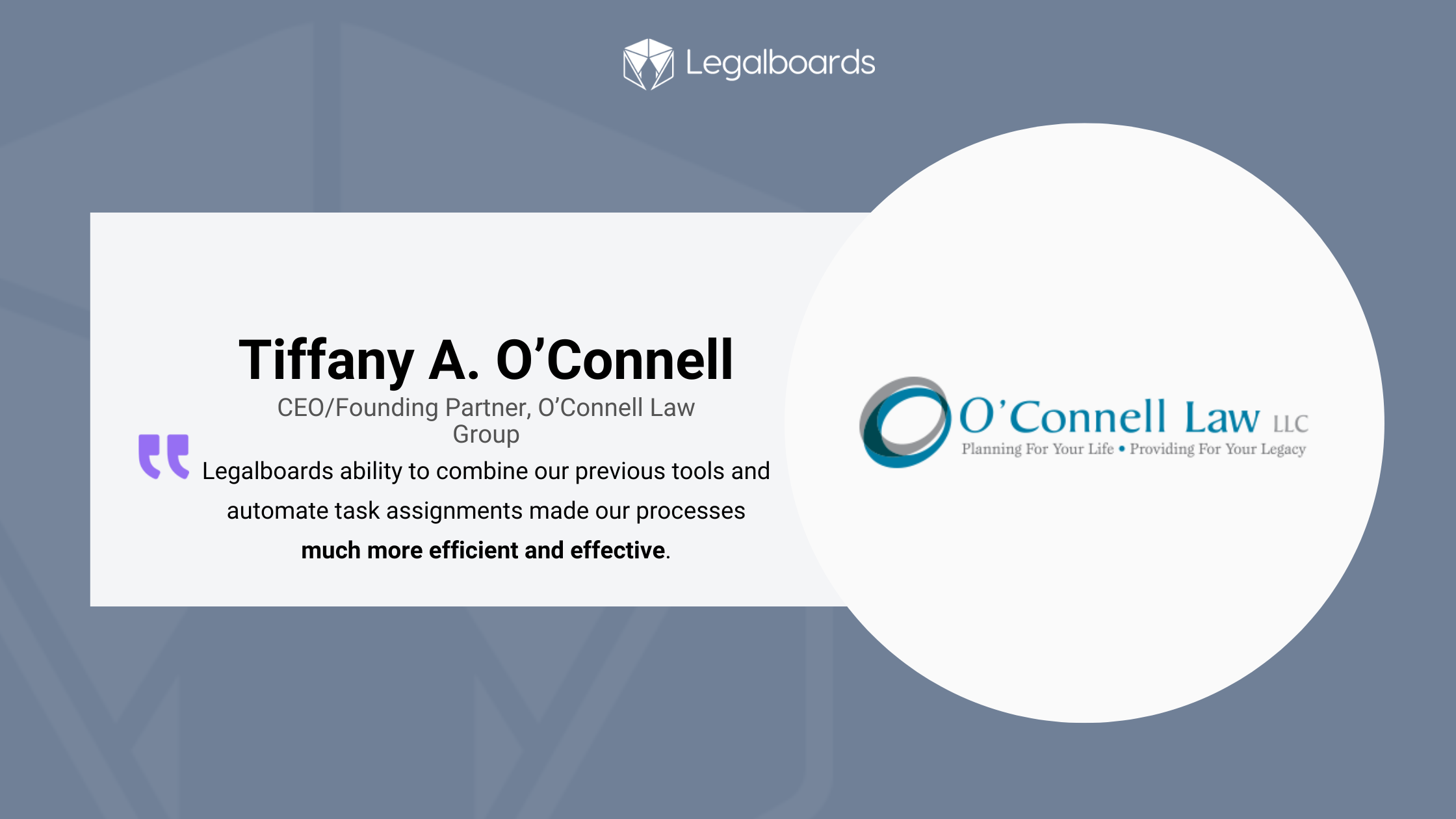
    “With Legalboards, we were able to streamline our workflow by combining the visual board and task automation. -”Tiffany O’Connell, Founding Partner

    Key Challenges Before Legalboards

    • Lack of workflow visibility
    • Separate task tracking tools
    • Inability to automate tasks
    • Lack of easy, efficient interface beyond time tracking 

    Why They Chose Legalboards

    O’Connell Law selected Legalboards based on a recommendation from Clio, ensuring seamless integration with their existing legal tech stack.

    “What stood out about working with Legalboards was the seamless integration and the automation of tasks” – Tiffany O’Connell, Founding Partner.

    The Legalboards Impact

    • Successfully automated Clio tasks, improving workflow efficiency.
    • Streamlined workflow by combining a visual board with task automation.
    • Improved task management with structured tracking and follow-ups.
    • Eliminated manual task status input.
    • Reduced redundancies with real-time information-sharing and automation.
    • Enabled quick, efficient access to files with the Legalboards dashboard.

    “The platform’s ability to combine our previous tools and automate task assignments made our processes much more efficient and effective.” – Tiffany O’Connell, Founding Partner

    Measurable Impact of Legalboards

    Since implementing Legalboards, O’Connell Law has seen significant improvements:

    MetricValue (Monthly)
    Automations Executed1,404
    Time Saved4,212 minutes (70.2 hours)

    ROI Estimate for O’Connell Law 

    Beyond workflow automation, Legalboards delivered real cost savings by reducing administrative workload and improving operational efficiency.

    This integration significantly improved our efficiency and task management, allowing us to focus more on our core activities.” – Tiffany O’Connell, Founding Partner.

    How These Savings Were Achieved

    • Automated tasks eliminated 1,404 + manual actions per month.
    • Time savings of over 70 hours per month reduced staff workload.
    • Workflow automation improved tracking and reduced redundant work.

    Total Estimated Monthly Savings

    • $2,241.34 saved per month in operational costs.
    • $26,896.08 total saved per year.

    A Collaborative Approach to Workflow Optimization

    The great team and customer support at Legalboards were always there to answer questions, which made the experience even better.” – Tiffany O’Connell, Founding Partner.

    One of the standout experiences for O’Connell Law was Legalboards’ visual board representation and the ability to trigger tasks automatically. Additionally, the firm appreciated Legalboards’ seamless integration with Clio attentive customer service.

    Ready to transform your firm’s workflow and achieve tangible cost savings like O’Connell Law?

    Try Legalboards for free and experience streamlining your operations and boosting efficiency!

  • AI & Automation: How Mid-Size Law Firms Can Transform Legal Operations

    AI & Automation: How Mid-Size Law Firms Can Transform Legal Operations

    Mid-size law firms juggle many competing tasks — from client communication to high-volume document reviews. As an operations manager or paralegal manager, you know how important it is to keep processes running smoothly.

    Recent data from the 2024 Legal Technology Survey Report by the American Bar Association (as reported by the ABA Journal) shows a notable uptick in adopting AI legal operations: 30% of responding lawyers use some form of AI, up from previous years, While 46% of larger firms (100+ attorneys) have embraced AI, mid-sized firms are steadily catching up.

    Still, accuracy and reliability remain top concerns. In the survey, three-quarters of respondents cite worries about AI “hallucinations”—inaccurate or fabricated outputs—and see human oversight as essential. For firms that integrate AI into their daily operations, benefits include faster contract review, improved workflow management, and increased efficiency.

    Below, we’ll explore how these advantages translate to better operations and how Legalboards’ AI Board Generator can help.

    Why AI & Automation Matter for Mid-Size Firms

    Mid-size firms have done their due diligence in the past with manual file input and cumbersome processes. They have likely existed for some time, and partners have poured thousands of hours of hard work into their growth.

    Mid-size firms can benefit substantially from implementing AI into daily operations as they continue to grow and expand their offerings.

    1. Speed & Efficiency


    AI-driven solutions can rapidly sift through contracts and legal data, saving hours typically spent by paralegals or associates. Early adopters report significant gains in turnaround time and staff productivity.

    1. Reduced Errors


    Even a single oversight can escalate into major financial or reputational damage. Automated workflows minimize human error by auto-filling forms, cross-referencing documents, and ensuring no step slips through the cracks.

    1. Elevated Client Experience


    Clients now expect quick updates and transparent processes. Automation tools provide real-time alerts, automated billing reminders, and easy communication channels — leading to higher satisfaction and loyalty.

    1. Data-Driven Insights

    Tools like predictive analytics uncover hidden patterns in case outcomes, staff workloads, or practice area trends. According to the ABA survey, AI is increasingly used for tasks like litigation strategy, helping lawyers spot strong or weak points in a case early on.

    1. Training via CLE

    Firms of all sizes turn to continuing legal education (CLE) webinars and courses to understand AI capabilities and ethical considerations.

      Despite some hesitation in the industry, AI has already become mainstream. As reported by the ABA Journal, 13% of lawyers surveyed consider AI mainstream in 2024 — up from just 4% the previous year.

      Even more, 45% of lawyers surveyed expect AI to be fully mainstream within three years, indicating that adoption will continue to surge.

      Here’s how AI is already changing legal work as we know it:

      • Contract & Document Review: Natural language processing flags risky clauses or missing data.
      • Litigation Strategy: Early insights into win/loss probabilities help teams allocate resources strategically.
      • Workflow Automation: Calendar alerts, task assignments, and follow-up reminders all happen automatically.
      • Board & Task Generation: AI tools that auto-create tasks or Kanban boards based on prompts ensure consistency across matters.

      Spotlight on Legalboards’ AI Board Generator

      AI discussions often focus on predictive tasks, but Legalboards uses AI to build and optimize workflows. Input a short prompt describing your process (e.g., “Commercial Lease Review Workflow”) to generate a Kanban board instantly.

      This feature allows law firms to:

      • Reduce Setup Time: Get a functional workflow in minutes, not hours.
      • Maintain Consistency: Standardize personal injury, estate planning, or litigation steps.
      • Promote Accountability: Ensure paralegals and attorneys see the same organized pipeline.
      • Adapt Easily: Update tasks, boards, and automations as regulations or firm needs change.

      The specialized AI board generator can help attorneys and paralegals reduce the time and stress of building boards, so you can start streamlining daily tasks and take advantage of Legalboards’ additional capabilities. 

      Best Practices for Embracing AI

      As artificial intelligence continues to shape the future of legal practice, law firms are under increasing pressure to adapt — or risk falling behind. However, successful adoption requires more than simply buying software; it demands a thoughtful, strategic approach that considers ethical, operational, and cultural factors. Below are some best practices to help legal professionals embrace AI effectively and responsibly.

      1. Address Ethical & Accuracy Concerns

      According to the ABA survey, many legal professionals hesitate to rely on AI due to the risk of inaccuracies or hallucinated legal references. To mitigate this, it’s essential to implement a transparent review process: all AI-generated content should be vetted by a qualified attorney before being shared with clients or submitted to the court. This not only safeguards your reputation; it also ensures compliance with professional responsibility standards.

      2. Provide Ongoing Training


      AI in legal operations is evolving rapidly, and keeping pace is crucial for effective implementation. Encourage attorneys and support staff to participate in CLE sessions on legal tech, AI ethics, and automation tools. Additionally, many AI vendors offer product-specific training webinars and tutorials — these can be valuable resources for getting the most out of your investment. By fostering a culture of continuous learning, firms can reduce tech resistance and boost confidence in AI-powered workflows.

      3. Measure Impact & Refine


      Introducing AI into legal practice isn’t a set-it-and-forget-it strategy. Firms should monitor key performance indicators (KPIs) such as case turnaround times, document accuracy, billing efficiency, and client satisfaction. Collecting and analyzing this data will help you identify which tools deliver value and which may need tweaking or replacement. This data-driven approach allows for more intelligent decisions as your firm adapts to new technology.

      4. Roll Out Incrementally


      To maximize the chances of a smooth transition, start small. Choose a single practice area — like immigration, personal injury, or estate planning — where the potential for automation is transparent and manageable. Implement AI tools in that area, evaluate the outcomes, and gather feedback from the team. Once the results are in and confidence is high, you can scale the technology across other practice areas. This measured rollout helps minimize disruption and provides valuable lessons before broader adoption.

      The Path Forward

      The majority of legal professionals agree: AI is changing the profession. According to a study by Deloitte, “79% of legal respondents believe Generative AI will have a moderate to significant long-term effect on how legal work is performed, and a further 49% predicted that some legal tasks will become entirely obsolete, performed instead by Generative AI.”

      While concerns around AI accuracy persist, the upside for mid-size firms is enormous: quicker turnaround times, lower overhead, and better client outcomes.

      As law continues its technology-driven evolution, tools that blend responsible AI with robust human oversight will shape the future of legal operations.

      Transform your firm with Legalboards. Try it for free and harness the efficiency of our AI Board Generator. Save time, improve consistency, and keep every team member focused on delivering exceptional legal services.

    1. Optimizing Law Firm Operations with Workflow and Automation

      Optimizing Law Firm Operations with Workflow and Automation

      The legal industry is evolving rapidly, and law firms are under increasing pressure to enhance efficiency, reduce administrative burdens, and improve client service.

      However, despite their expertise, many lawyers are bogged down by time-consuming tasks like document management, case tracking, and client communications. This leaves little room for actual legal work.

      In fact, according to a Clio report, lawyers only spend 2.6 hours per day on billable work. The rest of their time is consumed by administrative tasks, business development, and other non-revenue-generating activities.

      Law firms must embrace workflow optimization and automation to remain competitive and profitable. By leveraging technology-driven solutions, firms can streamline processes and reduce errors. This also frees up valuable time for attorneys to focus on client advocacy and case strategy. 

      Whether automating document generation, integrating AI-driven legal research, or implementing seamless client intake systems, the right tools can transform a law firm’s operations. These tools enhance productivity, profitability, and overall service quality.

      In this guide, we’ll explore how workflow automation can revolutionize law firm operations. We will also discuss the key benefits of adopting legal tech solutions and the best strategies for integrating automation into daily practice. If your firm is looking to boost efficiency and maximize billable hours, it’s time to rethink traditional workflows and embrace the future of legal operations.

      The Root of Operational Inefficiencies: How Administrative Tasks Drain Productivity

      Law firms are constantly under pressure to manage caseloads efficiently while maintaining high standards of service. However, many firms struggle with operational inefficiencies that stem from excessive administrative work.

      Lawyers, paralegals, and support staff often get bogged down by manual processes that consume valuable time. This is time that could otherwise be spent on case strategy, client consultations, and court preparation.

      The overwhelming volume of administrative tasks is one of the biggest culprits behind these inefficiencies. Law firms rely on repetitive, time-consuming processes, from scheduling client meetings and managing case files to processing paperwork and tracking billable hours. These processes can spiral out of control. 

      Manual processes also slow down critical functions like case management, billing, and client communication. Traditional methods of organizing case files like paper-based filing systems or outdated software make it challenging to access crucial information quickly.

      Delays in processing invoices and tracking billable hours lead to cash-flow challenges. Inefficient client communication results in missed deadlines and dissatisfaction. Law firms risk falling behind competitors who leverage technology to operate more effectively without streamlined workflows.

      By identifying the root causes of these inefficiencies, law firms can take proactive steps to modernize their operations. Implementing workflow automation tools, digitizing case management, and integrating smarter billing systems can significantly reduce the burden of administrative tasks. This allows legal professionals to focus on what they do best — practicing law and serving clients.

      The Importance of Process Discovery in Law Firm Operations

      Before implementing automation, law firms must understand their existing workflows through process discovery. This crucial step involves mapping out how tasks are currently performed, identifying inefficiencies, and pinpointing opportunities for improvement.

      By conducting thorough process discovery, firms can:

      • Streamline Workflows: Identify bottlenecks and redundancies to create more efficient processes.

      • Clarify Roles and Responsibilities: Ensure team members know their duties, reducing confusion and delays.

      • Enhance Communication: Improve collaboration by defining clear workflows and ensuring information flows smoothly across departments.

      • Improve Client Satisfaction: Faster case processing and more organized workflows lead to better client experiences.

      • Leverage Technology: Identify areas where automation and legal tech can significantly impact the most, optimizing time and resources.

      Process discovery is the foundation of a truly efficient, technology-driven law firm. It helps firms transition from outdated manual processes to streamlined, automated operations that drive growth and success.

      The legal industry has long been known for its reliance on time-intensive, manual processes, but that is rapidly changing with advancements in automation. A McKinsey report estimates that 23% of legal work can be automated. This frees valuable time for legal professionals to focus on complex casework and client relationships.

      By leveraging automation, law firms can streamline operations, reduce administrative overhead, and improve service delivery.

      One of the most significant areas where automation can drive efficiency is task management. Legal professionals juggle multiple deadlines, filings, and case updates. This leads to inadequately organised bottlenecks. Automated task management tools can assign, track, and update tasks in real-time. This ensures every team member stays on top of their responsibilities without needing constant follow-ups.

      Another game-changer is document automation. Legal paperwork — contracts, pleadings, agreements, and briefs — requires meticulous drafting and review, often consuming hours of a lawyer’s time. Automation tools can generate standardized legal documents with just a few inputs, reducing errors and increasing speed.

      Some advanced systems even use artificial intelligence (AI) to review contracts and flag inconsistencies, enhancing accuracy.

      Billing and invoicing also stand to benefit significantly from automation. Many firms still rely on manual time tracking and invoice generation, which can lead to delayed payments and revenue leakage.

      Automated billing systems seamlessly track billable hours, generate invoices, and send payment reminders. This improves cash flow and reduces the administrative burden on lawyers.

      Lastly, client follow-ups can be automated to improve responsiveness and client satisfaction. Rather than relying on manual emails and phone calls, law firms can implement automated communication workflows that send reminders for court dates, case updates, and consultation follow-ups.

      This enhances efficiency and strengthens client relationships by ensuring consistent and timely communication.

      Practical Steps for Law Firms to Streamline Operations

      Streamlining operations through workflow automation is a game-changer for law firms aiming to improve efficiency and profitability.

      Modern legal tech solutions like Legalboards and Clio are designed to automate and simplify daily tasks, ensuring that law firms run smoothly. These tools make case Management, Task and Workflow Automation, and Client Management simple and efficient.

      Law firms often struggle with excessive non-billable hours due to manual administrative tasks. Automating these processes allows lawyers to focus on what they do best — practicing law. Key areas for automation include billing and invoicing, document automation, and compliance management. 

      Law firms can optimize productivity, enhance client service, and boost profitability by integrating workflow automation tools and reducing non-billable hours.

      Key Takeaways

      In today’s fast-paced legal landscape, embracing technology is no longer optional — it’s essential. Firms that fail to adopt workflow automation risk falling behind their more efficient, tech-savvy competitors.

      Workflow automation solutions streamline operations, minimize administrative burdens, and maximize profitability by reducing non-billable hours. From task management and document automation to billing and client follow-ups, automation empowers legal professionals to focus on high-value legal work rather than tedious manual processes.

      Law firms that proactively integrate legal tech tools like Clio and Legalboards will boost efficiency, enhance client satisfaction, improve compliance, and gain a significant competitive advantage.