Blog

  • Lesson 2: Kanban Deep-Dive with John Grant

    Lesson 2: Kanban Deep-Dive with John Grant

    Applying Agile to Legal Practices

    Lesson 2: Kanban Deep-Dive with John Grant

    Kanban Deep-Dive: Agile Practices with John Grant

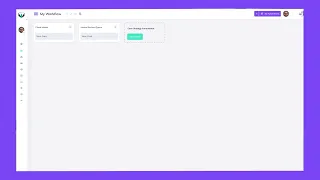
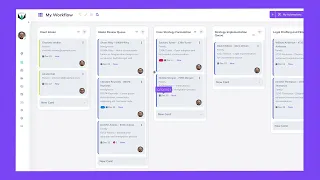
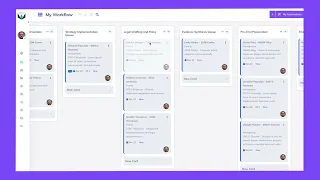
    In this 40-minute masterclass, John Grant moves beyond the basics of a Kanban board to unpack the full Kanban Methodology—principles, practices, and mind-set shifts that help law firms streamline work, reduce stress, and communicate value to clients.

    Key Points at a Glance

    • See Work as Flow
      Understand suppliers → inputs → process → outputs → customers (SIPOC) so every matter actually moves.

    • Six Core Kanban Practices

      1. Make work visible

      2. Limit work-in-progress (WIP)

      3. Measure & manage flow

      4. Make policies explicit

      5. Establish feedback loops

      6. Evolve through small experiments

    • Design Boards Around Handoffs
      Create a new column for each person or resource transition to expose hidden delays.

    • WIP Limits & Monotasking
      “Start less to finish more”—cut multitasking costs and close files faster.

    • Explicit Policies that Stick
      ▸ FIFO as the default priority rule
      ▸ Clear exceptions (e.g., safety issues)
      ▸ Definitions of Ready and Done to slash rework.

    • Agile Cadences for Legal Teams
      Weekly planning + review, daily 90-second stand-ups, and “5 % time” reserved for continuous improvement.


    Start Lesson 3 Now

    Course Curriculum
    Your 9 Agile Lessons

    Lesson 1: How to Tell If Kanban Could Work For You

    In this lesson, you’ll learn how to identify if you should implement the Kanban methodology and how to get started.


    Watch Now

    Lesson 2: Applying Agile to Legal Practices with John Grant

    An in-depth look at integrating Agile methodologies in a legal setting, guided by industry expert John E. Grant.


    Watch Now

    Lesson 3: Getting Started

    Where and how should you start implementing Kanban? Let’s go over how to use what you already do and translate it into Kanban.


    Watch Now

    Lesson 4: Building a Board

    Let’s walk you through how to build a Kanban board using Legalboards for our example firm.


    Locked

    Lesson 5: Boards As An Overview Of Workflows

    Now that we know the framework and how to build a board, let’s step back and examine how to view the work we’ve completed so far.


    Locked

    Lesson 6: WIP Limits

    In this lesson, we’ll dive into one of the concepts that John covered in lesson 2, WIP limits. You’ll learn how to apply them for effective management.


    Locked

    Lesson 7: Board Viewing Tips

    Tips about how to best view your board so you can ensure you understand everything at a glance.


    Locked

    Lesson 8: Client Centric Operations

    One of the most important benefits of using Kanban is the enhanced client experience. Let’s examine how to optimize your operations for clients.


    Locked

    Lesson 9: Conclusion

    In this lesson, we’ll wrap up this course and the Agile concepts covered.


    Locked

  • Lesson 1: How to Tell If Kanban Could Work for You​

    Lesson 1: How to Tell If Kanban Could Work for You​

    Applying Agile to Legal Practices

    Lesson 1: How to Tell If Kanban Could Work for You

    Is Kanban Right for Your Firm?

    In this quick, 6-minute overview you’ll discover how a simple three-column Kanban board can bring crystal-clear visibility to even the busiest practice—and whether your firm is showing the classic “ready for Kanban” signals.


    Key Points at a Glance

    • Transparency on Demand – See every matter’s status at a glance, from “To Do” to “Done.”

    • Five Red-Flag Symptoms

      1. Growth that still depends heavily on partners

      2. Endless “What’s next?” interruptions from staff

      3. Team always busy, yet progress feels invisible

      4. Non-billable work eating >10 % of the day

      5. Flat-fee matters where efficiency drives profit

    • Proven Benefits – Smaller non-billable load, better client comms, and stress-free task prioritization.

    • Next Step – If those red flags sound familiar, Kanban may be the productivity win your firm needs.


    Start Lesson 2 Now

    Course Curriculum
    Your 9 Agile Lessons

    Lesson 1: How to Tell If Kanban Could Work For You

    In this lesson, you’ll learn how to identify if you should implement the Kanban methodology and how to get started.


    Watch Now

    Lesson 2: Applying Agile to Legal Practices with John Grant

    An in-depth look at integrating Agile methodologies in a legal setting, guided by industry expert John E. Grant.


    Watch Now

    Lesson 3: Getting Started

    Where and how should you start implementing Kanban? Let’s go over how to use what you already do and translate it into Kanban.


    Locked

    Lesson 4: Building a Board

    Let’s walk you through how to build a Kanban board using Legalboards for our example firm.


    Locked

    Lesson 5: Boards As An Overview Of Workflows

    Now that we know the framework and how to build a board, let’s step back and examine how to view the work we’ve completed so far.


    Locked

    Lesson 6: WIP Limits

    In this lesson, we’ll dive into one of the concepts that John covered in lesson 2, WIP limits. You’ll learn how to apply them for effective management.


    Locked

    Lesson 7: Board Viewing Tips

    Tips about how to best view your board so you can ensure you understand everything at a glance.


    Locked

    Lesson 8: Client Centric Operations

    One of the most important benefits of using Kanban is the enhanced client experience. Let’s examine how to optimize your operations for clients.


    Locked

    Lesson 9: Conclusion

    In this lesson, we’ll wrap up this course and the Agile concepts covered.


    Locked

  • Success – Applying Agile to Legal Practices

    Success – Applying Agile to Legal Practices

    Legalboards Academy – Enrollment Confirmed

    You’re Enrolled in Applying Agile to Legal Practices with John Grant

    Your access link and Kanban Quick-Start Checklist are on their way to your inbox—click below to dive straight into Lesson 1.

    Enrollment confirmed.

    We’ve just sent an email to your inbox with:

    • Your personal course-access link

    • A bonus Kanban Quick-Start Checklist (PDF)

    If you don’t want to wait, click the button below to jump straight into Lesson 1 right now.


    Download Your Checklist PDF


    Start Lesson 1 Now

    Course Curriculum
    Your 9 Agile Lessons

    Lesson 1: How to Tell If Kanban Could Work For You

    In this lesson, you’ll learn how to identify if you should implement the Kanban methodology and how to get started.


    Watch Now

    Lesson 2: Applying Agile to Legal Practices with John Grant

    An in-depth look at integrating Agile methodologies in a legal setting, guided by industry expert John E. Grant.


    Locked

    Lesson 3: Getting Started

    Where and how should you start implementing Kanban? Let’s go over how to use what you already do and translate it into Kanban.


    Locked

    Lesson 4: Building a Board

    Let’s walk you through how to build a Kanban board using Legalboards for our example firm.


    Locked

    Lesson 5: Boards As An Overview Of Workflows

    Now that we know the framework and how to build a board, let’s step back and examine how to view the work we’ve completed so far.


    Locked

    Lesson 6: WIP Limits

    In this lesson, we’ll dive into one of the concepts that John covered in lesson 2, WIP limits. You’ll learn how to apply them for effective management.


    Locked

    Lesson 7: Board Viewing Tips

    Tips about how to best view your board so you can ensure you understand everything at a glance.


    Locked

    Lesson 8: Client Centric Operations

    One of the most important benefits of using Kanban is the enhanced client experience. Let’s examine how to optimize your operations for clients.


    Locked

    Lesson 9: Conclusion

    In this lesson, we’ll wrap up this course and the Agile concepts covered.


    Locked

  • Applying Agile to Legal Practices

    Applying Agile to Legal Practices

    Legalboards Academy

    Applying Agile to Legal Practices with John Grant

    Master Agile for law firms with John Grant. Streamline workflows, reduce overhead, and enhance collaboration in this free video course.

    Course Overview

    Transform your law firm’s operations with Kanban and Agile methodologies taught by legal innovator John Grant. In this free course, you’ll learn:

    • How Kanban evolved and why it’s ideal for legal teams

    • Practical ways to visualize and manage complex caseloads

    • Proven strategies to reduce non-billable work and client wait times

    Enroll now to discover how Legalboards helps bring these principles to life, saving time and boosting firm productivity.

    What You’ll Gain from This Course

    Sharper Focus

     Learn how to visualize every matter in a single glance, eliminate “What’s next?” guesswork, and channel your daily attention toward the tasks that actually move cases forward.

    Team Collaboration

    Turn scattered emails and status meetings into a shared Kanban board where attorneys, paralegals, and support staff stay aligned, share updates in real time, and hand off work without bottlenecks.

    Greater Efficiency

    Apply proven Agile principles to cut non-billable hours, automate repeat tasks, and finish matters faster—freeing up time for high-value work and boosting firm profitability.

    Ready to Work Smarter? Enroll Free

    Enter your name and email to unlock all nine Agile-for-Law lessons, worksheets, and Q&A replays. No spam—just practical tactics you can use today.

    Course Curriculum
    Your 9 Agile Lessons

    Lesson 1: How to Tell If Kanban Could Work For You

    In this lesson, you’ll learn how to identify if you should implement the Kanban methodology and how to get started.

    Lesson 2: Applying Agile to Legal Practices with John Grant

    An in-depth look at integrating Agile methodologies in a legal setting, guided by industry expert John E. Grant.

    Lesson 3: Getting Started

    Where and how should you start implementing Kanban? Let’s go over how to use what you already do and translate it into Kanban.

    Lesson 4: Building a Board

    Let’s walk you through how to build a Kanban board using Legalboards for our example firm.

    Lesson 5: Boards As An Overview Of Workflows

    Now that we know the framework and how to build a board, let’s step back and examine how to view the work we’ve completed so far.

    Lesson 6: WIP Limits

    In this lesson, we’ll dive into one of the concepts that John covered in lesson 2, WIP limits. You’ll learn how to apply them for effective management.

    Lesson 7: Board Viewing Tips

    Tips about how to best view your board so you can ensure you understand everything at a glance.

    Lesson 8: Client Centric Operations

    One of the most important benefits of using Kanban is the enhanced client experience. Let’s examine how to optimize your operations for clients.

    Lesson 9: Conclusion

    In this lesson, we’ll wrap up this course and the Agile concepts covered.

    Enroll Now!

    Legalboards: Resource Hub

  • Case Study: Legalboards’ Workflow Automation Success at O’Connell Law

    Case Study: Legalboards’ Workflow Automation Success at O’Connell Law

    O’Connell Law, a firm specializing in estate, probate, and elder law, sought to synthesize tasks housed in Clio and visual board software and an automation tool to ensure proper task order and increase efficiency. To streamline their case management, they turned to Legalboards, a Clio-recommended platform, to enhance workflow automation.

    “With Legalboards, we were able to streamline our workflow by combining the visual board and task automation. -”Tiffany O’Connell, Founding Partner

    Key Challenges Before Legalboards

    • Lack of workflow visibility
    • Separate task tracking tools
    • Inability to automate tasks
    • Lack of easy, efficient interface beyond time tracking 

    Why They Chose Legalboards

    O’Connell Law selected Legalboards based on a recommendation from Clio, ensuring seamless integration with their existing legal tech stack.

    “What stood out about working with Legalboards was the seamless integration and the automation of tasks” – Tiffany O’Connell, Founding Partner.

    The Legalboards Impact

    • Successfully automated Clio tasks, improving workflow efficiency.
    • Streamlined workflow by combining a visual board with task automation.
    • Improved task management with structured tracking and follow-ups.
    • Eliminated manual task status input.
    • Reduced redundancies with real-time information-sharing and automation.
    • Enabled quick, efficient access to files with the Legalboards dashboard.

    “The platform’s ability to combine our previous tools and automate task assignments made our processes much more efficient and effective.” – Tiffany O’Connell, Founding Partner

    Measurable Impact of Legalboards

    Since implementing Legalboards, O’Connell Law has seen significant improvements:

    MetricValue (Monthly)
    Automations Executed1,404
    Time Saved4,212 minutes (70.2 hours)

    ROI Estimate for O’Connell Law 

    Beyond workflow automation, Legalboards delivered real cost savings by reducing administrative workload and improving operational efficiency.

    This integration significantly improved our efficiency and task management, allowing us to focus more on our core activities.” – Tiffany O’Connell, Founding Partner.

    How These Savings Were Achieved

    • Automated tasks eliminated 1,404 + manual actions per month.
    • Time savings of over 70 hours per month reduced staff workload.
    • Workflow automation improved tracking and reduced redundant work.

    Total Estimated Monthly Savings

    • $2,241.34 saved per month in operational costs.
    • $26,896.08 total saved per year.

    A Collaborative Approach to Workflow Optimization

    The great team and customer support at Legalboards were always there to answer questions, which made the experience even better.” – Tiffany O’Connell, Founding Partner.

    One of the standout experiences for O’Connell Law was Legalboards’ visual board representation and the ability to trigger tasks automatically. Additionally, the firm appreciated Legalboards’ seamless integration with Clio attentive customer service.

    Ready to transform your firm’s workflow and achieve tangible cost savings like O’Connell Law?

    Try Legalboards for free and experience streamlining your operations and boosting efficiency!

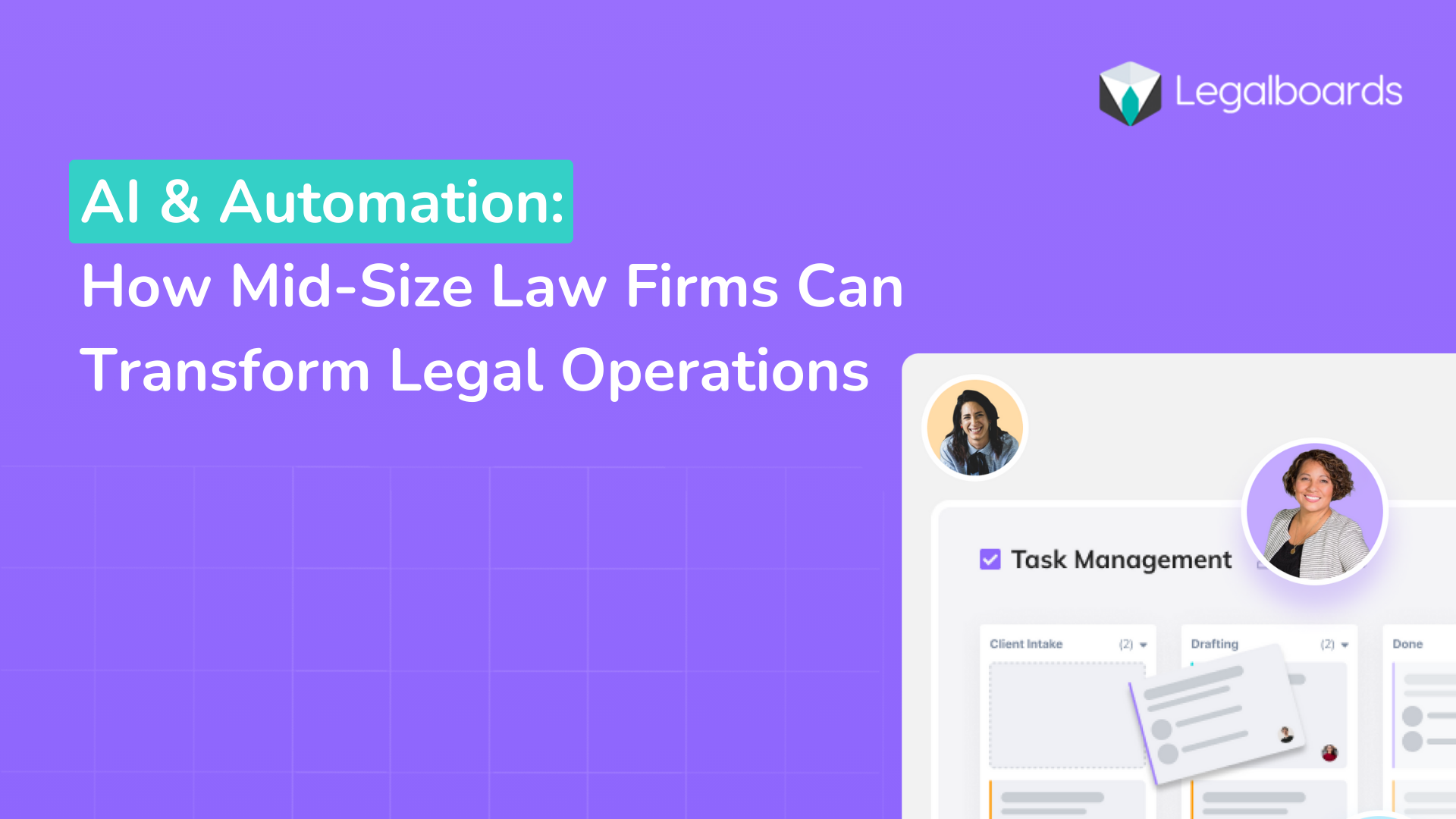
  • AI & Automation: How Mid-Size Law Firms Can Transform Legal Operations

    AI & Automation: How Mid-Size Law Firms Can Transform Legal Operations

    Mid-size law firms juggle many competing tasks — from client communication to high-volume document reviews. As an operations manager or paralegal manager, you know how important it is to keep processes running smoothly.

    Recent data from the 2024 Legal Technology Survey Report by the American Bar Association (as reported by the ABA Journal) shows a notable uptick in adopting AI legal operations: 30% of responding lawyers use some form of AI, up from previous years, While 46% of larger firms (100+ attorneys) have embraced AI, mid-sized firms are steadily catching up.

    Still, accuracy and reliability remain top concerns. In the survey, three-quarters of respondents cite worries about AI “hallucinations”—inaccurate or fabricated outputs—and see human oversight as essential. For firms that integrate AI into their daily operations, benefits include faster contract review, improved workflow management, and increased efficiency.

    Below, we’ll explore how these advantages translate to better operations and how Legalboards’ AI Board Generator can help.

    Why AI & Automation Matter for Mid-Size Firms

    Mid-size firms have done their due diligence in the past with manual file input and cumbersome processes. They have likely existed for some time, and partners have poured thousands of hours of hard work into their growth.

    Mid-size firms can benefit substantially from implementing AI into daily operations as they continue to grow and expand their offerings.

    1. Speed & Efficiency


    AI-driven solutions can rapidly sift through contracts and legal data, saving hours typically spent by paralegals or associates. Early adopters report significant gains in turnaround time and staff productivity.

    1. Reduced Errors


    Even a single oversight can escalate into major financial or reputational damage. Automated workflows minimize human error by auto-filling forms, cross-referencing documents, and ensuring no step slips through the cracks.

    1. Elevated Client Experience


    Clients now expect quick updates and transparent processes. Automation tools provide real-time alerts, automated billing reminders, and easy communication channels — leading to higher satisfaction and loyalty.

    1. Data-Driven Insights

    Tools like predictive analytics uncover hidden patterns in case outcomes, staff workloads, or practice area trends. According to the ABA survey, AI is increasingly used for tasks like litigation strategy, helping lawyers spot strong or weak points in a case early on.

    1. Training via CLE

    Firms of all sizes turn to continuing legal education (CLE) webinars and courses to understand AI capabilities and ethical considerations.

      Despite some hesitation in the industry, AI has already become mainstream. As reported by the ABA Journal, 13% of lawyers surveyed consider AI mainstream in 2024 — up from just 4% the previous year.

      Even more, 45% of lawyers surveyed expect AI to be fully mainstream within three years, indicating that adoption will continue to surge.

      Here’s how AI is already changing legal work as we know it:

      • Contract & Document Review: Natural language processing flags risky clauses or missing data.
      • Litigation Strategy: Early insights into win/loss probabilities help teams allocate resources strategically.
      • Workflow Automation: Calendar alerts, task assignments, and follow-up reminders all happen automatically.
      • Board & Task Generation: AI tools that auto-create tasks or Kanban boards based on prompts ensure consistency across matters.

      Spotlight on Legalboards’ AI Board Generator

      AI discussions often focus on predictive tasks, but Legalboards uses AI to build and optimize workflows. Input a short prompt describing your process (e.g., “Commercial Lease Review Workflow”) to generate a Kanban board instantly.

      This feature allows law firms to:

      • Reduce Setup Time: Get a functional workflow in minutes, not hours.
      • Maintain Consistency: Standardize personal injury, estate planning, or litigation steps.
      • Promote Accountability: Ensure paralegals and attorneys see the same organized pipeline.
      • Adapt Easily: Update tasks, boards, and automations as regulations or firm needs change.

      The specialized AI board generator can help attorneys and paralegals reduce the time and stress of building boards, so you can start streamlining daily tasks and take advantage of Legalboards’ additional capabilities. 

      Best Practices for Embracing AI

      As artificial intelligence continues to shape the future of legal practice, law firms are under increasing pressure to adapt — or risk falling behind. However, successful adoption requires more than simply buying software; it demands a thoughtful, strategic approach that considers ethical, operational, and cultural factors. Below are some best practices to help legal professionals embrace AI effectively and responsibly.

      1. Address Ethical & Accuracy Concerns

      According to the ABA survey, many legal professionals hesitate to rely on AI due to the risk of inaccuracies or hallucinated legal references. To mitigate this, it’s essential to implement a transparent review process: all AI-generated content should be vetted by a qualified attorney before being shared with clients or submitted to the court. This not only safeguards your reputation; it also ensures compliance with professional responsibility standards.

      2. Provide Ongoing Training


      AI in legal operations is evolving rapidly, and keeping pace is crucial for effective implementation. Encourage attorneys and support staff to participate in CLE sessions on legal tech, AI ethics, and automation tools. Additionally, many AI vendors offer product-specific training webinars and tutorials — these can be valuable resources for getting the most out of your investment. By fostering a culture of continuous learning, firms can reduce tech resistance and boost confidence in AI-powered workflows.

      3. Measure Impact & Refine


      Introducing AI into legal practice isn’t a set-it-and-forget-it strategy. Firms should monitor key performance indicators (KPIs) such as case turnaround times, document accuracy, billing efficiency, and client satisfaction. Collecting and analyzing this data will help you identify which tools deliver value and which may need tweaking or replacement. This data-driven approach allows for more intelligent decisions as your firm adapts to new technology.

      4. Roll Out Incrementally


      To maximize the chances of a smooth transition, start small. Choose a single practice area — like immigration, personal injury, or estate planning — where the potential for automation is transparent and manageable. Implement AI tools in that area, evaluate the outcomes, and gather feedback from the team. Once the results are in and confidence is high, you can scale the technology across other practice areas. This measured rollout helps minimize disruption and provides valuable lessons before broader adoption.

      The Path Forward

      The majority of legal professionals agree: AI is changing the profession. According to a study by Deloitte, “79% of legal respondents believe Generative AI will have a moderate to significant long-term effect on how legal work is performed, and a further 49% predicted that some legal tasks will become entirely obsolete, performed instead by Generative AI.”

      While concerns around AI accuracy persist, the upside for mid-size firms is enormous: quicker turnaround times, lower overhead, and better client outcomes.

      As law continues its technology-driven evolution, tools that blend responsible AI with robust human oversight will shape the future of legal operations.

      Transform your firm with Legalboards. Try it for free and harness the efficiency of our AI Board Generator. Save time, improve consistency, and keep every team member focused on delivering exceptional legal services.

    1. Optimizing Law Firm Operations with Workflow and Automation

      Optimizing Law Firm Operations with Workflow and Automation

      The legal industry is evolving rapidly, and law firms are under increasing pressure to enhance efficiency, reduce administrative burdens, and improve client service.

      However, despite their expertise, many lawyers are bogged down by time-consuming tasks like document management, case tracking, and client communications. This leaves little room for actual legal work.

      In fact, according to a Clio report, lawyers only spend 2.6 hours per day on billable work. The rest of their time is consumed by administrative tasks, business development, and other non-revenue-generating activities.

      Law firms must embrace workflow optimization and automation to remain competitive and profitable. By leveraging technology-driven solutions, firms can streamline processes and reduce errors. This also frees up valuable time for attorneys to focus on client advocacy and case strategy. 

      Whether automating document generation, integrating AI-driven legal research, or implementing seamless client intake systems, the right tools can transform a law firm’s operations. These tools enhance productivity, profitability, and overall service quality.

      In this guide, we’ll explore how workflow automation can revolutionize law firm operations. We will also discuss the key benefits of adopting legal tech solutions and the best strategies for integrating automation into daily practice. If your firm is looking to boost efficiency and maximize billable hours, it’s time to rethink traditional workflows and embrace the future of legal operations.

      The Root of Operational Inefficiencies: How Administrative Tasks Drain Productivity

      Law firms are constantly under pressure to manage caseloads efficiently while maintaining high standards of service. However, many firms struggle with operational inefficiencies that stem from excessive administrative work.

      Lawyers, paralegals, and support staff often get bogged down by manual processes that consume valuable time. This is time that could otherwise be spent on case strategy, client consultations, and court preparation.

      The overwhelming volume of administrative tasks is one of the biggest culprits behind these inefficiencies. Law firms rely on repetitive, time-consuming processes, from scheduling client meetings and managing case files to processing paperwork and tracking billable hours. These processes can spiral out of control. 

      Manual processes also slow down critical functions like case management, billing, and client communication. Traditional methods of organizing case files like paper-based filing systems or outdated software make it challenging to access crucial information quickly.

      Delays in processing invoices and tracking billable hours lead to cash-flow challenges. Inefficient client communication results in missed deadlines and dissatisfaction. Law firms risk falling behind competitors who leverage technology to operate more effectively without streamlined workflows.

      By identifying the root causes of these inefficiencies, law firms can take proactive steps to modernize their operations. Implementing workflow automation tools, digitizing case management, and integrating smarter billing systems can significantly reduce the burden of administrative tasks. This allows legal professionals to focus on what they do best — practicing law and serving clients.

      The Importance of Process Discovery in Law Firm Operations

      Before implementing automation, law firms must understand their existing workflows through process discovery. This crucial step involves mapping out how tasks are currently performed, identifying inefficiencies, and pinpointing opportunities for improvement.

      By conducting thorough process discovery, firms can:

      • Streamline Workflows: Identify bottlenecks and redundancies to create more efficient processes.

      • Clarify Roles and Responsibilities: Ensure team members know their duties, reducing confusion and delays.

      • Enhance Communication: Improve collaboration by defining clear workflows and ensuring information flows smoothly across departments.

      • Improve Client Satisfaction: Faster case processing and more organized workflows lead to better client experiences.

      • Leverage Technology: Identify areas where automation and legal tech can significantly impact the most, optimizing time and resources.

      Process discovery is the foundation of a truly efficient, technology-driven law firm. It helps firms transition from outdated manual processes to streamlined, automated operations that drive growth and success.

      The legal industry has long been known for its reliance on time-intensive, manual processes, but that is rapidly changing with advancements in automation. A McKinsey report estimates that 23% of legal work can be automated. This frees valuable time for legal professionals to focus on complex casework and client relationships.

      By leveraging automation, law firms can streamline operations, reduce administrative overhead, and improve service delivery.

      One of the most significant areas where automation can drive efficiency is task management. Legal professionals juggle multiple deadlines, filings, and case updates. This leads to inadequately organised bottlenecks. Automated task management tools can assign, track, and update tasks in real-time. This ensures every team member stays on top of their responsibilities without needing constant follow-ups.

      Another game-changer is document automation. Legal paperwork — contracts, pleadings, agreements, and briefs — requires meticulous drafting and review, often consuming hours of a lawyer’s time. Automation tools can generate standardized legal documents with just a few inputs, reducing errors and increasing speed.

      Some advanced systems even use artificial intelligence (AI) to review contracts and flag inconsistencies, enhancing accuracy.

      Billing and invoicing also stand to benefit significantly from automation. Many firms still rely on manual time tracking and invoice generation, which can lead to delayed payments and revenue leakage.

      Automated billing systems seamlessly track billable hours, generate invoices, and send payment reminders. This improves cash flow and reduces the administrative burden on lawyers.

      Lastly, client follow-ups can be automated to improve responsiveness and client satisfaction. Rather than relying on manual emails and phone calls, law firms can implement automated communication workflows that send reminders for court dates, case updates, and consultation follow-ups.

      This enhances efficiency and strengthens client relationships by ensuring consistent and timely communication.

      Practical Steps for Law Firms to Streamline Operations

      Streamlining operations through workflow automation is a game-changer for law firms aiming to improve efficiency and profitability.

      Modern legal tech solutions like Legalboards and Clio are designed to automate and simplify daily tasks, ensuring that law firms run smoothly. These tools make case Management, Task and Workflow Automation, and Client Management simple and efficient.

      Law firms often struggle with excessive non-billable hours due to manual administrative tasks. Automating these processes allows lawyers to focus on what they do best — practicing law. Key areas for automation include billing and invoicing, document automation, and compliance management. 

      Law firms can optimize productivity, enhance client service, and boost profitability by integrating workflow automation tools and reducing non-billable hours.

      Key Takeaways

      In today’s fast-paced legal landscape, embracing technology is no longer optional — it’s essential. Firms that fail to adopt workflow automation risk falling behind their more efficient, tech-savvy competitors.

      Workflow automation solutions streamline operations, minimize administrative burdens, and maximize profitability by reducing non-billable hours. From task management and document automation to billing and client follow-ups, automation empowers legal professionals to focus on high-value legal work rather than tedious manual processes.

      Law firms that proactively integrate legal tech tools like Clio and Legalboards will boost efficiency, enhance client satisfaction, improve compliance, and gain a significant competitive advantage.

    2. Spring Clean-Up: Enhancing Legal Workflows for Smoother Collaboration

      Spring Clean-Up: Enhancing Legal Workflows for Smoother Collaboration

      Spring is quickly approaching, which means a season of new clients, new opportunities, and, inevitably, new challenges. Suppose your team isn’t ready to tackle a steady stream of cases. In that case, your firm could be tripping over muddled information and frustrating staff, leading to missed or duplicated work and dissatisfied clients.

      Just like a spring clean-up in your home, legal teams should take time to streamline processes to ensure smooth and successful case management.

      This article will explore practical solutions to help legal teams enhance collaboration, client follow-ups, and task management without extra effort. 

      These simple changes will offer your team a fresh perspective and set them up for success by reducing bottlenecks, improving communication, and automating routine tasks.

      Many legal teams struggle with mismanaged tasks, delayed follow-ups, and inefficient client communication. These workflow bottlenecks result in delays, client retention, and new client signing.

      Regardless of law firm size or specialty, workflow challenges are shared. These include missed deadlines due to slow, manual tracking that takes up valuable support staff time; scattered communication across multiple tools like Slack, email, Google chat, phone, and text; over-reliance on email instead of streamlined collaboration platforms; and time-consuming administrative tasks that reduce billable hours.  

      These bottlenecks have one thing in common: they can be reduced or eliminated with a commitment to streamlining processes.

      Solution: Begin with a workflow audit to map processes, identify inefficiencies, and establish clear task ownership.

      You may have a team of talented support staff, but without automated, specialized task tracking, essential steps of your process are sure to be lost along the way. Organized, reliable task tracking ensures cases progress smoothly and nothing falls through the cracks.

      Firstly, you should ensure your team has access to and is trained on whichever task management system you use.

      Though email is a quick and easy method to communicate internally and externally, teams should aim for transparent, centralized task management rather than relying on email chains.

      When deciding on your new task management system, consider using task boards or Kanban-style workflow tools to track case progress visually.

      Automated reminders and notifications for court dates and deadlines can keep you on track and on time. Another helpful tool is role-based task assignments to ensure accountability and visibility across teams.

      Solution: Use legal-specific task management software to assign, track, and automate critical tasks in real-time.

      3. Automating Client Follow-Ups to Save Time

      No matter the case type, clients must be informed of ongoing case information, but keeping clients informed without constant manual updates can be challenging.

      Law firms that rely on staff support only to manually contact their clients often struggle with missed or delayed responses, leading to client dissatisfaction.

      Redundant communication follow-ups also take up valuable time. In addition, tracking client interactions across multiple cases is a monumental task.

      Many task management software programs include an automation feature that allows support staff to schedule emails and messages more efficiently. This saves valuable time and ensures clients receive regular communication.

      Solution: Implement automated email and message scheduling, ensuring clients receive timely updates without burdening your team.

      Collaboration is vital for any law firm, regardless of the specialty. However, effective communication and teamwork can be difficult in a dynamic, growing firm.

      Other challenges that impact legal team collaboration include siloed information across different tools like Slack, email, etc., lack of visibility into case progress, and duplicate work due to miscommunication.

      A centralized communication hub is key to efficiency. To improve collaboration, firms should use cloud-based document sharing to ensure real-time access to case files. Leadership should also encourage firm-wide visibility by using dashboards that track workflows.

      In addition, teams should streamline communication with integrated chat and case discussion threads.

      Solution: Transition to collaborative legal software integrating task tracking, document management, and team communication.

      5. Simplifying Compliance and Risk Management

      Non-compliance can be a costly obstacle that can and should be avoided. To prevent legal issues that create even more administrative work,  firms need structured workflows to ensure regulatory deadlines are met.

      Solutions for reducing compliance risks include automated compliance alerts to notify teams of upcoming requirements; pre-built document templates for contracts, filings, and client agreements; and audit trails to track case actions and maintain transparency.

      Solution: Set up compliance-focused automations to avoid last-minute scrambles.

      Streamlining legal workflows doesn’t require a complete overhaul—small changes like automating routine tasks and improving communication can significantly improve them.

      By starting with intentional workflow audits, adopting automation, and investing in collaborative tools for seamless operations, firm leadership can decrease staff frustration and miscommunication while increasing efficiency and profits.

      A spring clean-up of your legal workflows ensures smoother processes and more time for high-value legal work. Future-forward adjustments like these will put your firm at the leading edge of the industry while increasing client satisfaction across the board.

      Final Tip: Make incremental improvements and measure their impact — minor workflow optimizations can lead to major efficiency gains.

    3. Case Study: How Legalboards Transformed Workflow Automation at Simmons & Schiavo

      Case Study: How Legalboards Transformed Workflow Automation at Simmons & Schiavo

      Simmons & Schiavo, an estate planning law firm, faced challenges in automating Clio tasks as the firm’s workflow rapidly increased. To improve efficiency and streamline their case management, they turned to Legalboards, a Clio-recommended platform, to enhance workflow automation.

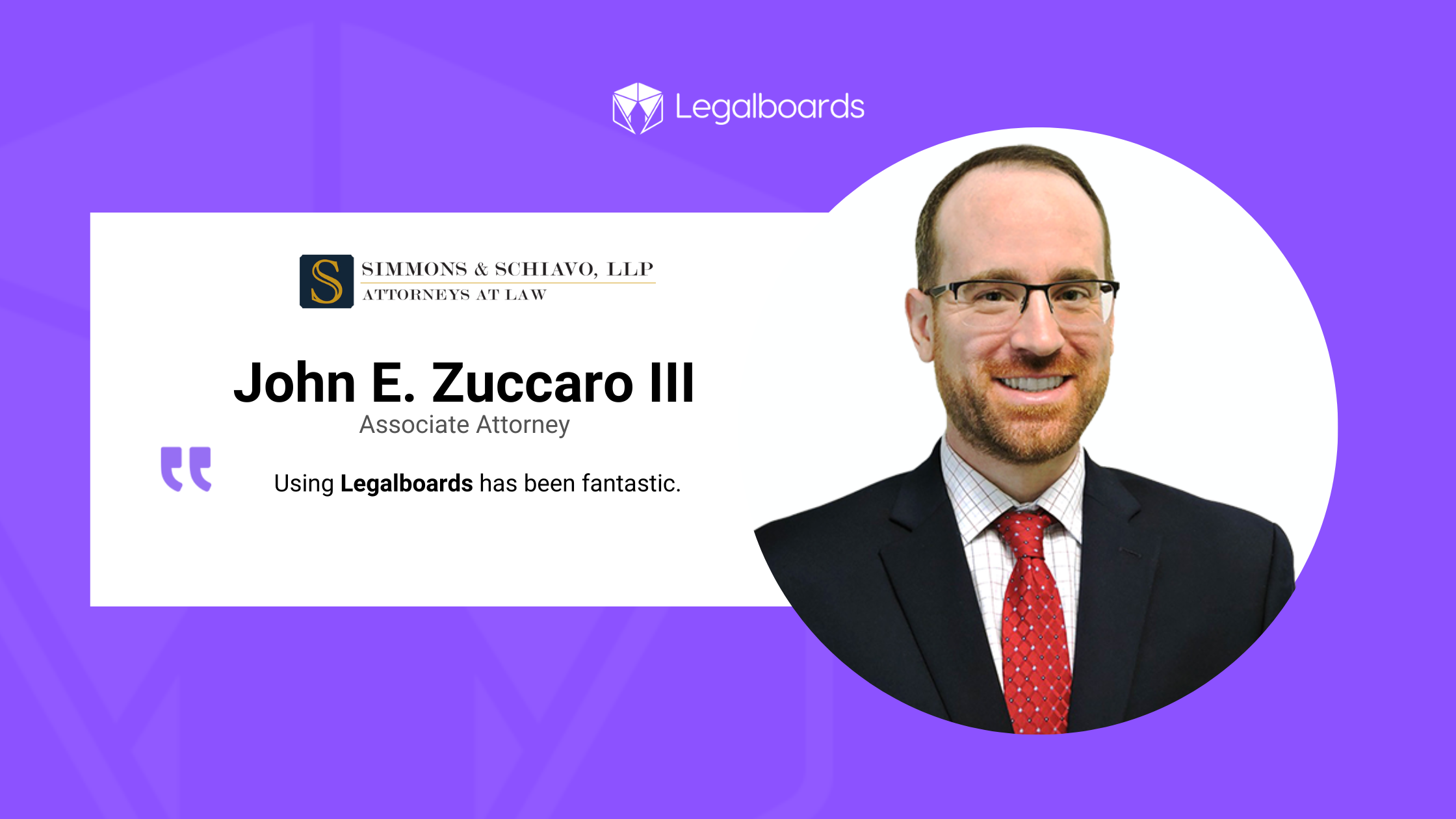
      “Legalboards lets us set up our workflow so we always know where every file is at any given time. If someone’s out, we know exactly where to pick up. That’s the best part—it’s made us so much more efficient.” – John E. Zuccaro III, Associate Attorney at Simmons & Schiavo.

      Key Challenges Before Legalboards

      1. Difficulty moving and accessing files 
      2. Automating Clio tasks was a major bottleneck in their workflow
      3. Scaling operations without a structured workflow was inefficient
      4. Lack of easy, efficient interface beyond time tracking 

      Why They Chose Legalboards

      “Before Legalboards, we had 47 overdue tasks just sitting there, but you don’t really know where anything is in the workflow.” – John E. Zuccaro III, Associate Attorney at Simmons & Schiavo.

      Simmons & Schiavo selected Legalboards based on a recommendation from Clio, ensuring seamless integration with their existing legal tech stack.

      The Legalboards Impact

      • Successfully automated Clio tasks, improving workflow efficiency.
      • Easily set workflow, which led to improved collaboration.
      • Improved task management with structured tracking and follow-ups.
      • Enabled quick, efficient access to files with the Legalboards dashboard.
      • Reduced micromanagement that empowered team members in their roles.

      Measurable Impact of Legalboards

      “If Legalboards just up and folded, we would be in trouble.” – John E. Zuccaro III, Associate Attorney at Simmons & Schiavo.

      Since implementing Legalboards, Simmons & Schiavo has seen significant improvements:

      MetricValue (Monthly)
      Automations Executed1,129.67
      Time Saved3,389 minutes (56.48 hours)

      ROI Estimate for Simmons & Schiavo

      Beyond workflow automation, Legalboards delivered real cost savings by reducing administrative workload and improving operational efficiency.

      “We pull up Legalboards every week for our meetings. We talk about every single file in the office, where we’re at with it, if there are any problems, and we can track it all in one place.” – John E. Zuccaro III, Associate Attorney at Simmons & Schiavo.

      How These Savings Were Achieved

      • Automated tasks eliminated 1,129+ manual actions per month.
      • Time savings of over 56 hours per month reduced staff workload.
      • Workflow automation improved tracking and reduced redundant work.

      Estimated Cost Savings

      • Hourly cost of a legal assistant: ~$25.
      • Labor savings from automation: ~$1,412 per month.

      A Collaborative Approach to Workflow Optimization

      One of the standout experiences for Simmons & Schiavo was Legalboards’ knowledge, responsiveness and helpfulness in resolving issues and finding creative solutions to workflow challenges. – John E. Zuccaro III, Associate Attorney at Simmons & Schiavo shared his experience:

      “Legalboards is essential to formulating our process and workflow. It makes things much simpler, reduces stress and saves time. It’s really been very helpful for us across the board. Ready to transform your firm’s workflow and achieve tangible cost savings like Simmons & Schiavo?

      Try Legalboards for free and experience streamlining your operations and boosting efficiency!

    4. Case Study: How Legalboards Transformed Workflow Automation at Goldberg & Osborne

      Case Study: How Legalboards Transformed Workflow Automation at Goldberg & Osborne

      Goldberg & Osborne, a leading personal injury law firm, faced challenges in automating Clio tasks and transitioning from an on-premise CMS to a cloud-based solution. To improve efficiency and streamline their case management, they turned to Legalboards, a Clio-recommended platform, to enhance workflow automation.

      Key Challenges Before Legalboards

      • Automating Clio tasks was a major bottleneck in their workflow.
      • Transitioning from an on-premise CMS to Clio required an effective task management strategy.
      • Scaling operations without a structured workflow was inefficient.

      Why They Chose Legalboards

      Goldberg & Osborne selected Legalboards based on a recommendation from Clio, ensuring seamless integration with their existing legal tech stack.

      The Legalboards Impact

      • Successfully automated Clio tasks, improving workflow efficiency.
      • Seamlessly migrated their task flow from their legacy CMS to Clio.
      • Improved task management with structured tracking and follow-ups.

      “We were able to take our current Task flow from our existing on-prem CMS solution and put it in Clio effectively.” – Goldberg & Osborne.

      Measurable Impact of Legalboards

      Since implementing Legalboards, Goldberg & Osborne has seen significant improvements:

      MetricValue (Monthly)
      Automations Executed7,618.67
      Time Saved22,856 minutes (380.93 hours)

      ROI Estimate for Goldberg & Osborne

      Beyond workflow automation, Legalboards delivered real cost savings by reducing administrative workload and improving operational efficiency.

      How These Savings Were Achieved

      • Automated tasks eliminated 7,618+ manual actions per month.
      • Time savings of over 380 hours per month reduced staff workload.
      • Workflow automation improved tracking and reduced redundant work.

      Estimated Cost Savings

      • Hourly cost of a legal assistant: ~$25.
      • Labor savings from automation: ~$9,523 per month.
      • Additional efficiency gains: ~$1,428 per month.

      Total Estimated Monthly Savings

      • $10,951 saved per month in operational costs.

      A Collaborative Approach to Workflow Optimization

      One of the standout experiences for Goldberg & Osborne was Legalboards’ responsiveness and long-term problem-solving approach.

      “When issues arose with the Legalboards platform, the team was extremely responsive and corrected our issues quickly and also took the issue and instead of firefighting it, they fixed it moving forward which is always amazing to see.” – Goldberg & Osborne,

      They also loved the structured onboarding process, which also played a key role in the smooth transition to Clio.

      The onboarding process was extremely helpful to get us up and running quickly.” – Goldberg & Osborne,

      Ready to transform your firm’s workflow and achieve tangible cost savings like Goldberg & Osborne? Try Legalboards for free and experience streamlining your operations and boosting efficiency!

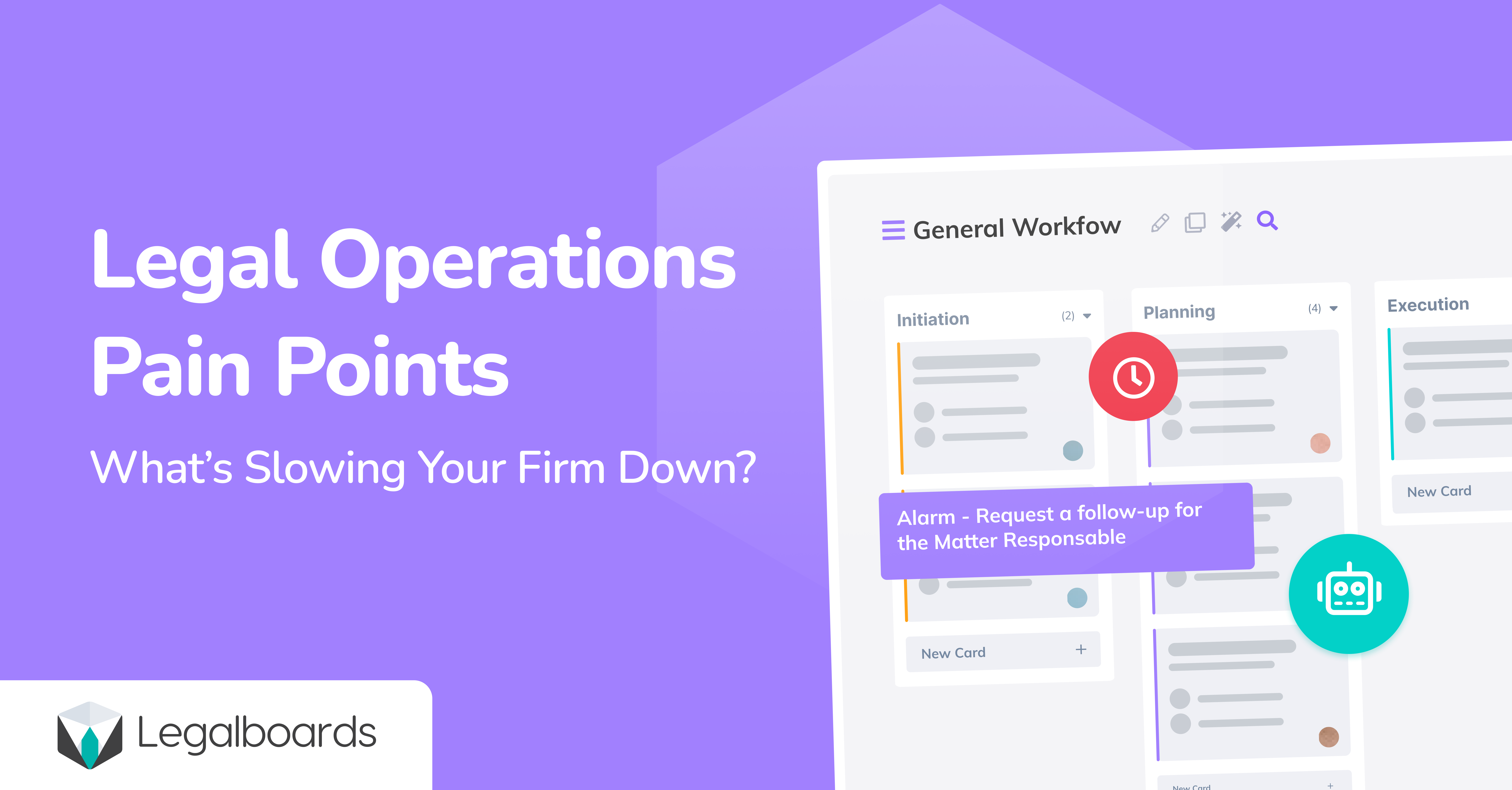
    5. The Biggest Challenges in Legal Operations Today

      The Biggest Challenges in Legal Operations Today

      The legal industry is undergoing rapid transformation. Law firm partners face increasing client expectations, rising competition, and operational inefficiencies. Traditional methods—email threads, spreadsheets, and manual workflows—no longer support sustainable growth.

      To remain competitive, law firms must embrace Legal Project Management (LPM) software. By integrating automation, real-time tracking, and data-driven insights, firms can enhance efficiency and client service.

      This article explores key legal operations challenges, how legal technology provides solutions, and why Legalboards is a critical tool for modern law firms.


      1. Inefficient Task Management

      Legal teams handle multiple administrative tasks daily, including case tracking, document management, and client updates. Without automation, firms lose valuable billable hours on repetitive, non-strategic tasks.

      Solution: Legalboards automates deadline reminders, case progress tracking, and client notifications, allowing legal professionals to focus on complex legal work.

      2. Limited Case Visibility

      Without centralized case management, tracking case progress across multiple platforms leads to miscommunication, missed deadlines, and inefficiencies.

      Solution: Legalboards offers visual workflows and Kanban boards that provide real-time insights, keeping teams aligned and ensuring case milestones are met.

      3. Communication Gaps

      Clients expect real-time updates on their legal matters, while legal teams require seamless collaboration to ensure efficiency. However, many firms still rely on disconnected systems, leading to lost emails and delays.

      Solution: Legalboards centralizes internal communication and client updates, reducing errors and improving response times.

      4. Billing and Compliance Complexities

      Managing billable hours, budgets, and regulatory compliance can be overwhelming. Disorganized billing processes lead to revenue loss and compliance risks.

      Solution: Legalboards integrates time tracking, budget monitoring, and compliance management, ensuring accurate financial reporting and regulatory adherence.

      1. Streamlining Workflows with Automation

      Reducing manual workload through automation optimizes:

      • Case tracking and progress monitoring
      • Automated client notifications and updates
      • Document management and centralized storage
      • Deadline tracking with real-time alerts

      2. Enhancing Team Collaboration

      As remote and hybrid work environments become standard, law firms require tools that support efficient collaboration across legal teams. Legalboards provides:

      • Centralized case management to track progress efficiently
      • Real-time communication tools for internal team updates
      • Automated task delegation to improve productivity

      3. Increasing Client Satisfaction with Transparency

      Clients value visibility and timely updates. Legalboards improves transparency with:

      • Automated case status updates
      • Secure client portals for case tracking
      • Shared dashboards for better collaboration

      4. Boosting Profitability Through Efficiency

      Firms using Legalboards report saving up to 59 hours per month on non-billable tasks. Increased efficiency translates into:

      • More billable hours captured
      • Higher revenue potential
      • Reduced administrative costs

      Case Study: How Legalboards Improved Law Firm Operations

      Challenge: A mid-sized law firm struggled with inefficient task management and poor internal communication, leading to missed deadlines and dissatisfied clients.

      Solution: By implementing Legalboards, the firm:

      • Automated key processes and introduced structured workflows
      • Improved real-time case tracking
      • Optimized communication between attorneys and support staff

      Results:

      • 40% reduction in administrative work
      • Higher client satisfaction scores
      • Improved revenue through better time management

      Selecting the right LPM software is essential for law firm efficiency and growth. Key factors to consider:

      1. Ease of Use

      Legal tech adoption is hindered by complex platforms. Legalboards offers an intuitive Kanban-based interface, minimizing training time.

      2. Customization

      Every law firm has unique needs. Legalboards allows custom workflows, task automations, and tailored dashboards to fit different practice areas.

      3. Seamless Integration

      Legal software should integrate with existing tools. Legalboards connects with Clio, Office 365, Google Workspace, and other legal management platforms for streamlined operations.

      4. Scalability

      As firms grow, their needs evolve. Legalboards is designed to scale with firms of all sizes, ensuring long-term operational efficiency.

      5. Dedicated Support & Training

      Successful adoption requires reliable support. Legalboards offers:

      • Onboarding assistance
      • Ongoing customer support
      • Training resources for firm-wide implementation

      Future-Proof Your Law Firm with Legalboards

      The legal industry is evolving rapidly. Firms that do not adopt legal automation and project management solutions risk losing efficiency and competitive edge.

      With Legalboards, firms can:
      Streamline operations with automated workflows
      Enhance collaboration through real-time tracking
      Improve client relationships with greater transparency
      Increase profitability by reducing inefficiencies

      Take the first step toward streamlined workflows and increased profitability.

    6. Case Study: How Strauss Attorneys PLLC Enhanced Workflow Precision with Legalboards

      Case Study: How Strauss Attorneys PLLC Enhanced Workflow Precision with Legalboards

      See how Strauss Attorneys PLLC improved their workflow precision with Legalboards.

      About Strauss Attorneys PLLC

      • Legalboards User Since: 2022
      • Website: Strauss Attorneys PLLC
      • Key Benefits: Workflow precision, automation, process consistency, enhanced visibility

      Before adopting Legalboards, Strauss Attorneys PLLC relied on Trello for estate administration workflows. While Trello provided basic task management, it lacked automation, legal-specific features, and deep integrations with their existing tools.

      “We were rebuilding our estate administration process and initially structured everything in Trello. But after discovering Legalboards at ClioCon, we realized it was a much better fit.”
      Brad, Partner at Strauss Attorneys PLLC

      The Challenge: Limited Precision, Automation, and Integration Capabilities

      Why Trello Wasn’t Enough

      • Lack of deep integrations with Clio and other legal tools
      • Limited automation for repetitive legal tasks
      • No built-in visibility for tracking estate administration processes with precision

      The Legalboards Solution

      By transitioning to Legalboards, Strauss Attorneys PLLC gained better workflow control, automation, and seamless Clio integration, improving precision and efficiency in legal case management.

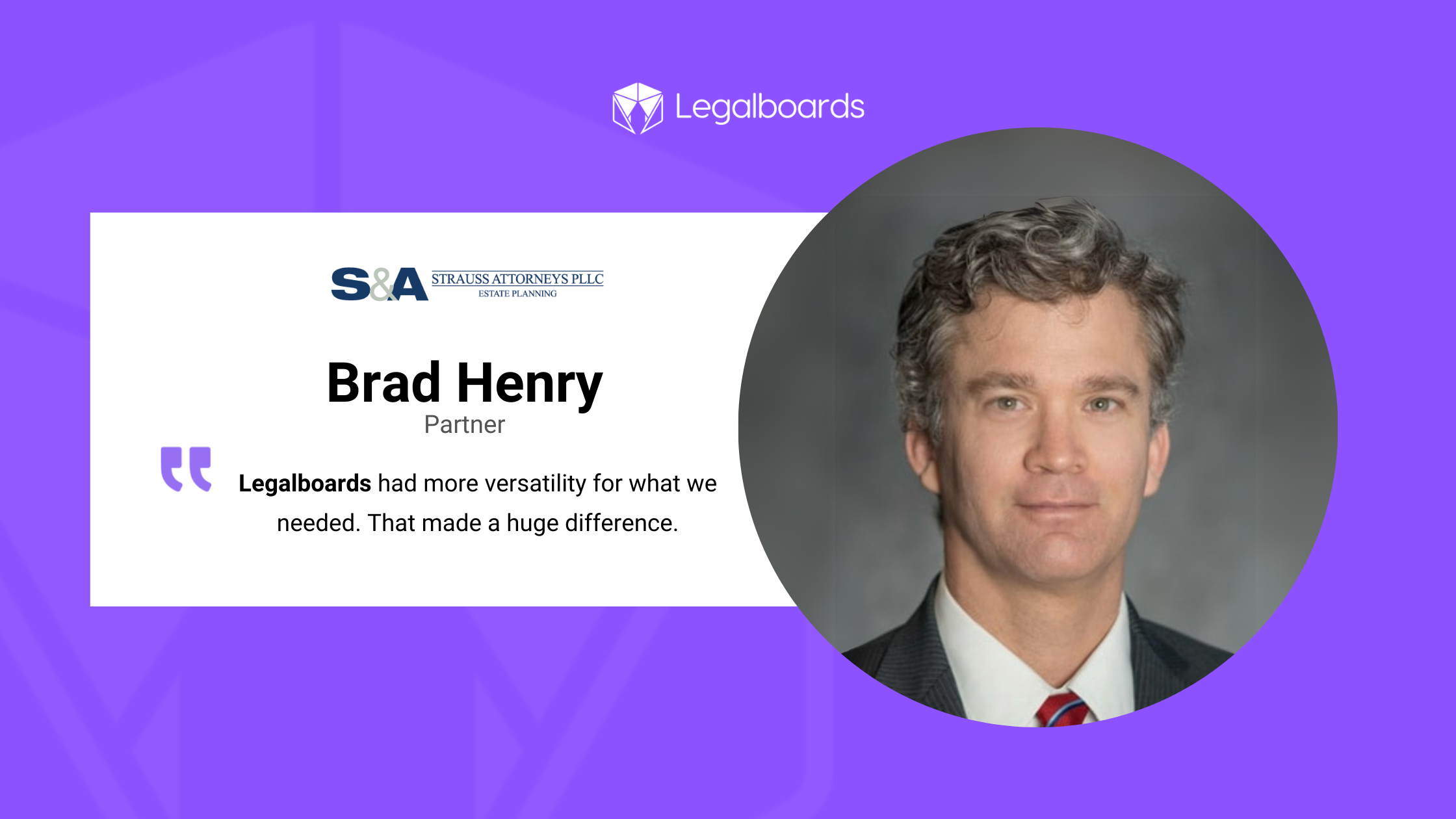
      “Legalboards had more versatility, primarily because of its ability to sync with Clio. That made a huge difference.”
      Brad, Partner at Strauss Attorneys PLLC

      Learn more about how automation enhances legal workflows:
      How Legalboards Transformed Law Firm Operations

      Key Improvements After Legalboards Adoption

      1. Increased Workflow Precision & Automation

      Legalboards enabled Strauss Attorneys PLLC to automate recurring tasks, ensuring that every estate administration step is tracked with precision.

      “We’ve automated a lot of our processes, so we always know exactly where we are in an estate case.”
      Jessica, Drafting Paralegal at Strauss Attorneys PLLC

      Read more about automation in legal workflows:
      Visual Mapping and Automating Legal Operations

      2. Enhanced Client Communication & Transparency

      With a seven-step workflow system, staff can now track progress with precision and provide real-time client updates.

      “We can tell clients exactly where they are in the process, how much longer it will take, and what documents are still needed.”
      Jessica, Drafting Paralegal at Strauss Attorneys PLLC

      3. Elimination of Manual Tracking & Guesswork

      Legalboards introduced a structured workflow, ensuring precision in every step of estate administration.

      “Precision has been the biggest improvement. We’re not missing steps, and every estate’s assets are fully captured.”
      Jessica, Drafting Paralegal at Strauss Attorneys PLLC

      Explore more about process efficiency in legal operations:
      The Importance of Process Discovery for Legal Operational Efficiency

      Quantifiable Results: Efficiency Gains with Legalboards

      • 762 automations per month
      • Over 38 hours saved monthly (2,286 minutes)
      • $1,217 in average monthly cost savings

      What Makes Legalboards Stand Out?

      1. Responsive & Personalized Customer Support

      Brad and Jessica emphasized the exceptional support from Legalboards’ team.

      “We get responses within hours, often from the same team member who knows our setup. If needed, they even jump on a video call to resolve issues.”
      Jessica, Drafting Paralegal at Strauss Attorneys PLLC

      2. Continuous Product Evolution Based on User Feedback

      Legalboards actively enhances precision and functionality by implementing feature requests based on user needs.

      “We’ve seen new features added that weren’t available when we first started, and that’s been a game-changer.”
      Jessica, Drafting Paralegal at Strauss Attorneys PLLC

      Final Thoughts: A Scalable, Precision-Driven Solution

      As Strauss Attorneys PLLC grows, Legalboards continues to support their expanding operations with automation and structured workflows.

      “Managing our workflows now takes just 15 to 30 minutes per month—Legalboards runs itself.”
      Jessica, Drafting Paralegal at Strauss Attorneys PLLC

      Explore Kanban and Agile strategies for workflow precision:
      Improving Legal Workflows with Kanban and Agile

      Key Takeaways

      • Seamless transition from Trello to Legalboards, improving workflow precision
      • Increased visibility ensures every estate case follows a structured process
      • 762 automations per month, reducing manual work
      • Over 38 hours saved monthly through automation
      • $1,217 in average monthly cost savings
      • Exceptional customer support with quick responses & proactive solutions

      Watch the Case Study

      Ready to Enhance Workflow Precision Like Strauss Attorneys PLLC?

      Discover how Legalboards can streamline your firm’s operations, improve precision, and scale effortlessly.

      Schedule a Demo Today