Blog

  • A Paralegal’s Best Friend: Simplifying Case Documentation with Legal Project Management Tools 

    A Paralegal’s Best Friend: Simplifying Case Documentation with Legal Project Management Tools 

    Paralegals sit at the heart of every law firm. They keep cases organized, track deadlines, manage documents, and ensure attorneys have exactly what they need to move matters forward. But with growing caseloads and increasing client expectations, the pressure is higher than ever to maintain the utmost accuracy and accessibility. 

    That’s why many firms are turning to legal project management toolsa category of software designed to streamline how legal teams plan, track, and collaborate on matters. For paralegals in particular, these platforms can feel like a lifeline. They reduce administrative burden, reduce repetitive tasks, and maintain document consistency across the team. 

    Essentially, they help paralegals do their best work without drowning in manual processes.

    Why Case Documentation Has Become More Complex 

    A decade ago, most case files were still managed through a blend of physical documents, inbox searches, and shared drives. Today’s firms, however, handle larger volumes of digital information, stricter security expectations, and more collaborative workflows across remote or hybrid teams. Ensuring that every document version, client email, or court filing is correctly named, stored, and accessible can easily eat up hours each week. 

    Paralegals often shoulder the responsibility for maintaining this order. Without the right tools, the risk of misplaced files, outdated versions, or missed deadlines increases, along with stress levels. Legal project management platforms provide support with structure, automation, and visibility, allowing paralegals to manage information with confidence.

    The most immediate benefit is clarity. Legal project management tools provide a centralized space for all tasks, documents, and deadlines. Paralegals no longer need to search multiple systems to piece together the status of a case. Instead, these tools automatically organize information by matter, assign tasks to the right team member, and, when necessary, retrieve information at a moment’s notice. 

    Additionally, these tools help simplify the tedious side of case documentation. Document templates ensure consistency across client communications, filings, and internal notes. Automated workflows eliminate repetitive steps like sending reminders or labeling documents. Version tracking removes the fear of saving the wrong file or distributing outdated information. And because they log everything in real time, paralegals can easily view the status of each case without chasing updates. 

    Perhaps one of the most underrated advantages is the reduction in context switching. Instead of jumping between email, spreadsheets, and shared drives, paralegals can complete most of their documentation and case management tasks in a single unified platform. This not only saves time; it improves focus and overall accuracy.

    Collaboration Without Chaos 

    One of the biggest challenges paralegals face is coordinating communication between attorneys, clients, vendors, and opposing counsel. Legal project management tools support collaboration by creating clear, organized channels where everyone can access the right information. 

    Attorneys can review documents, approve filings, or update case notes without interrupting the paralegals’ workflow. Clients can securely upload required documents without relying on back-and-forth email threads. And project management tools track deadlines automatically, reducing the mental load of monitoring every moving piece. 

    In essence, this structured collaboration means fewer misunderstandings, fewer last-minute scrambles, and a more predictable workday for paralegals. In addition, it improves the attorney–paralegal relationship by giving both parties a real-time view into case progress.

    Better Case Outcomes Through Better Documentation 

    Accurate, complete case documentation isn’t just an administrative task; it’s a major factor in case strategy, client satisfaction, and overall risk management. Legal project management tools support better outcomes by ensuring nothing is missed, and every action is documented in an organized, timestamped format. 

    When attorneys can access reliable information quickly, they make better decisions. When clients receive timely updates and consistent communication, trust grows. And when a firm can demonstrate strong internal processes, everyone benefits. 

    For paralegals, the ability to maintain clean, organized case files without working nights or feeling constantly behind is transformative. It turns the job from reactive to proactive and creates space for higher-level contributions like research, client coordination, and strategy support. 

    Why This Matters Now More Than Ever 

    Law firms are facing increasing competition from legal tech providers, alternative service models, and client expectations for transparency and efficiency. Firms that embrace legal project management tools increase job satisfaction for their paralegals and position themselves for long-term operational success. 

    Paralegals are essential to the continuity and quality of legal work. Giving them tools that simplify workflows, reduce administrative strain, and support seamless case documentation helps the entire firm run more smoothly. 

    Legal project management isn’t just about managing tasks; it’s about empowering the professionals who keep matters moving every day. 

    Your Questions, Answered 

    How do legal project management tools help paralegals with case documentation? 

    These tools centralize tasks, documents, and deadlines in one place, helping paralegals keep information organized and accessible. They minimize manual work and improve accuracy across every case file. 

    Legalboards streamlines this process by offering automated workflows and intuitive dashboards that keep documentation consistent and easy to manage. 

    Can legal project management improve collaboration between paralegals and attorneys? 

    Yes. Clear task assignments, shared timelines, and real-time updates help teams stay aligned without constant back-and-forth communication. 

    Legalboards strengthens collaboration by giving attorneys and paralegals a shared workspace where notes, tasks, and documents stay perfectly synced. 

    Are these tools helpful for managing deadlines and court requirements? 

    Absolutely. Automated reminders and scheduling tools ensure you never overlook important dates, court filings, and compliance milestones. 

    Legalboards enhances deadline management with customizable automation that keeps paralegals on track at every stage of a case. 

    Do legal project management platforms support document version control? 

    Most platforms provide version tracking so paralegals always work with the most current documents and avoid sharing outdated files. 

    Legalboards makes things even simpler with organized boards and linked documents that maintain clarity around updates and changes. 

    Can a small firm benefit from legal project management tools? 

    Yes. Smaller firms often gain the most because structured workflows reduce workload pressure and help teams operate efficiently without additional staff. 

    Legalboards is especially valuable for small practices because it delivers powerful automation and organization tools without the complexity of enterprise software. 

    How do these tools enhance accuracy in case documentation? 

    They use templates, standard formatting, and automated workflows to ensure consistency across every document. This reduces errors and maintains a clean case record throughout the lifecycle of a matter. 

    Legalboards supports accuracy by guiding paralegals through step-by-step processes that eliminate guesswork. 

    Are legal project management tools difficult for paralegals to learn? 

    Most are designed to be intuitive, with guided onboarding and simple interfaces that reduce the learning curve. 

    Legalboards is built with ease of use in mind, so paralegals can start work with confidence right away.

  • Why Real-Time Collaboration Matters in Law Firms

    Why Real-Time Collaboration Matters in Law Firms

    “Real-time collaboration” means working together on cases and tasks with instantaneous (or near-instant) communication and updates: shared dashboards, live editing, instant notifications, centralized document access, and unified workflows. Rather than relying on email threads, disparate file folders, or sporadic check-ins, teams move in lockstep: everyone sees the newest version, knows what’s pending, and can respond without delay.

    In a legal environment, where deadlines are fixed, stakes are high, and team members often juggle multiple matters, real-time collaboration helps avoid inefficiency and risk. It ensures that:

    • Everyone is on the same page and working from the latest information.
    • Work doesn’t stall because someone’s waiting on approval, documents, or instructions.
    • Mistakes caused by duplication, outdated info, or missed messages are minimized.
    • Clients receive timely updates and consistent communication.

    In short: real-time collaboration transforms fragmented effort into coordinated execution, which translates into faster matter resolution, fewer mistakes, and a stronger reputation for reliability.

    Key Benefits of Real-Time Collaboration for Law Firms

    1. Faster Turnarounds and Reduced Bottlenecks

    When paralegals, associates, partners, and support staff can instantly update tasks, share documents, and request approvals, work flows. No more waiting on “reply-all” threads or lost file versions, just clear, timely progress.

    A unified collaboration tool lets someone finish a draft, mark the task complete, trigger the next task (e.g. review, signature, filing), and notify relevant teammates automatically. That means sooner closings, satisfied clients, and less pressure during crunch time.

    2. Improved Transparency and Accountability

    With live dashboards showing who’s responsible for what, when it’s due, and what’s already done, accountability becomes visible. Everyone can see the status of a matter, whether tasks are behind schedule, and where help is needed.

    This clarity reduces mistakes, prevents tasks from falling through the cracks, and strengthens team ownership of outcomes.

    3. Enhanced Communication & Reduced Email Overload

    Much of traditional legal work relies on lengthy email threads, attachments, and back-and-forth messaging. Real-time collaboration platforms reduce that clutter. 

    Conversations, comments, file revisions, and status updates are tied directly to the relevant matter, making communication contextual, searchable, and organized.

    This reduces the time wasted hunting through inboxes or tracking down colleagues, and ensures key information stays attached to the right case.

    4. Higher Client Satisfaction Through Consistency

    Clients, especially institutional or corporate clients, expect consistency, responsiveness, and professionalism. When your team collaborates in real time, delays and miscommunications decrease, updates are more regular and reliable, and the firm presents a unified front.

    This builds trust, helps with renewals or referrals, and strengthens your reputation in competitive legal markets.

    5. Scalable Efficiency for Growth and Multimatter Management

    As firms grow, take on more matters, or juggle complex portfolios, manual coordination becomes a bottleneck. Real-time collaboration tools scale with your operations: they let teams manage dozens or hundreds of matters simultaneously, while keeping each one organised, visible, and on track.

    That’s essential for firms chasing growth, expansion, or higher volume work.

    What Real-Time Collaboration Looks Like in Practice

    So what does collaboration actually look like day-to-day in a law firm that does it well?

    A shared matter board or dashboard

    Every open case is listed, with status, responsible staff, upcoming deadlines, and recent activity.

    Live document access and version control

    Multiple team members can view or edit pleadings, contracts, or filings without confusion or overwrite risk.

    Automated workflows and notifications

    E.g., when a discovery package is uploaded, the system alerts review attorneys; once approved, tasks for depositions or filings trigger automatically.

    Centralized communication

    Notes, comments, or messages are linked directly to cases or tasks, not buried in email.

    Cross-functional visibility

    Paralegals, attorneys, billing teams, and admin staff all see relevant info for their roles without redundant data entry or confusion.

    Flexible mobility

    Remote or hybrid teams can log in, update work, or respond to clients from anywhere, making collaboration location-independent.

    These practices turn dozens of ad-hoc coordination steps into seamless flow. For firms, that means less admin friction, fewer errors, and more time focused on strategy, advocacy, and client service.

    How to Implement Real-Time Collaboration in Your Firm

    1. Choose the Right Tool (and Get Buy-In)

    Start with tools built for legal workflows, ones that support matter-based boards, task automation, document versioning, and permission-based visibility. Generic project-management apps often miss nuances like billing codes, compliance tracking, or attorney time logs.

    Getting buy-in from attorneys, paralegals, and staff is essential. Demonstrate how collaboration tools reduce email intrusion, improve visibility, and create structure, rather than adding complexity.

    2. Define Clear Workflow Standards

    Design templates for common matter types (litigation, closings, compliance, corporate transactions). Standardize the workflow steps, required approvals, and document dependencies.

    This ensures every team member knows what to do, and when, without confusion.

    3. Organize Roles and Permissions Wisely

    Real-time collaboration works best with clarity of responsibility. Define user roles (e.g., associate, paralegal, admin, partner) and permissions to access or edit certain documents or tasks. This preserves confidentiality and ensures accountability.

    4. Move Communication into the Platform

    Encourage teams to use the collaboration tool for case-related messages, file sharing, comments, and status updates, not email. Over time, this builds a self-documenting trail, helps onboarding new team members, and prevents miscommunication.

    5. Monitor and Iterate

    Track metrics like task completion times, number of missed deadlines, time spent on admin vs. billable tasks, and feedback from staff. Use that data to refine workflows, adjust templates, or improve onboarding. Real-time collaboration should evolve with your firm, not be “set and forget.”

    Collaboration as a Competitive Advantage

    Real-time collaboration isn’t a trend; for modern law firms, it’s a strategic advantage. In an industry where precision, reliability, and timeliness matter, the ability to collaborate, quickly, clearly, and consistently, can make the difference between a smooth closing and a costly error, between a strong client relationship and a lost referral.

    By adopting the right tools, defining workflows, assigning clear responsibilities, and committing to transparency, law firms can transform collaboration from chaos into clarity. 

    With platforms like Legalboards, collaboration becomes a built-in part of every matter, not an afterthought.

    If you’re ready to move beyond email, spreadsheets, and ad-hoc coordination, real-time collaboration could be the key to unlocking your firm’s productivity and scaling potential.

    Your Questions, Answered

    What is considered “real-time collaboration” in a law firm context?

    Real-time collaboration means using tools that let team members instantly share updates, assign tasks, edit documents, and communicate within a matter, rather than relying on delayed email exchanges or manual check-ins.

    With platforms like Legalboards, everyone sees the current status and next tasks live, which speeds up workflows and reduces miscommunication.

    Can real-time collaboration really improve accuracy and reduce errors?

    Yes. By centralizing case data, documents, and communication in one platform, teams avoid errors caused by version confusion, missed messages, or outdated information.

    Features like document version control, clear task ownership, and automated notifications help catch mistakes before they become problems.

    Will adopting a collaboration platform slow us down because of training and change resistance?

    Initially, there might be a small learning curve. But with a clear rollout plan, templates, and support from key team members (especially paralegals and practice managers), most firms adapt quickly.

    And the time savings (fewer emails, less duplication, fewer follow-ups) often show savings within a few weeks.

    How does real-time collaboration impact remote or hybrid legal teams?

    Remote or hybrid teams benefit especially from real-time collaboration because tasks, documents, and communication stay centralized.

    Team members log in from anywhere, pick up work, update status, or share documents, keeping productivity steady even when not physically together.

    Does real-time collaboration work for all types of legal matters (litigation, real estate, corporate, etc.)?

    Yes. The core benefits, visibility, coordination, document control, automation, apply across practice types. Whether you’re managing a litigation docket, real estate closings, corporate transactions, or compliance workflows, a well-configured collaboration platform supports them all.

    Can real-time collaboration tools help law firms scale operations?

    Absolutely. As firms take on more matters or grow staff, manual coordination becomes unsustainable. Collaboration tools allow firms to handle higher caseloads while maintaining clarity, reducing errors, and keeping deadlines on track, without adding overhead.

    How do I choose the right collaboration platform for my law firm?

    Look for tools designed for legal workflows: matter-based boards, task dependencies, document versioning, permission controls, and automation. Choose platforms, like Legalboards, that combine ease of use with legal-specific features, and make sure they support your firm’s size, structure, and growth plans.

  • Workflow Automation for Law Firms

    Workflow Automation for Law Firms

    Most firms think they have workflow.

    They don’t.

    Work breaks between steps.

    Handoffs fail. The next step is unclear. Waiting is invisible in most law firms.

    That is why partners chase updates and paralegals become traffic control.

    Workflow automation for law firms is supposed to fix one thing: movement.

    Deadlines only work when movement is visible. Here’s how to track deadlines inside the workflow.

    Not by adding tools. By making the next step exist automatically, with an owner, in the open.

    If your firm still depends on follow-ups to move work forward, you do not have a system. You have effort.

    Definition (plain English): Workflow automation for law firms is a system that moves work forward using clear stages, a named owner for movement, a shared view of what’s stuck, and triggers that create the next step automatically.

    Who this is for

    Partners, paralegals, and office managers at 10 to 50 person firms where work is spread across email, spreadsheets, calendars, and case management, and progress still depends on someone remembering to chase it.

    Where workflow actually breaks in law firms

    Workflow breaks in predictable places. If your firm feels busy but matters still stall, it is usually one of these.

    Handoffs fail

    Work changes hands constantly.

    When the handoff is not explicit, work sits. People wait or assume.

    That is how simple becomes late.

    Next steps are unclear

    Draft finished, not sent.

    Documents received, not organized.

    Client emailed, no follow-up path.

    When done is vague, the next step is optional. Optional steps don’t happen.

    Ownership is assumed

    Everyone is involved. No one is accountable.

    So the system becomes memory and follow-up.

    That is not workflow. That is personality.

    Waiting is invisible

    Waiting is normal. Invisible waiting is the problem.

    If you can’t see what is waiting, on whom, and for how long, you don’t have control.

    You have surprise.

    Quick diagnostic:

    • What stage is this matter in right now?
    • What is it waiting on?
    • Who owns moving it forward?
    • What is the next step?
    • How long has it been sitting?

    If you need to ask someone, your workflow is not real.

    The same applies to deadlines. Here’s how to track them without chasing updates.

    Why current systems don’t fix workflow movement

    Most firms already have tools. They still chase.

    Because tools store information. They don’t enforce movement.

    Tool typeWhat it’s good forWhere it failsWhat’s missing
    Case managementData, documents, billingWork can sit while data is “organized”Stages, ownership, movement
    CalendarsDeadlinesDates don’t create work in law firmsPrep workflows and triggers
    Task listsPersonal organizationWork becomes invisible to the firmShared workflow structure
    SpreadsheetsTrackingManual updates decayReal-time status


    If your workflow lives across email, a calendar, and “ask Sarah,” you will always feel busy and still behind.

    This is what happens when there’s no clear structure for how law firm workflows actually work.

    What workflow automation actually is

    Most people think automation means software doing tasks.

    That’s not the problem you’re solving.

    Workflow automation for law firms is structure:

    • Sequence: clear stages
    • Ownership: someone owns movement
    • Visibility: you can see what’s stuck
    • Triggers: the next step is created automatically

    In practice:

    When X happens, Y is created, assigned, and tracked until done.

    Examples:

    • Retainer signed → intake setup created
    • Documents received → review step created
    • Draft approved → send and file steps created
    • No movement → escalation triggered

    This is what removes follow-ups.

    Learn how workflow automation works in law firms.

    What good workflow automation looks like

    Good automation is simple and consistent.

    Clear stages

    Five to seven stages. Include waiting.

    Clear definitions of done

    If you can’t define done, you can’t move forward reliably.

    Explicit ownership

    Someone owns movement. Always.

    Event-based triggers

    Stage change. Time in stage. Task completion.

    Not reminders. Actions.

    Visibility without asking

    You should be able to see what’s happening without messaging anyone.

    Common workflow automation use cases in law firms

    This is where firms usually start.

    Client intake

    Conflict check, retainer, setup, document request, scheduling.

    Document requests

    Standard requests with automatic follow-ups.

    Deadline preparation

    All work before the deadline, not just the date.

    Internal review

    Draft → review → approve → deliver.

    Client follow-ups

    Triggered by time and stage.

    Billing workflows

    Time capture, invoice, follow-up, escalation.

    Workflow automation software for law firms

    Most firms searching for workflow automation software are not looking for more tools.

    They are looking for work to move.

    Case management systems store information.

    Case management software for law firms.

    Workflow automation tools for law firms that don’t enforce stages, ownership, visibility, and triggers, it will not fix stalled work.

    Where automation fails

    Automating a broken process

    If ownership is unclear, automation creates noise.

    Overcomplicating

    Start simple. Expand later.

    No system owner

    Someone must own the workflow system.

    Trying to automate judgment

    Automate coordination, not legal thinking.

    Operational and financial impact

    When work stalls, it costs you.

    Lower utilization

    Time is lost to coordination.

    Slower revenue

    Billing delays. Cash flow slows.

    Broken leverage

    Work bottlenecks at senior lawyers.

    Higher stress

    Late surprises become normal.

    Practical entry point

    Don’t automate everything.

    Start with one workflow.

    1. Pick one painful workflow
    2. Map stages, not tasks
    3. Define done
    4. Assign ownership
    5. Add two triggers
      • Next step creation
      • No movement escalation

    That’s enough to create real movement. Check out this Workflow Discovery Checklist here!


    FAQ

    What is workflow automation in law firms?

    A system that moves work forward using stages, ownership, visibility, and triggers.

    Why does it fail?

    Because firms automate before defining workflow.

    What’s the difference from case management?

    Case management stores data. Workflow automation moves work.

    What can be automated?

    Coordination. Not judgment.

    Do small firms need this?

    Yes. Especially at 10 to 50 people.

    How do you start?

    One workflow. Clear stages. Ownership. Then triggers.


    If your workflow depends on follow-ups, it’s not a system.

    It’s people compensating for missing structure.

    Map one workflow.

    Make waiting visible.

    Assign ownership.

    Then automate transitions.

    That’s how workflow automation for law firms actually works.

    If you want to see how this works in practice, map one workflow with Legalboards and see where work is actually getting stuck:

    https://consulting.legalboards.com/

  • How Immigration Teams Keep Case Clarity When USCIS Is Unpredictable

    How Immigration Teams Keep Case Clarity When USCIS Is Unpredictable

    Family based immigration work should be predictable. You file, you track, you wait. Except it never goes that way.

    Appointments shift. RFEs land without warning. Clients panic. Attorneys chase updates. Paralegals hold everything together with spreadsheets, notes, and memory.

    In this webinar session, Bruna Gonçalves, Legal Operations Designer at Legalboards, showed how immigration teams can bring order back into the process by using workflows that adapt to USCIS unpredictability.

    Watch Bruna’s full session on YouTube:

    Why Immigration Cases Derail Even in Organized Firms

    Most delays are outside the firm’s control. USCIS changes timelines with little communication. Even one adjustment can force a full rebuild of the case plan.

    Common issues immigration firms face:

    Biometrics delays

    The entire case pauses until the appointment is completed.

    Interview reschedules

    Everything that was prepared must be reviewed again.

    RFEs

    Sudden deadlines force teams into crisis mode.

    Decision variability

    Cases with identical profiles take completely different amounts of time.

    Bruna explained that these shifts create compound problems. They do not come one at a time. They show up in the middle of other work, creating situations where even well structured teams lose visibility.

    For more context on how immigration workflows look inside the platform, explore the Immigration Board Template: https://website-backend.legalboards.com/resources/working-in-legalboards/immigration-board-management/

    The Real Impact of USCIS Shifts Inside a Law Firm

    During the webinar, Bruna walked through what actually happens the moment a date changes.

    A biometrics appointment gets pushed.

    The attorney emails the paralegal for updated prep.

    The paralegal is already deep in another case.

    The client sends updates in multiple emails.

    Someone changes the spreadsheet but forgets the shared calendar.

    Another team member is not aware an RFE arrived.

    Nothing is technically wrong. The team is just overwhelmed by timing.

    This is when cases fall out of sync.

    Not because the team is disorganized, but because they are trying to manage unpredictable timing with tools that do not adapt.

    How Legalboards Helps Immigration Firms Stay in Control

    Bruna demonstrated how automation stabilizes the entire workflow. Teams do less manual tracking. The system does the repetitive work.

    You can also see how task updates work behind the scenes in our guide on Update Task Automations: https://website-backend.legalboards.com/resources/working-in-legalboards/automation-action-task-creation/

    Automations That Move With the Case

    When a key date is added or updated, the workflow updates itself.

    Add interview date. The prep tasks appear.

    Move a card to RFE. The checklist and due dates generate instantly.

    Mark approval. Follow up tasks appear and the case closes cleanly.

    The firm stops rebuilding the workflow every time USCIS changes something.

    Clear Visibility at All Times

    Bruna showed how every case sits on a board where the team can see:

    • what is active

    • what is overdue

    • what needs attention today

    • who is responsible for each step

    Filtering by attorney, paralegal, urgency, or case type makes it simple to focus on the cases that need action.

    Reminders and Follow Ups Without Extra Work

    USCIS delays and reschedules create surprise deadlines. Legalboards removes the stress by sending:

    • automatic reminders for biometrics, interviews, and RFEs

    • notifications to assigned team members

    • optional client follow ups

    The system ensures nothing is missed.

    Bruna’s Walkthrough Example

    Bruna presented a real world style example based on common family based cases.

    A simple I130 and AOS matter. Easy on paper. Then the timing shifted.

    Case Comparison

    Without LegalboardsWith Legalboards
    Biometrics rescheduled and no clean way to update downstream tasksAdd biometrics date and all next steps appear automatically
    RFE arrives the same week and creates sudden manual deadlinesMove case to RFE and a full checklist with the correct due date generates instantly
    Interview moved after prep was already done, forcing reworkAdd interview date and all prep tasks repopulate without starting over
    Calendar updated in one place but not synced across the teamAll dates and tasks update in the shared workflow used by the entire team
    Emails pile up with scattered updates from the clientNotes, docs, and updates sit inside the case card instead of email threads
    Attorney cannot see real progress without asking the paralegalAttorney sees the exact status on the board in real time
    Paralegal holds everything together with spreadsheets and remindersThe workflow handles the structure so the paralegal focuses on the case itself
    High stress, easy to lose track of what is done and what is pendingPredictable steps, automatic follow ups, and no missed deadlines

    If you want to see how other firms improved their processes, here is a workflow precision case study: https://website-backend.legalboards.com/resources/blog/strauss-attorneys-legalboards-workflow-precision/

    Final Result Bruna Highlighted

    • no missed deadlines

    • no duplicated work

    • no lost documents

    • no guessing

    • clients stay informed

    • team stress drops

    • attorney gets clarity without extra oversight

    The team works the case. The system handles the structure.

    Benefits Immigration Firms See With Automated Workflows

    At the end of the session, Bruna focused on simple outcomes immigration teams want.

    Clear timelines even when USCIS shifts.

    Less time rebuilding packets.

    Better client communication without manual chasing.

    Consistent follow ups.

    Clean visibility across all cases.

    Predictable work for attorneys and paralegals.

    A calmer practice with fewer fires.

    These are real daily wins for firms managing family based cases.

    Access the Workflow Bruna Used in the Webinar

    The exact workflow Bruna demonstrated during the session is available inside Legalboards.

    Create your Legalboards account to explore it.

    Sign up here: https://app.legalboards.io/register

    Common Questions From the Webinar Audience

    How does Legalboards help with biometrics and interview delays?

    When a date changes, the workflow updates itself. Tasks, deadlines, and reminders shift automatically.

    Can Legalboards work with Docketwise or Clio?

    Yes. Matters and contacts sync cleanly. Legalboards adds automation and visibility on top of your existing tools.

    How does it help with RFEs?

    Move the case to the RFE stage. A complete checklist and the correct due dates appear instantly.

    Do I need to rebuild my workflows from scratch?

    No. Start with Bruna’s immigration workflow inside Legalboards. Customize it from there.

    Does Legalboards replace my spreadsheets?

    Yes. You get a shared, real time board that shows everything in one place.

  • The Essential Guide to Legal Project Management Software for Paralegals

    The Essential Guide to Legal Project Management Software for Paralegals


    Paralegals sit at the operational heart of law firms: coordinating discovery, deadlines, client communications, budgets, and the mountain of documents that define modern practice. 

    Legal project management (LPM) software turns that complexity into a systematic, repeatable process, freeing time for higher-value legal work, reducing risk, and helping teams deliver results on time and on budget.

    This guide outlines essential information for paralegals, including:

    • The uses and benefits of AI
    • Strategies for collaborating with attorneys and administrative staff
    • Practical AI applications in legal workflows
    • Budgeting and purchasing considerations
    • Different types of software available
    • Compatibility issues, including integrations with platforms like Clio and Legalboards
    • Best practices for implementation
    • Security and compliance requirements
    • Metrics to measure success

    Legal project management software helps teams plan, track, and execute legal matters the same way professional project managers would run a complex engagement. 

    That can mean:

    • Defining phases and tasks (pleadings, discovery, depositions, motions).
    • Assigning responsibilities and setting deadlines.
    • Tracking time, expenses, and budgets against milestones.
    • Centralizing documents, checklists, and communications.
    • Automating routine workflows and reminders.
    • Reporting progress and risk to attorneys and clients.

    For paralegals, LPM tools are not just “nice to have.” They are the instruments that turn ad hoc task lists into a visible, auditable process, so nothing slips, clients are billed accurately, and the team can be proactive instead of reactive.

    Core Uses and Benefits for Paralegals

    For paralegals, legal project management software goes far beyond digital task lists. Its most immediate benefit is the ability to bring order and consistency to complex, multi-step matters. 

    Rather than juggling spreadsheets, sticky notes, or siloed emails, paralegals can build repeatable workflows that ensure each phase of a matter unfolds as planned. 

    This not only reduces the risk of missed deadlines but also creates a more predictable rhythm of work, where attorneys, clients, and support staff can rely on steady progress.

    Visibility is another crucial advantage: dashboards and shared boards eliminate the mystery of “Who’s doing what,” replacing it with a transparent view of responsibilities, progress, and bottlenecks. 

    On a practical level, this translates into fewer last-minute scrambles, more accurate budgeting, and stronger compliance practices. 

    However, the benefits extend to career development as well; paralegals who master these tools become trusted experts in firm operations, able to demonstrate measurable value to both attorneys and clients.

    Things Paralegals Need to Know Before Choosing Software

    If you have not yet implemented LPM software, have a role in choosing a tool, and are searching for the right solution, consider the following.

    Know your workflows first.

    Buy software to fit your process, not the other way around. Map out a few representative matters, such as recurring tasks, required approvals, and handoff points, and use those maps as your evaluation criteria.

    Identify “must-haves” vs. “nice-to-haves”.

    Must-haves might include matter templates, task dependencies, time capture, and audit trails. Nice-to-haves could be AI-assisted drafting or advanced analytics. Prioritize features that directly reduce risk or save time.

    Integration matters more than bells and whistles.

    If your firm uses Clio for practice management or an internal CRM, confirm integrations early. Data silos undermine efficiency. The best software plays nicely with the rest of your stack.

    Consider user adoption, not just features.

    A powerful tool is useless if the team doesn’t use it. Choose software with an intuitive UI, good onboarding resources, and a vendor who supports training.

    Security and compliance are non-negotiable.

    Ask about data encryption, access controls, audit logs, and where data is hosted. Confirm the vendor’s stance on confidentiality and any certifications they hold (SOC 2, ISO 27001, etc.).

    Budget for the total cost of ownership.

    Licensing is only part of the cost. Include implementation, training, customization, and ongoing admin time in your budget.

    Collaborating with Attorneys and Admin Staff: Practical Tips

    Collaboration is where legal project management software shows its full potential, and paralegals are at the center of that ecosystem. 

    By adopting role-based configurations, paralegals can ensure that attorneys see only the high-level matter summaries they need, while administrative staff access the billing and scheduling views that keep the business side running smoothly. 

    Clear division of access helps reduce noise, making collaboration more efficient and less frustrating for everyone involved.

    With LPM software, communication also becomes more strategic; instead of endless status emails, attorneys and staff can check progress directly on the platform, freeing up paralegal time for higher-value contributions. 

    That said, collaboration doesn’t happen solely through software. Small wins matter when introducing new systems; piloting a tool on a single type of matter and demonstrating its impact on deadlines or billing accuracy is often the most persuasive way to secure buy-in from attorneys.

    Over time, the tool itself becomes a shared language for the team, streamlining how they discuss workload, track deadlines, and serve clients more consistently.

    AI isn’t a magic wand, but it’s a productivity multiplier for the right tasks.

    Smart task suggestions and automation.

    AI can suggest next steps based on matter type or historical patterns. For example, when discovery is uploaded, it can automatically create document review tasks and assign review batches.

    Document triage and tagging.

    Natural language processing (NLP) can automatically tag documents for relevance, jurisdiction, or confidentiality, reducing manual sorting time.

    Predictive budgeting & timeline forecasting.

    Machine learning can analyze past matters to predict likely durations, costs, and staffing needs. Paralegals can utilise these forecasts to identify and proactively address budget risks.

    Drafting support and checklists.

    AI can help generate first drafts of routine documents or populate checklists based on contract content, freeing paralegals to check and refine instead of starting from scratch.

    Intelligent search across matters.

    Semantic search helps locate precedent documents, clauses, or previously used checklists, improving reuse and reducing duplication.

    Practical caveat: Always validate AI outputs. Use AI to accelerate, not replace, the paralegal’s expertise and the attorney’s final review.

    Budgeting for LPM Software

    Budgeting for a new software platform can feel daunting, but breaking it into clear categories helps paralegals and firm managers make informed decisions. 

    Licensing is the most visible cost, with many platforms following a per-user subscription model, but it’s only one piece of the puzzle. Implementation often requires additional investment in data migration, template creation, and system integrations, especially for firms already using practice management tools like Clio. 

    Training is another critical line item; successful adoption depends heavily on how quickly attorneys, paralegals, and administrative staff can get comfortable with the system. 

    Allocating resources for live sessions, quick-reference guides, and ongoing support is essential. 

    Finally, it’s important to consider the hidden costs of maintenance: every update, integration, or customization will require some administrative oversight, whether handled in-house or through vendor support. 

    The upside is that the return on investment can be measured in concrete terms. 

    Fewer missed deadlines, reduced overtime hours, more accurate billing, and improved client satisfaction all outweigh the upfront spend when the system is properly implemented and adopted.

    Types of Software and What to Look Out For

    1. Matter and task management platforms

    Focus: task orchestration, templates, timelines (e.g., Legalboards-style kanban, Primavera-like matter timelines).
    Look for: dependency management, recurring tasks, easy template creation, and customizable workflows.

    2. Practice management systems (e.g., Clio)

    Focus: billing, client records, calendars, contacts, document storage.
    Look for: strong matter linking, integrated time capture, and reliable billing rules. If you are already using Clio, prioritize LPM tools that integrate deeply to avoid duplicate entry.

    3. Document management and automation tools

    Focus: secure storage, versioning, document assembly.
    Look for: metadata, full-text search, and automated naming/version control.

    4. E-discovery and review platforms

    Focus: document ingestion, review batching, TAR (technology assisted review).
    Look for: export compatibility, tagging consistency, and defensible workflows.

    5. Collaboration and communication tools

    Focus: shared boards, discussions, client portals.
    Look for: audit trails, permission granularity, and whether the tool centralizes notifications or creates noise.

    6. Analytics and reporting tools

    Focus: profitability, efficiency, staffing allocation.
    Look for: pre-built reports, exportability, and the ability to create matter-level KPIs.

    Software Compatibility: Integrating with Clio and Legalboards

    Why integrations matter

    Paralegals rely on multiple systems like time capture in Clio, task coordination in Legalboards or a dedicated LPM tool, and documents in a DMS. Integrations prevent double entry, keep billing clean, and reduce errors.

    Clio + LPM.

    Clio’s core strength is practice management and billing. An ideal LPM integration will:

    • Sync matter metadata (client, matter number).
    • Transfer time entries or provide a one-click time capture export to Clio.
    • Share billing codes and ensure expense items map correctly.
    • Sync calendar events and deadlines to prevent scheduling discrepancies.

    Legalboards (and kanban-based LPM tools).

    Legalboards is designed to visualize matters as cards and boards, and is excellent for paralegals who need a tactile view of progress. When pairing Legalboards with other systems, check:

    • Whether boards can pull in documents or links from your DMS.
    • If custom fields map to matters in Clio or your billing system.
    • Whether completed cards can trigger events in other systems (e.g., create an invoiceable item).

    Practical integration checklist

    • Does the vendor offer a pre-built connector, or will you need custom API work?
    • Are syncs real-time, scheduled, or manual?
    • How are conflicts handled (e.g., two edits to the same field)?
    • Can you map custom fields (e.g., internal matter codes)?
    • What’s the rollback/restore strategy if a sync goes wrong?

    Implementation and Change Management

    Rolling out legal project management software requires more than simply purchasing licenses; it’s about changing how the firm operates.

     A smart way to begin is by piloting the software on three to five matters that represent common workflows. These pilots allow the team to refine templates, identify gaps, and demonstrate tangible value before scaling to the entire practice. 

    Paralegals should play a central role in the configuration stage, as they are most closely aligned with the operational details. 

    Their input ensures the software reflects the realities of daily work rather than an idealized version created in isolation.

    Training is another cornerstone of successful implementation. 

    Rather than overwhelming staff with lengthy manuals, firms should provide short, role-specific resources such as one-page guides or bite-sized training videos. Live sessions that can be recorded for later reference are also effective in making learning accessible and repeatable.

    Governance plays a role, too. Establishing a team of “power users,” often paralegals, creates an internal support network that reduces reliance on the vendor while speeding up iteration and problem-solving. 

    Finally, implementation isn’t a one-time event; it’s an ongoing process. 

    Measuring performance through key metrics and holding monthly retrospectives ensures that the system continues to evolve in line with the firm’s needs.

    Security, Privacy, and Compliance

    When selecting and implementing legal project management software, security must be given top priority. 

    One of the first considerations is data residency and encryption. Firms should ask where their data is physically hosted, confirm that it is encrypted both at rest and in transit, and understand how backups are managed and maintained. 

    These factors are critical not only for protecting sensitive client information but also for meeting ethical obligations.

    Access controls and audit logs are equally important. A system that allows role-based permissions ensures that users see only the information relevant to their responsibilities. At the same time, a reliable audit trail provides defensibility in case of disputes or audits.

    Firms should also seek assurance from the vendor through third-party assessments such as SOC 2 or ISO 27001 certifications, and inquire about vulnerability testing and patch management practices. 

    Finally, the contractual relationship with the vendor should be carefully reviewed and evaluated. 

    Confidentiality clauses, clear timelines for breach notifications, and reasonable liability provisions all form the backbone of a responsible, secure partnership.

    Metrics That Matter for Paralegals and Firms

    Track what shows operational improvement:

    • Time to matter close (average days from open to close).
    • Cycle time for routine tasks (e.g., time from document upload to review assignment).
    • Budget variance (budgeted vs. actual costs per matter).
    • Task completion rate and overdue tasks (reducing overdue tasks is a sign of a healthy process).
    • Billing realization and collection lag (are workflows speeding up invoicing?).
    • User adoption rates (active users/week, percent of matters using templates).
    • Error or rework incidents (less rework = better templates and clarity).

    Common Pitfalls and How Paralegals Can Avoid Them

    Over-customization

    Too many custom fields and workflow branches make maintenance a painful process. Start simple; evolve templates slowly.

    Skipping integration testing

    Assuming systems will sync without testing leads to duplicate billing and lost entries. Test with real data before full rollout.

    Ignoring training

    Poor adoption is often a training problem, not a tooling problem. Invest in training and support.

    Treating LPM as optional

    When leadership doesn’t champion the tool, adoption stalls; paralegals should demonstrate wins and get attorneys to endorse use.

    Practical Day-to-Day Playbook for Paralegals Using LPM Tools

    1. Start each morning with the board: check blocked items and upcoming deadlines.
      Use templates for every common matter: don’t reinvent the checklist.
    2. Capture time as you work:  link entries to tasks/matter cards for easier billing.
    3. Tag documents on upload: use metadata so AI search and future reuse work effectively.
    4. Run a weekly matter scrub:  clear completed tasks, flag overdue items for attorneys.
    5. Log learnings into the template: if a new step becomes regular, add it to the master checklist.

    Why Paralegals Should Lead the Charge

    Paralegals are natural project managers for legal matters. LPM software amplifies that role, making work more predictable, defensible, and efficient. 

    With the right approach (prioritizing integration, training, and gradual implementation), paralegals can transform firm operations with fewer fires to put out, more time for substantive work, and more predictable outcomes for clients and the firm.


    Your Questions, Answered

    What is legal project management software, and how is it different from practice management software?


    Legal project management (LPM) software focuses on organizing tasks, workflows, and timelines within a legal matter, while practice management systems are broader and cover billing, calendaring, and client records. Many firms use both, with integrations ensuring smooth collaboration.

    Why is legal project management software particularly valuable for paralegals?

    Paralegals manage the day-to-day details of legal matters. LPM software provides tools to track deadlines, standardize processes, and improve communication, helping paralegals reduce risk and increase efficiency while demonstrating measurable value to the firm.

    How does AI enhance legal project management for paralegals?


    AI can assist with repetitive tasks such as document tagging, task generation, and predictive budgeting. It helps paralegals work faster and more accurately, freeing up time for higher-level responsibilities that require judgment and legal expertise.

    What should paralegals consider before recommending software to their firm?


    Key considerations include compatibility with existing systems (like Clio), security and compliance certifications, ease of use, and the ability to customize workflows. It’s also essential to evaluate the total cost of ownership, including training and ongoing support.

    How can legal project management software improve collaboration between attorneys, paralegals, and administrative staff?


    By creating shared dashboards and role-specific views, the software ensures everyone sees the information most relevant to their work. This reduces miscommunication, cuts down on redundant status updates, and keeps the entire team aligned on progress and priorities.

    What are the common challenges firms face when adopting LPM software?


    Challenges often include resistance to change, over-customization, and a lack of training. Addressing these with pilot projects, clear training resources, and strong paralegal involvement in configuration helps ensure smoother adoption.

    How is my firm seeing a return on investment from LPM software?


    Firms can track ROI by measuring reductions in missed deadlines, improved billing accuracy, faster matter completion, and increased client satisfaction. Clear metrics provide evidence of both time savings and financial gains.


  • 5 Ways Using Software Simplifies Legal Compliance Tasks

    5 Ways Using Software Simplifies Legal Compliance Tasks

    Staying compliant is one of the most demanding aspects of running a law firm. Whether it’s ensuring deadlines are never missed, securely managing client documents, or preparing for audits, compliance tasks can quickly overwhelm even the most organized teams.

    Traditionally, firms relied on spreadsheets, manual reminders, and paper records to keep track of obligations, but in today’s fast-paced legal environment, those methods no longer cut it.

    Modern legal software offers firms a powerful means to simplify compliance, mitigate risk, and free up time to focus on delivering exceptional client service. 

    By automating repetitive processes and centralizing information, firms can stay ahead of regulatory demands while improving operational efficiency.

    Below, we’ll explore five key ways that software makes compliance easier and more reliable.

    1. Automated Deadline Tracking

    Missed deadlines are one of the biggest compliance risks for any law firm. Filing dates, court appearances, and renewal periods are often inflexible, and overlooking even a single deadline can result in fines, client dissatisfaction, or even malpractice claims.

    Legal software streamlines this challenge with automated deadline tracking. Instead of relying on sticky notes, emails, or memory, important dates are entered into a central system that triggers reminders and alerts. 

    This ensures that everyone on the team is aligned and that critical compliance events are never overlooked.

    In this way, automation provides peace of mind while also reducing the administrative burden on attorneys and staff, freeing up more time for billable work.

    2. Centralized Document Management

    Another major hurdle in compliance is managing the large volume of sensitive documents required in legal practice. Paper files can be lost or misfiled, while unsecured email exchanges create significant security risks. 

    Firms that don’t maintain clear document control risk both data breaches and non-compliance with privacy regulations.

    With centralized document management systems, firms can securely store, organize, and share files from one location. 

    Access permissions can be configured to protect confidential information, while version control ensures that staff are always working with the most up-to-date documents. 

    Built-in audit trails provide transparency by recording when files were accessed, edited, or shared, an essential safeguard for demonstrating compliance during reviews or audits.

    3. Streamlined Communication and Collaboration

    Compliance doesn’t just involve filing the right documents; it also requires seamless communication between attorneys, staff, and clients. 

    Miscommunication or delays can easily lead to compliance failures, especially in cases where multiple stakeholders are responsible for approvals or updates.

    Legal software improves communication by centralizing collaboration. Instead of chasing updates through lengthy email chains, teams can communicate directly within the platform, assign tasks, and track progress in real-time. 

    Clients can also be granted secure access to specific documents or portals, ensuring transparency while minimising the need for back-and-forth communication. 

    This streamlined approach keeps everyone accountable and ensures that compliance responsibilities are clearly tracked.

    4. Real-Time Compliance Monitoring

    Compliance requirements are not static; they evolve in response to changes in laws, regulations, and client needs. Staying on top of these changes is one of the biggest challenges for firms, particularly those working across multiple jurisdictions.

    Software solutions enable real-time compliance monitoring by generating alerts when tasks are overdue, requirements change, or risks are identified. 

    Many platforms also provide dashboards that visualize the status of compliance obligations, helping firm leaders spot potential issues before they escalate. 

    Instead of scrambling to react to problems after they’ve already occurred, firms can proactively manage compliance, which significantly reduces both risk and stress.

    5. Simplified Audit Readiness

    Audits are one of the most stressful parts of compliance for law firms. Gathering records, verifying accuracy, and proving adherence to regulations can take weeks of preparation when systems are disorganized. 

    For firms relying on manual tracking, this process often means combing through emails, spreadsheets, and paper trails, a task that is not only inefficient but also prone to errors.

    Software simplifies audit readiness by maintaining complete, organized records automatically. 

    Audit trails record every action taken within the system, from document edits to task completions, ensuring that firms have verifiable proof of compliance activity. 

    When an audit does arise, firms can quickly generate reports and provide clear documentation, saving time while demonstrating professionalism and reliability.

    Reducing Risk and Increasing Productivity

    Compliance will always be a critical responsibility for law firms, but it doesn’t have to be a constant source of stress. 

    By leveraging modern software tools, firms can automate routine tasks, centralize information, and maintain real-time visibility into compliance obligations. 

    These systems not only reduce risk but also free attorneys and staff to focus on what matters most: serving clients effectively. 

    In a competitive legal market, simplifying compliance with the right technology isn’t just a matter of convenience; it’s a necessity for long-term success.


    Your Questions, Answered

    How can software help track compliance deadlines?

    Compliance deadlines can be complex, with varying requirements for different cases. Legal software centralizes these deadlines, sends automated reminders, and ensures no key dates are missed.

     👉 Legalboards specifically allows firms to link tasks and milestones directly to case workflows, providing real-time visibility and alerts for upcoming compliance deadlines.

    Can document management tools improve regulatory compliance?

    Yes. Secure document management systems organize legal files, control access, and maintain an audit trail for regulatory inspections.

     👉 Legalboards integrates seamlessly with popular document systems, allowing teams to share, store, and track case files while maintaining compliance standards.

    How does automation reduce compliance risk?

    Automation reduces human error by standardizing repetitive compliance tasks, such as form submissions and client notifications.

     👉 Legalboards enables you to automate workflows, task chains, and approvals, ensuring each step aligns with regulatory requirements without requiring manual oversight.


    Reporting provides transparency, identifies bottlenecks, and helps firms prove adherence to legal standards

     👉 Legalboards offers built-in reporting tools that track task completion, workflow progress, and compliance metrics, giving managers a clear, real-time view.

    Managing client approvals manually is time-consuming and prone to mistakes. 

     👉 Legalboards enables digital approvals, e-signatures, and consent tracking directly within workflows, ensuring every client interaction is documented and compliant.

    Absolutely. Software ensures all team members have access to the same, up-to-date compliance information.

     👉 Legalboards provides shared boards and custom workflows, allowing attorneys, paralegals, and support staff to coordinate seamlessly while meeting compliance obligations.

    Software can be configured to accommodate varying rules and regulations across jurisdictions, thereby reducing errors.

     👉 Legalboards allows custom workflows and task statuses to reflect jurisdiction-specific compliance steps, keeping your firm aligned no matter where you operate.

  • Best Practices for Legal Document Sharing Security

    Best Practices for Legal Document Sharing Security

    In today’s legal world, client trust doesn’t just come from courtroom victories or well-drafted contracts; it comes from how securely you handle sensitive information.

    Law firms are guardians of highly confidential data, from personal financial records to corporate trade secrets. 

    Any breach, even a minor one, can severely damage credibility and client relationships. That’s why legal document sharing security is no longer just an IT issue; it’s a core part of running a modern, competitive firm.

    Whether you’re sending a single contract to a client for signature or collaborating on complex case files with your team, adopting best practices for secure document sharing is essential. 

    The good news? With the right strategies and technology, you can protect your clients’ data, stay compliant, and work more efficiently.

    Why Secure Document Sharing Matters

    Legal documents contain some of the most sensitive information a client will ever entrust to another party. From merger agreements and IP filings to wills and divorce proceedings, the stakes are high.

    Without proper security measures, risks include:

    • Data breaches exposing client details to unauthorized parties.

    • Compliance violations, especially with regulations like GDPR or HIPAA.

    • Reputation damage that can take years to recover from.

    A proactive approach to document security prevents problems and signals to your clients that their trust is well-placed.

    Consumer-grade file-sharing apps (like Dropbox or Google Drive) are convenient, but they aren’t always designed with attorney-client privilege in mind. Instead, law firms should opt for tools built specifically for legal professionals.

    For example, Clio Manage provides encrypted client portals where documents can be uploaded, shared, and even signed electronically, all while maintaining a secure audit trail. 

    Other solutions like NetDocuments or iManage are also popular in firms seeking advanced compliance features.

    2. Encrypt Everything

    Encryption is the gold standard for protecting legal documents. Whether files are stored on your firm’s servers, in the cloud, or being transmitted via email, they should be encrypted at rest and in transit. 

    This ensures that even if data is intercepted, it remains unreadable without the proper authorization.

    3. Implement Access Controls

    Not every staff member needs access to every client file. Restricting document access to the right individuals and revoking it when no longer needed is key. 

    Secure systems allow firms to set permissions by role or case, so sensitive files don’t fall into the wrong hands.

    4. Leverage Multi-Factor Authentication (MFA)

    Passwords alone are no longer sufficient. Adding an extra layer of protection with MFA, such as SMS codes, authenticator apps, or biometric verification, can drastically reduce the risk of unauthorized access.

    5. Monitor and Audit Activity

    Modern document management software lets you track who accessed a file, when, and what actions they took. This visibility is invaluable for both security and compliance audits.

    If a breach occurs, having a full record of activity makes it easier to respond quickly and appropriately.

    6. Train Your Team (and Clients)

    Even the best technology can be undermined by human error. 

    Training your staff on best practices, like recognizing phishing attempts or avoiding insecure email attachments,  is just as important as implementing software safeguards. 

    Many firms also provide basic training for clients to help them use portals securely.

    • Clio Manage – Client portal with secure messaging, file sharing, and e-signatures.

    • NetDocuments – Cloud-based document management designed for compliance-heavy industries.

    • iManage – Advanced document and email management with enterprise-grade security.

    • Legalboards – While not a file storage platform itself, Legalboards integrates with your document workflows, ensuring case-related information moves smoothly and securely through your firm’s processes.

    The Future of Secure Document Sharing in Law

    As cyber threats evolve, so too must the tools and practices law firms use to safeguard client data. 

    Artificial intelligence is beginning to play a role in detecting unusual access patterns, while blockchain technology could offer new ways to verify the integrity of legal documents. 

    What won’t change is the client’s expectation that their data remains private and protected at every step.

    Essential, Safe Document Sharing

    In a profession built on confidentiality and trust, secure document sharing is essential. 

    By adopting best practices, such as utilising specialised legal software, enforcing encryption and access controls, and providing effective staff training, law firms can both protect their clients and streamline their operations. 

    Solutions like Clio Manage and Legalboards help firms modernize their workflows without sacrificing security, ensuring peace of mind for lawyers and clients alike.


    Your Questions, Answered

    How do I securely share documents with clients?

    The best way to share documents securely is through encrypted client portals offered by legal-specific platforms like Clio Manage. These tools provide end-to-end protection, preventing data from being exposed through insecure email attachments.


    👉 With Legalboards, you can integrate document-sharing tools directly into your workflows, ensuring that files move securely through the right stages of a case.

    Email is vulnerable to interception, phishing, and misdirected recipients, making it an insecure choice for sensitive files. Even with basic encryption, email lacks the audit trails and access controls required for compliance.


    👉 Legalboards minimizes email reliance by keeping your document workflows centralized and integrated with secure sharing solutions.

    Which software is best for law firms to manage document security?

    Popular options include Clio Manage, NetDocuments, and iManage, all of which provide strong encryption, access control, and compliance features. The right choice depends on your firm’s size, practice area, and existing systems.

     👉 Legalboards complements these tools by providing workflow automation that integrates document handling into broader case management processes.

    How can my firm ensure staff follow secure document-sharing practices?

    Security is as much about people as it is about technology. Regular training sessions, clear internal policies, and user-friendly secure platforms reduce human error and keep sensitive files protected.


    👉 Legalboards helps enforce best practices by aligning document sharing with your workflow steps, so staff have clear, guided processes to follow.

    Encryption ensures that documents are unreadable to anyone who doesn’t have the proper access credentials. This is essential whether files are stored in the cloud, on servers, or transmitted between parties.


    👉 With Legalboards integrations, your encrypted document workflows remain part of your automated case management system,  no extra steps required.

    How do audit trails help with compliance?

    Audit trails track every action taken with a document, including who accessed it, when, and what changes were made. This record-keeping is vital for GDPR, HIPAA, and other regulatory compliance requirements.


    👉 Legalboards ensures that audit trail information stays linked to your case workflows, giving you visibility and control at every stage.

    Can clients easily use secure sharing platforms?

    Yes. Modern legal-specific software like Clio Manage provides simple portals that clients can access without needing technical expertise. The easier the system, the more likely clients are to use it securely.


    👉 Legalboards makes this even smoother by ensuring that client-facing tasks, such as secure file uploads or approvals, are automatically tied into your matter workflow.

  • Top Features to Look for in Legal Workflow Automation Tools

    Top Features to Look for in Legal Workflow Automation Tools

    The legal industry is moving fast. Firms that want to stay ahead must embrace tools that help them work smarter, not just harder. 

    Legal workflow automation tools are no longer a luxury. They’re essential for reducing administrative overhead, enhancing collaboration, and delivering a more consistent client experience.

    Whether you’re a solo practitioner or managing a growing team, choosing the right legal workflow automation software matters. It starts with understanding the features that truly make a difference. 

    Here are the top capabilities every modern law firm needs.

    1. Firm Visibility: Clarity Across Every Case and Role

    When matters are moving quickly, your team needs instant insight into what’s happening at every stage

    The most effective workflow tools allow you to create custom processes that mirror your firm’s operations, complete with tailored labels and statuses that make sense for your practice areas and roles.

    By building workflows that reflect how your firm functions. From client intake to case resolution- teams can track progress at a glance.

    Custom stages like “Awaiting Discovery” or “In Draft Review” offer clarity. While visual indicators can flag task ownership, deadlines, or departmental responsibility.

    This level of visibility supports stronger coordination across the firm, reduces bottlenecks, and ensures no step is overlooked, resulting in a more productive team that’s always aligned.

    2. Automation: Save Time on Repetitive Tasks and Communication

    The best legal workflow tools go beyond task organization to help eliminate repetitive, manual work through smart automation

    Features like automated task chains and client communication triggers save time and free up legal professionals to focus on higher-value responsibilities.

    For example, after a motion is filed, your system can automatically assign a follow-up task, update the matter’s status, and notify the appropriate stakeholders.

    Similarly, client emails can be scheduled in advance or triggered by key workflow events, keeping everyone informed without the need for constant oversight.

    This automation reduces delays, keeps clients in the loop, and maintains a professional, responsive experience without increasing your administrative workload.

    3. Integration: Simplify Billing and Client Intake

    A strong workflow automation platform should seamlessly connect to the tools you already rely on. This especially applies to billing systems and intake software. Integrated platforms bring your legal tech stack together, ensuring information flows efficiently from one process to the next.

    With support for dynamic billing, firms can link time entries to specific tasks and manage flat-fee or hourly billing models with ease.

    Integrated systems sync billing data across platforms so that attorneys can track billable work without duplication or missed entries.

    The intake process is equally important. Automation tools that support customizable intake forms allow firms to collect client information accurately and funnel it directly into workflows. 

    This shortens onboarding timelines, reduces data entry errors, and helps new matters move forward without delay.

    Build a More Efficient Firm with the Right Tools

    Not all legal workflow automation tools are created equal. The most valuable platforms offer flexible features that fit your team’s real-world needs, empowering your firm to grow without adding unnecessary complexity.

    Legalboards delivers everything modern firms need: visibility into what’s happening now, automation to eliminate routine tasks, and integrations that tie it all together. Whether your goal is improving team productivity, enhancing client satisfaction, or scaling your operations, Legalboards gives you the tools to get there.

    Ready to work smarter?

    👉 Explore Legalboards Features
    👉 Use the ROI Calculator to see what automation could save your firm.


    Legal workflow automation software helps law firms automate routine administrative tasks, manage case progress, and track deadlines across matters.

    👉 Legalboards simplifies this process by offering customizable workflows, task automation, and real-time visibility into every case stage.

    How does workflow automation increase productivity at law firms?

    Automation reduces time spent on manual processes like assigning tasks, sending reminders, and updating matter statuses, allowing legal teams to focus on actual legal work.

    👉 Legalboards boosts productivity by linking tasks into automatic chains and handling client communication triggers with ease.

    Can workflow automation tools integrate with my billing and case management system?

    Yes, many legal automation tools offer integrations with billing platforms and other legal tech systems.

    👉 Legalboards integrates seamlessly with tools like Clio and PracticePanther, helping you sync time tracking and manage both flat-fee and hourly billing without disruption.

    How can workflow automation improve client communication?

    Workflow tools can automatically send updates, reminders, and documents to clients based on case milestones or task completions.

    👉 Legalboards helps firms maintain consistent, professional communication through automated emails and updates tailored to your workflows.

    Is workflow automation suitable for small or solo firms?

    Absolutely. Even small firms can benefit from automating repetitive tasks and organizing case progress visually.

    👉 Legalboards is designed to scale, from solo attorneys to large practices, making it easy to implement and adjust as your firm grows.

  • Working With Legalboards: 5 Smart Ways to Improve Client Communication

    Working With Legalboards: 5 Smart Ways to Improve Client Communication

    Webinar | August 20 at 1:00 PM (Eastern Time)

    Strong communication isn’t just a client expectation, it’s your firm’s competitive edge. But with scattered updates, busy inboxes, and too many tools, even great teams can drop the ball.

    Join us on August 20 at 1:00 PM (Eastern Time) for a focused 30-minute session:
    “Working With Legalboards: 5 Smart Ways to Improve Client Communication.”

    This session will be led by Tai Miranda, co-founder of Legalboards and an experienced legal operations strategist with over 15 years helping firms streamline their processes.

    You’ll walk away with four practical ideas plus one strategic mindset shift that can help you improve communication without adding more work.

    Register Now
    Secure your spot for the August 20 webinar at 1:00 PM (Eastern time).
    Book Your Seat Now

    What You’ll Learn

    1. Stop Being the Bottleneck
    When critical information is stored in your head or scattered across emails, progress slows. Learn how Legalboards’ Matter Timeline and Shared Matter View give your team instant access to what’s happening, without relying on you to be the go-between.

    2. Keep Clients in the Loop (Automatically)
    Even when there’s no major update, clients still want to know things are moving. With task and email automation, you can keep them informed without manual follow-ups.

    3. Turn Your Board Into a Digital Office
    If your team is hybrid or remote, a shared Kanban-style board replaces sticky notes and inbox threads. Easily assign tasks, track progress, and stay aligned by practice area or case type.

    4. Let the System Handle the Handoffs
    Handoffs are where things often go wrong. Use Cascade Mode and pre-built Task Lists to ensure that the next step is clear, assigned, and tracked, automatically.

    5. Rethink Communication as a Workflow Strategy
    Improving communication doesn’t have to mean more work. With a better system, updates happen naturally and clients feel confident in your process.

    Why Attend?

    • Reduce non-billable follow-up time by up to 25%
    • Improve team visibility without adding new meetings
    • Deliver a more consistent, professional client experience

    This webinar is especially helpful for midsize firms and legal operations teams looking to reduce manual work and improve communication across the board.

    Register Now
    Secure your spot for the August 20 webinar at 1:00 PM (Eastern time).
    Book Your Seat Now

    Prefer a 1-on-1 walkthrough?
    Schedule a 15-minute call to see how Legalboards could work for your firm.

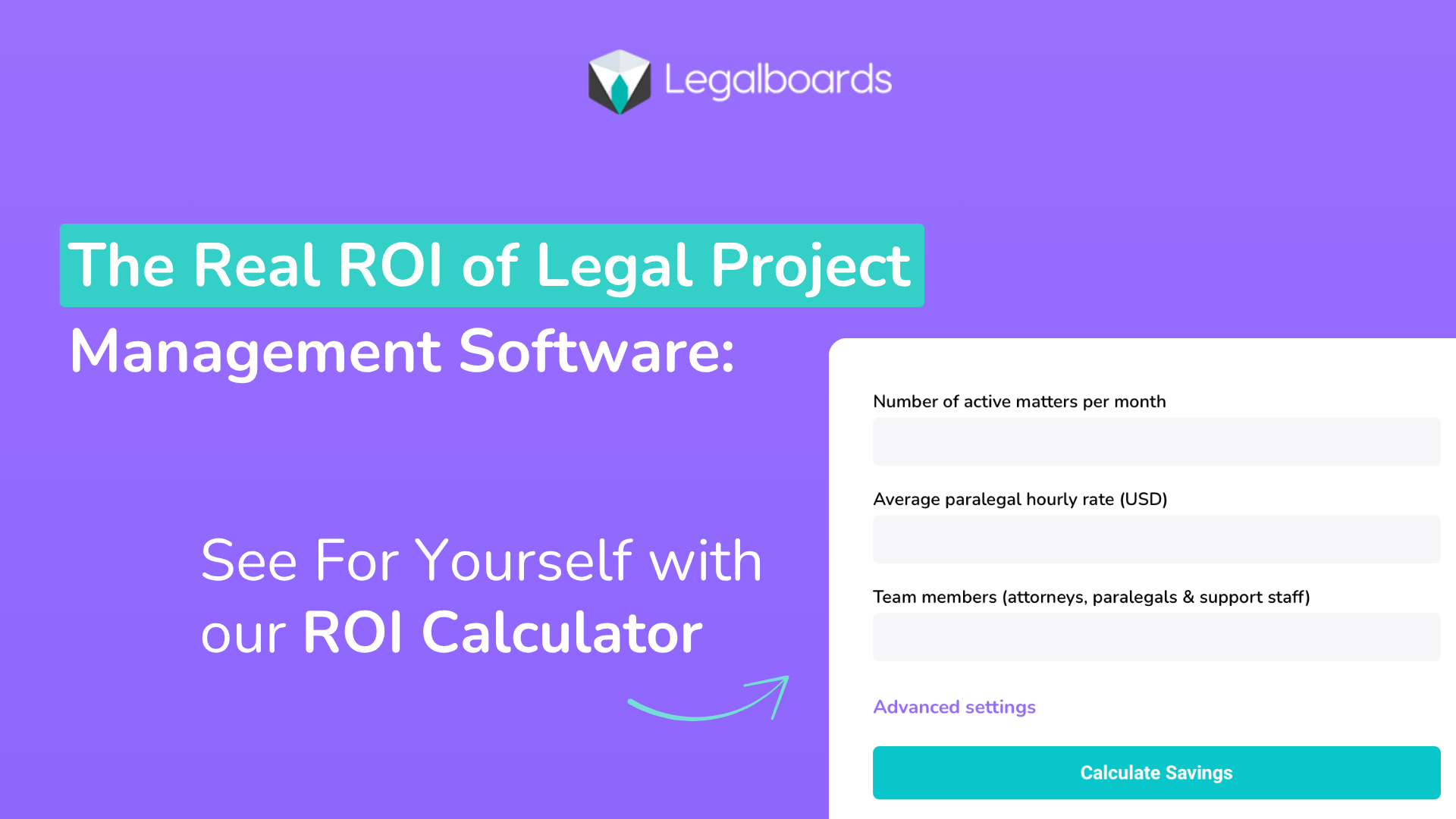
  • The Real ROI of Legal Project Management Software: See For Yourself with our ROI Calculator

    The Real ROI of Legal Project Management Software: See For Yourself with our ROI Calculator

    When you’re running a law firm, efficiency is a business necessity. Legal project management software helps firms streamline workflows, improve collaboration, and eliminate time-consuming manual tasks. 

    Beyond smoother operations, the real question is: does it deliver a measurable return on investment?

    The answer is yes, and in more ways than one. By automating routine processes, reducing administrative overhead, and giving your team better visibility into active matters, legal project management tools can unlock significant time and cost savings. 

    Whether you’re a solo practitioner or managing a large team, the right software can directly impact your bottom line and help your firm grow smarter.

    Evolving Beyond the Dollar

    You may be thinking, “My firm is already profitable and productive without software. Why start now?” 

    We’ve already seen the rapid shifts possible with the constant evolution in technology, and these changes will only continue.

    Here are three additional, and urgent, reasons why implementing case management software now can help you ensure your firm’s stability in the very near future.

    1. Attracting the Next Generation of Attorneys

    The legal workforce is changing. Next-gen attorneys prioritize flexibility, remote work, and access to modern tools that support both work-life balance and professional growth. 

    Case automation software plays a key role in meeting these expectations by offering cloud-based access, intuitive interfaces, and seamless task management from anywhere.

    According to Daniel Farrar, CEO of Assembly Software and Forbes Council Member,

    This new generation of lawyers seeks quick feedback from their peers and collaborative environments that enable a more effective way of working on a case. Additionally, clients today expect fast communication and transparency throughout each stage of a case lifecycle. For law firms that stick to traditional methods, this means those outdated systems that provide a poor user experience and lack functionality will no longer cut it for most legal professionals entering the space.”

    Firms that embrace automation signal they’re forward-thinking and invested in the tools that help legal professionals do their best work in the office or remotely. 

    In a competitive hiring market, this can be a major differentiator, helping attract and retain top-tier talent that values efficiency and adaptability.

    2. Improving Productivity and Shifting the Focus to Quality

    While billable hours have long been the legal industry’s gold standard, there’s a growing shift toward measuring value by quality, outcomes, and client satisfaction. 

    Case automation software supports this evolution by reducing manual work, eliminating bottlenecks, and enabling teams to focus more on strategy and legal execution rather than administrative tasks.

    William Josten Senior Manager – Enterprise Legal Thought Leadership for the Thomson Reuters Institute, says:

    “Rate growth continues at a historic pace, and there is increasing discussion in the market of wider use of alternative fee arrangements such as fixed or flat fees that would seek to focus more on the value of the outcome of the task or matter for the client rather than the amount of work input into the matter.”

    Automation tools increase cross-firm visibility into caseloads, deadlines, and performance, helping partners and managers identify areas for improvement in real time. 

    This boosts productivity and fosters a culture of collaboration and excellence as expectations shift from hours logged to results delivered.

    3. Competing with Tech-Enabled Law Practices

    Clients today expect transparency, speed, and seamless communication, and law firms that can’t deliver may find themselves falling behind. Case automation software gives firms the tools to meet (and exceed) these expectations with automated updates, document sharing, and real-time case tracking.

    Daniel Farrar, in “Eight Legal Tech Trends Set To Impact Law Firms In 2025,” said, “Whether it’s real-time updates or scheduling, today’s clients often expect better communication and transparency from their law firms throughout the entire case lifecycle.”

    As more legal practices adopt technology to streamline operations and enhance client service, automation becomes less of a competitive advantage and more of a requirement. Investing now ensures your firm stays ahead of the curve, providing a modern client experience that builds trust and drives long-term loyalty.

    Measure the Impact: Try the Legalboards ROI Calculator

    Still unsure whether legal project management software is worth the investment? 

    Legalboards makes it easy to find out. Our free ROI Calculator lets you estimate how much time and money your firm could save by automating workflows and improving task management.

    Just enter a few details, like firm size, average case volume, and time spent on administrative work, and get a personalized report showing your potential return on investment. 

    Whether your goal is to increase billable hours, reduce overhead, or improve client service, this tool gives you the data you need to make an informed decision. 

    It’s a fast, no-commitment way to see how Legalboards can help your firm work more efficiently and profitably.

    Legal project management software isn’t just about keeping up with technology; it’s about building a smarter, more agile firm ready to meet the demands of modern legal work. 

    From attracting forward-thinking attorneys to delivering better client outcomes and freeing up valuable time, the returns are tangible. 

    With tools like Legalboards’ ROI Calculator, you can clearly see how the right investment today can yield lasting gains in efficiency, productivity, and profitability.

     Now’s the time to streamline, scale, and set your firm up for long-term success.


    Your Questions, Answered

    How can case management software actually save my firm money?

    By automating routine tasks like document handling, time tracking, and workflow management, case management software reduces the time your team spends on administrative work, freeing them to focus on billable tasks.

    👉Legalboards helps law firms eliminate inefficiencies by streamlining task management, communication, and file organization, all in one platform.


    How long does it take to see a return on investment with case management software?

    Most firms begin to see measurable improvements in efficiency and client service within the first few months. ROI depends on your current processes, but even modest improvements in time saved can quickly add up. 

    👉With Legalboards’ built-in ROI Calculator, you can estimate your potential savings based on real data before you even commit.


    What types of firms benefit most from case management software?

    Solo practitioners, midsize firms, and large practices all benefit, but especially those juggling multiple cases and looking to scale without increasing overhead. 

    👉Legalboards is designed to be flexible and scalable, providing tools that match the unique workflows of firms of any size.


    Does automation really improve client satisfaction?

    Yes. Automation allows for faster updates, fewer errors, and better communication, which translates into a smoother experience for clients.

    👉Legalboards includes features like real-time task tracking and automated case updates to help firms provide consistent, transparent service that clients appreciate.


    How can I measure the ROI of my case management software?

    Track time savings, reduced administrative overhead, increased billable hours, and improved client retention over time. 

    👉Legalboards makes this easy with its ROI Calculator, helping you quantify how automation directly impacts your bottom line and workflow efficiency.

  • 5 Ways Case Tracking Software Improves Client Communication for Law Firms

    5 Ways Case Tracking Software Improves Client Communication for Law Firms

    Strong client communication can make or break a law firm’s reputation. In an already fast-paced, high-stakes environment made exponentially faster and more complex with evolving technology, clients expect prompt, transparent, and consistent updates on their cases. 

    However, when law firms rely on disjointed systems, such as spreadsheets, email threads, and physical files, client communication can quickly become inefficient and prone to errors.

    That’s where case tracking software comes in. 

    By centralizing case information, automating workflows, and enabling secure communication, the right software can dramatically improve the way law firms engage with their clients.

    Here are five key ways case tracking software enhances client communication and builds stronger, trust-based relationships.

    1. Centralized Client Information for Faster, More Accurate Responses

    One of the biggest obstacles to effective client communication is scattered information. When case details are stored across multiple platforms like email, personal notes, or physical files, responding to client inquiries takes longer, and the risk of providing incomplete or outdated information increases.

    Case tracking software eliminates this problem by consolidating everything in one place. From contact information and case notes to documents and deadlines, your entire team has access to the latest updates. 

    This unified view ensures that every interaction, from quick check-ins to detailed case updates, is accurate, informed, and consistent.

    2. Real-Time Case Status Updates Keep Clients in the Loop

    Clients hate feeling left in the dark. Without clear updates, they’re more likely to call or email repeatedly, adding strain to your team’s workload. Case tracking software provides real-time insights into a case’s status, enabling attorneys and staff to proactively communicate with clients.

    Many modern platforms even offer automated status notifications or client portals, where clients can log in securely to check on the progress of their matter. 

    This self-service approach not only satisfies clients’ need for transparency but also reduces the time your team spends fielding routine inquiries.

    3. Streamlined Task and Deadline Management Prevents Communication Gaps

    Missed deadlines and forgotten tasks delay cases and can significantly erode client confidence. Case tracking software features automated task lists, deadline reminders, and calendar integrations that ensure your team stays on top of every aspect of a case.

    This level of organization leads to more proactive communication. Instead of clients chasing updates, your team can provide timely notifications on upcoming court dates, required documentation, or changes in case strategy. 

    This proactive communication boosts client satisfaction and trust.

    4. Better Team Collaboration Leads to Consistent Messaging

    In a busy law firm, it’s common for multiple team members to touch the same case. Without a central system, internal communication breakdowns can result in inconsistent messages being relayed to clients, leading to confusion and frustration.

    Case tracking software solves this issue by creating a shared workspace where all case-related information, notes, and updates are visible to authorized users. Everyone involved is aware of the latest developments, responsibilities, and next steps. 

    With a central hub and visibility across the firm, your clients can rely on consistent, unified responses at every touchpoint.

    5. Secure Messaging and Document Sharing Build Client Trust

    Email is notoriously insecure, and clients entrusting sensitive information to their legal team expect confidentiality and data protection. 

    Many case tracking platforms include built-in secure messaging and document sharing features, providing a safer alternative to traditional communication channels.

    With these tools, clients can share confidential information, receive case documents, and ask questions with the knowledge that their data is protected by robust security protocols. 

    This level of security enhances the client experience and helps your firm meet compliance requirements for data privacy and client confidentiality.

    It’s Time to Level Up Your Client Communication

    Enhancing client communication is crucial for any law firm seeking to establish trust, cultivate loyalty, and maintain a robust reputation. 

    Case tracking software transforms the way firms manage client interactions by streamlining case information, automating updates, and enabling secure, consistent communication across the entire team. 

    With the right tools in place, your firm can respond more quickly, collaborate more effectively, and keep clients informed at every step.


    Your Questions, Answered

    How does case tracking software help my law firm respond to client inquiries faster?

    Case tracking software centralizes all client information, case updates, documents, and deadlines in one secure system. This eliminates the need to search across emails, notes, or paper files when a client calls or emails.

    👉 Legalboards makes this even easier with its visual dashboard and organized matter details, so any team member can provide an immediate, accurate update to the client.

    Can case tracking software send automated updates to clients?

    Yes. Many platforms allow you to automate notifications for case status changes, upcoming deadlines, or document requests. This helps keep clients informed without requiring manual check-ins from your team.

    👉 With Legalboards, you can set up automated triggers and notifications that alert clients or internal teams when the case reaches specific milestones, ultimately improving transparency and communication.

    How secure is client communication within case tracking software?

    Security varies by platform, but leading case tracking software includes encrypted messaging, access controls, and secure document sharing to protect sensitive client information.

    👉 Legalboards prioritizes security with features like encrypted storage and role-based permissions, ensuring that only authorized team members can view or share confidential client data.

    What if multiple attorneys or staff are working on the same case? How does the software help avoid miscommunication?

    Case tracking software provides a shared workspace where all case activity, tasks, and notes are visible to authorized users, minimizing confusion and duplicated efforts.

    👉 Legalboards excels in this area with collaborative task boards and real-time updates, so everyone stays aligned and clients receive consistent information from each member of your team.

    Will case tracking software integrate with my existing tools like email or calendars?

    Many case tracking platforms offer integrations with popular email, calendar, and legal management tools to streamline workflows.

    👉 Legalboards integrates seamlessly with tools like Gmail, Outlook, and Clio, helping your firm keep all communications and schedules connected without extra effort.

  • Why Small Law Firms Need Case Management Software: Ditch the Manual Tracking

    Why Small Law Firms Need Case Management Software: Ditch the Manual Tracking

    If you’re heading up a small law firm, you know that the variety of tasks at every level can often pile up.

    In addition to managing your staff, you’re also responsible for client communications, court deadlines, billing, documentation, compliance, and case updates on a daily, and sometimes minute-to-minute, basis. 

    While you may have been getting by with spreadsheets, email folders, or sticky notes on your monitor, those manual methods can only go so far before something slips through the cracks. 

    That’s where case management software comes in.

    If you’re tired of chasing paper trails or worrying about missed deadlines, it’s time to consider a smarter, more secure way to manage your practice.

    What Is Case Management Software?

    Case management software is a digital system designed to help law firms manage every aspect of their legal cases from one central platform. 

    More than a task and workflow management tool, it typically includes features like contact and client record management, document storage and version control, and court date and deadline tracking. Some software even offer time and billing tools and customizable reporting

    Think of it as a hub for legal operations. Rather than using multiple apps or paper-based methods to track what’s happening in your firm, case management software consolidates everything. In one easy-to-use dashboard accessible by your entire team 24/7, whether they’re in the office or working remotely.

    Why Manual Tracking Falls Short

    Manual case tracking systems may be effective for a short period. However, they pose serious limitations as your caseload grows or your team expands.

    Some of the most common challenges small law firms face with manual systems are:

    • Information silos: Client notes and case updates are stored in individual inboxes or personal notebooks.

    • Human error: Dates are entered incorrectly or overlooked entirely.

    • Wasted time: Staff spend hours locating documents or confirming who’s responsible for what.

    • Lack of accountability: Without task tracking, it’s difficult to determine what has been done and what is overdue.

    • No audit trail: If a case is ever reviewed, you don’t have a clear timeline of actions taken.

    These issues can impact productivity and put your clients and professional reputation at risk.

    Top Reasons Small Law Firms Should Use Case Management Software

    If you’ve been on the fence about implementing case management software for your firm, here are six reasons that should help you make your case to leadership and get your staff on board.

    1. Stay Organized and Reduce Risk

    Legal work is full of moving parts, and missing even a single deadline can lead to serious consequences. Case management software automatically tracks deadlines, court dates, and tasks, and sends reminders, so you don’t have to rely on memory or manual calendars.

    You’ll also have a centralized location for every case file, eliminating the need to dig through email threads or filing cabinets.

    2. Work More Efficiently with Fewer Resources

    Small firms often operate without dedicated admin or IT teams. That makes time-saving tools essential.

    With case management software, you can streamline routine tasks like document assembly, intake workflows, and client follow-ups. Many platforms also offer integrations with email, e-signature tools, and billing software, so you can manage more cases with fewer headaches.

    3. Improve Collaboration and Team Communication

    Whether your team is in one office or spread across locations, staying aligned is vital.

    Most case management platforms include internal notes, file sharing, and task assignments, so everyone on a case knows what’s happening and who’s responsible for the next step. 

    You can track progress in real time, reduce miscommunication, and make onboarding new team members easier.

    4. Enhance Client Service and Satisfaction

    Especially in today’s fast-paced, ever more connected world, clients expect timely updates and clear communication. 

    With the right software, your team can log every client interaction, respond more quickly, and keep case progress moving forward, all while creating a documented record of your work.

    Some systems even include client portals for secure messaging and document exchange, boosting transparency and trust.

    5. Get Paid Faster and More Accurately

    Human error involved in manually tracking billable hours can lead to lost income or disputes. 

    Case management software often includes integrated time tracking, invoicing, and payment features, so your billing stays accurate and compliant.

    Many systems allow you to log time directly within each case, generate invoices with a click, and even accept online payments.

    6. Secure Your Data and Ensure Compliance

    Paper files and email threads are inefficient and easily lost or hacked. Legal professionals must adhere to strict confidentiality standards and data protection laws; case management software is designed with these requirements in mind.

    Look for platforms that offer encrypted storage, role-based access controls, audit logs, and cloud backups to protect your firm and your clients.

    What to Look for in a Case Management Solution

    When evaluating options, small law firms should prioritise:

    • Ease of use: The system should be intuitive, with minimal training required

    • Affordability: Pricing should reflect the needs and budget of smaller practices

    • Customization: You should be able to tailor workflows, fields, and templates to your practice area

    • Scalability: The platform should grow with you as your firm expands

    • Support: Look for responsive customer service and onboarding assistance

    Final Thoughts: A Small Firm’s Big Advantage

    Investing in case management software isn’t just for large firms with big budgets. In fact, it can be even more valuable for smaller practices that need to make every hour and every resource count. 

    By streamlining operations, reducing errors, and improving visibility across your caseload, the right tool can help your team work smarter, not harder.

    So if you’re still relying on spreadsheets, shared drives, or inboxes to manage your legal work, now is the time to make the switch. The benefits will impact your bottom line, your client satisfaction, and your firm’s long-term success.


    Your Questions, Answered

    What is case management software, and why do small firms need it?

    Case management software is a digital tool that helps law firms organize, track, and manage legal cases, tasks, deadlines, documents, and communications in one central place. For small firms with limited staff and growing caseloads, it helps reduce admin burdens, minimize errors, and improve efficiency.


    👉 Legalboards simplifies case oversight with a visual, Kanban-style dashboard that lets you manage every matter from intake to closure without missing a beat.

    Can case management software help me avoid missed deadlines?

    Yes. Many small firms struggle to keep track of court dates, filing deadlines, and client meetings.

    👉 Legalboards provides built-in automated reminders, deadline alerts, and calendar integrations that ensure critical dates are never overlooked.

    How does case management software improve collaboration in small teams?

    Without a centralized system, it’s hard to know who’s doing what, what stage a case is in, or where key documents are stored.

    👉 Legalboards enables seamless team collaboration by assigning tasks, tracking progress in real time, and storing case files in one secure, accessible platform.

    Is it difficult or time-consuming to set up case management software?

    Not at all. The best platforms are built for ease of use and can be set up with minimal technical knowledge.

    👉 Legalboards is designed for quick onboarding, with intuitive workflows and customizable templates so your firm can hit the ground running in hours, not days.

    Will it integrate with the other tools I already use (e.g., email, billing, time tracking)?

    Yes. Integrations are key for small firms that need to stay lean and efficient without duplicating effort.


    👉 Legalboards integrates with popular legal tools like Clio, Gmail, Outlook, and Google Calendar, giving your firm a streamlined, all-in-one solution.