Author: legalboardsdev

  • Deadline Drift in Law Firms: Why One Court Date Change Creates Operational Chaos

    Deadline Drift in Law Firms: Why One Court Date Change Creates Operational Chaos

    A court date changes.

    On the surface, it looks simple. Someone moves a calendar entry and the team adjusts.

    But inside most law firms, that single change triggers something much bigger.

    Depositions shift.

    Expert deadlines move.

    Client preparation meetings change.

    Internal reviews need to be rescheduled.

    Documents that were due next week now need to be ready tomorrow.

    What looked like a five minute calendar update becomes hours of coordination across the firm.

    This is what we call deadline drift.

    And for many law firms, it is one of the most invisible operational risks in legal practice.

    Watch the Webinar

    What Actually Causes Deadline Drift

    Deadline drift is not a calendar problem.

    It’s a workflow problem.

    In most firms, deadlines live in calendars. But the work that leads to those deadlines lives somewhere else. Emails. Notes. People’s heads.

    So when one date changes, nothing else updates with it.

    And that’s where things start to break.

    A deposition gets rescheduled, but no one updates the prep tasks.

    A filing deadline moves, but the draft is still sitting in someone’s inbox.

    A client meeting shifts, but the documents are not ready.

    The system tracks the date.

    But it doesn’t track the work behind the date.

    So the team starts chasing.

    Chasing updates.

    Chasing documents.

    Chasing each other.

    This is why a simple change turns into chaos.

    Why Calendars and Reminders Don’t Fix This

    Most firms try to solve this with more reminders.

    More alerts.

    More calendar entries.

    More follow-ups.

    But that only increases noise.

    It doesn’t create clarity.

    Paralegals already run multiple reminder systems just to avoid missing something 

    They send emails weeks before deadlines. Then again days before. Then again the day before.

    Not because it works.

    But because they don’t trust the system.

    And they’re right not to.

    Because reminders don’t show:

    Who owns the task

    What stage the work is in

    What’s blocking progress

    So even with perfect calendars, the work is still invisible.

    What Deadline Drift Looks Like Day to Day

    If you’ve worked inside a law firm, you’ve seen this.

    Someone asks: “Are we ready for this deadline?”

    And the answer is:

    “I think so.”

    That uncertainty is the problem.

    Because in reality:

    The document might still need review

    The client might not have sent what’s needed

    The attorney might not even know it’s pending

    Paralegals end up managing dozens of these moving pieces at once, often across 40, 50, or more active cases 

    So they build their own systems.

    Notes. Checklists. Spreadsheets. Sticky reminders.

    And still, things slip.

    Not because people are careless.

    But because the system doesn’t show the full picture.

    The Shift: From Tracking Dates to Managing Work

    This is the core idea we break down in the webinar.

    Deadlines don’t fail because of dates.

    They fail because the work before the deadline is not visible, structured, or owned.

    When you shift from:

    “Did we track the date?”

    to:

    “Can we see the work that leads to the date?”

    everything changes.

    Now, when a court date moves:

    All related tasks move with it

    Ownership stays clear

    The team sees what needs to happen next

    No chasing. No guessing.

    Just flow.

    Watch the Full Webinar

    If you want to go deeper into this, we walk through real examples and how firms are handling this shift in practice.

    If this feels familiar and you want to see how this could work inside your firm, you can book a quick session with Bruna.

    She’ll walk through your current workflow and show you where deadline drift is happening and how to fix it.

    Schedule a conversation with Bruna here

  • How Law Firm Workflows Actually Work

    How Law Firm Workflows Actually Work

    What a workflow is in a law firm

    In a small to mid sized firm, a workflow is what moves a matter forward when nobody is actively thinking about it.

    It is the chain of stages and handoffs that turns an incoming client problem into real work. Intake. Drafting. Filing. Closing.

    If a matter can sit untouched until someone remembers it, the firm is running on intention, not workflow.

    Bar and malpractice guidance describe this clearly. Procedures must have a beginning and an end, a sequence of steps, and defined responsibility. A workflow is that sequence, plus ownership and triggers.

    This is where most firms get it wrong.

    They confuse tasks with workflows.

    Tasks are actions:

    • call client
    • draft motion
    • send email

    Workflows are movement:

    • what stage the matter is in
    • what must be true to move forward
    • who owns that movement
    • what happens next

    A checklist can support a workflow.

    But a checklist without movement is just a list.

    In a 10 to 50 person firm, work moves through repeatable patterns.

    The problem is not the work itself.

    It’s the coordination between steps.

    Client intake to case opening

    Intake is not one step. It is a sequence.

    pre screen and conflicts check

    information gathering

    engagement decision

    matter setup

    A matter is not “open” until:

    • files are created and structured
    • ownership is assigned
    • deadlines are captured
    • engagement is confirmed

    This is the first major failure point.

    Firms think the case is open.

    Operationally, it is not controlled yet.

    Drafting to review to filing

    This is where most firms think work happens.

    But the real risk is not drafting.

    It is transitions.

    waiting for partner review

    waiting for client approval

    waiting for filing confirmation

    Work doesn’t fail inside steps.

    It fails between them.

    Document collection and follow-ups

    Most firms handle this informally:

    send request

    follow up manually

    hope it arrives

    What actually works:

    • every request creates a dependency
    • every dependency has a follow-up date
    • nothing sits without a next review

    If a file has no next action, it is already at risk.

    Client communication loops

    Client communication is not a task.

    It is a workflow requirement.

    Clients expect status. Rules require it.

    Without structure:

    • updates become reactive
    • partners get pulled in
    • trust drops
    • With structure:
    • updates are triggered
    • ownership is clear
    • communication is consistent

    Where workflows break in real firms

    Workflow failure is not about effort.

    It is about missing structure.

    Unclear handoffs

    Work changes hands constantly.

    If the next step and owner are not explicit, work stalls.

    This is where things sit “in progress” but don’t move.

    Calendaring without execution

    Calendars create awareness.

    They do not create movement, deadline tracking fails in practice

    Firms:

    • track deadlines
    • set reminders
    • assume they are safe

    But:

    If no one owns the work before the date, nothing moves.

    This is why deadline tracking fails in practice.

    This is why deadline tracking fails in practice

    Waiting is invisible

    Most work is waiting.

    • waiting on client
    • waiting on partner
    • waiting on third party

    If waiting is not visible, it does not exist until it becomes urgent. This is exactly what operational visibility solves.

    Work is scattered

    Status lives everywhere:

    • inbox
    • spreadsheets
    • notes
    • memory

    So status becomes a question instead of a system to build your law firm operational visibility.

    No shared stages

    Without standard stages:

    • every lawyer works differently
    • staff guesses what to do
    • coordination breaks

    Consistency is what makes workflows reliable.

    What structured workflows look like

    A real workflow system is simple.

    It has structure.

    1. Stages

    5 to 7 stages.

    Each stage:

    • has a clear meaning
    • has entry and exit rules
    • Not tasks.
    • States.

    2. Ownership

    Every stage has one owner.

    Not a team.

    Not “whoever is available.”

    One person responsible for movement.

    3. Sequence and handoffs

    Work moves in a defined order.

    Handoffs include:

    • what is being passed
    • what must happen next
    • who owns it

    4. Dependencies and waiting

    Waiting is part of the workflow.

    Not an exception.

    Every dependency must have:

    • visibility
    • an owner
    • a follow-up moment

    5. What makes workflows reliable

    Across all sources, the same pattern shows up:

    • centralized visibility
    • clear ownership
    • reminders before deadlines
    • confirmation of completion
    • consistent adoption

    This is what reduces risk, check how workflow automation works in law firms.

    Example: litigation workflow

    Stages:

    • not started
    • drafting
    • internal review
    • approval
    • filed

    Each stage:

    • has an owner
    • has a next step
    • has a defined outcome

    The key is not the steps.

    It is the movement between them.

    Why workflows matter for deadlines and visibility

    Deadlines don’t fail because dates are missing.

    They fail because work is invisible.

    Without workflow:

    deadlines are just calendar entries

    status requires asking

    risk appears late

    With workflow:

    • progress is visible
    • blockers are clear
    • risk appears early

    This is where operational visibility comes from.

    Where automation fits

    Automation is not step one.

    It comes after structure.

    If you automate a broken workflow, you scale confusion.

    If the workflow is clear:

    • transitions can trigger tasks
    • waiting can trigger follow-ups
    • progress becomes automatic

    Read more: Workflow automation for law firms

    Quick diagnostic

    You don’t have a workflow if:

    you need to ask for status

    work sits between people

    ownership is unclear

    waiting is invisible

    deadlines surprise you

    Practical next step

    Start small.

    Map one workflow:

    define stages

    assign ownership

    make waiting visible

    If you want a simple way to do this:

    Use the workflow optimization checklist for lawyers

  • How to Track Deadlines in a Law Firm (And Why Most Systems Fail)

    How to Track Deadlines in a Law Firm (And Why Most Systems Fail)

    Law firms don’t miss deadlines because they forget dates.

    They miss deadlines because the work before the deadline is not visible, structured, or owned.

    If you are searching for how to track deadlines in a law firm, you probably already have a calendar.

    A calendar tells you when something is due.

    It does not tell you if the work is actually on track.

    Missed deadlines are not a small mistake. They can be the mistake that destroys a case.

    Why most law firms struggle with deadline tracking

    Most small to mid-sized firms track dates. They do not track execution.

    That gap shows up in real operations every day.

    Calendars become the source of truth, even though they are only a list of events.

    Reminders become the safety net, so nobody fixes the underlying workflow.

    Work stays scattered across inboxes, spreadsheets, and people’s heads.

    Status gets discovered through interruption. Quick pings. Follow-up emails. Last-minute meetings.

    That constant interruption is not free. It creates stress, pressure, and mistakes.

    When your system depends on last-minute checks, small issues turn into real risk.

    What deadline tracking actually means

    Legal deadline tracking is not:

    “Do we know the due date?”

    It is:

    “Is the work that leads to the due date under control?”

    There are two different questions:

    When is it due?

    Are we on track to meet it?

    Most firms answer the first and assume the second.

    That is where things break.

    Even if your dates are correct, work can still stall.

    That is why deadline tracking has to connect the date to the workflow.

    Common ways law firms track deadlines and why they break

    Most firms use a mix of these.

    They all help. None solve the real problem alone.

    Calendars

    Better than nothing. Necessary.

    But they are date-focused. They do not show progress, blockers, or ownership.

    Reminders and ticklers

    Useful for early warnings.

    But if nobody owns the next step, reminders just create noise.

    Spreadsheets

    Flexible, familiar.

    But manual, fragile, and outdated the moment someone forgets to update them.

    Case management systems

    Good for storing information.

    But storing information is not the same as moving work.

    If tasks are optional, people skip them.

    Rules-based docketing tools

    Great for calculating deadlines.

    But they do not manage the work that leads to the deadline.

    If your system only answers “When is it due?”, you do not have deadline tracking.

    You have a date list.

    How to track deadlines in a law firm step by step

    This is what actually works in small to mid-sized firms.

    Start small. One workflow.

    Step 1: Start with one workflow

    Pick one recurring matter where deadline risk is real.

    Litigation responses, discovery, intake to filing.

    Do not try to fix everything at once.

    Step 2: Map the work before the deadline

    Write the real steps. Not the ideal version.

    “Response due” is not one task.

    It is outline, draft, review, edits, filing, confirmation.

    Break it down.

    Step 3: Define stages

    Stages are how work moves.

    Example:

    Not started

    Drafting

    Internal review

    Client approval

    Ready to file

    Filed

    If everything is “in progress”, nothing is clear.

    Step 4: Assign ownership

    Every stage has one owner.

    Not the team. Not whoever is free.

    One person responsible for movement.

    Step 5: Make waiting visible

    Most deadlines fail because of waiting.

    Waiting on client

    Waiting on signature

    Waiting on review

    If waiting is invisible, risk is invisible.

    Make it explicit:

    • what you are waiting on
    • who owns the follow-up
    • when it will happen

    This is where most firms lose control.

    If you want to go deeper on this, read about law firm operational visibility.

    Step 6: Track movement, not just dates

    Dates don’t move. Work does.

    You should be able to answer instantly:

    • What stage is this in?
    • What is blocked?
    • Who owns the next step?
    • What is at risk this week?

    If you need to ask someone, your system is broken.

    Step 7: Add automation after structure

    Automation helps after the workflow is clear.

    Not before.

    Once structure exists, you can automate:

    • task creation when stages change
    • follow-ups when work is waiting
    • escalation when something is stuck

    If you want to go deeper, read workflow automation for law firms.

    How to know if your system is working

    A good system feels quieter.

    You don’t chase status.

    You don’t rely on meetings to understand progress.

    Risk shows up early.

    Ownership is clear.

    Surprises drop.

    If you still need weekly check-ins just to understand where things stand, you are still calendar-first.

    Common mistakes that keep deadlines fragile

    Starting with tools

    New software does not fix broken workflows.

    It just moves the same chaos somewhere else.

    Tracking only final dates

    One deadline is not enough.

    You need milestones before it.

    Otherwise, every warning becomes an emergency.

    Unclear ownership

    If nobody owns the next step, nothing moves.

    Invisible dependencies

    Waiting kills deadlines.

    If it is not visible, it is already a problem.

    Simple example

    Matter: Response due April 29.

    Calendar exists. Everyone feels safe.

    Now add structure.

    Stages:

    • Not started
    • Drafting
    • Review
    • Final edits
    • Ready to file
    • Filed

    Work breakdown:

    • April 20: Draft done
    • April 24: Review done
    • April 26: Final edits
    • April 29: Filed

    Ownership:

    • Associate drafts
    • Partner reviews
    • Paralegal files
    • Now reality hits.

    On April 18, the matter becomes:

    Waiting on client declaration

    Now risk is visible.

    Without that, you find out on April 27.

    Too late.

    Reframe

    Deadlines don’t fail because dates are unknown.

    They fail because work is invisible.

    If you want a deeper breakdown, read law firm deadline tracking.

    Next step

    Start with one workflow.

    Map it.

    Define stages.

    Define ownership.

    Then test it.

    You can use this checklist to start: workflow optimization checklist

    If you want to manage deadlines inside the workflow, not outside it, Legalboards helps you do that with clear stages, ownership, and real visibility.

  • Law Firm Operational Visibility: If You Need a Meeting to Know Case Status, You Don’t Have It

    Law Firm Operational Visibility: If You Need a Meeting to Know Case Status, You Don’t Have It

    By Tai Miranda, Co-Founder of Legalboards

    If you need a meeting to know case status, you don’t have visibility

    Most law firms are not short on talent.
    They are short on operational visibility.

    If a partner has to call a meeting just to answer “Where does this case stand?”, that is not a communication problem. It is a structural one, usually tied to how law firm workflows are defined.

    In a 10 to 50 person firm, that weakness compounds fast.
    More matters. More people. More email. More follow-ups. Less clarity.

    What operational visibility is

    Law firm operational visibility is the ability to see, at any moment, without asking:

    • what stage each matter is in
    • what is pending, overdue, or blocked
    • who owns the next step
    • where work is stalled
    • how workload is distributed

    Operational visibility is a live view of work.
    A calendar is a list of dates.

    Calendar-based tracking answers: “When is it due?”
    Operational visibility answers: “Is the work moving toward that deadline, and who is responsible for the next step?”

    Calendars are necessary.
    They are not a system of record for progress, ownership, and handoffs.

    Operational visibility connects:

    • ownership
    • status
    • workflow

    into one system.

    Where case status actually lives today

    In most growing firms, case status lives in scattered places:

    • inbox threads and forwarded chains
    • private spreadsheets
    • Outlook task lists and personal to-do systems
    • meeting notes
    • someone’s memory

    This is the gap between tracking information and actually managing work.
    Many firms confuse case tracking with real workflow structure.

    So partners ask for updates.
    Associates write status summaries late at night.
    Paralegals get interrupted all day with “quick questions.”

    Missed steps, unclear ownership, and invisible dependencies create deadline and communication failures.
    This is why many firms struggle with legal deadline management, even when everything is on a calendar.

    That is not collaboration.
    That is friction.

    Why it breaks as firms grow

    Under 10 people, informal coordination can work.
    Everyone talks. Everyone knows what is moving.

    Between 10 and 20, the cracks start showing.
    More handoffs. More “Who owns this?” moments.

    Past 20, it breaks.
    The work scales. The structure doesn’t.

    The cost

    Utilization drops quietly
    Lawyers spend time chasing status instead of moving work forward. That time doesn’t get billed.

    Risk climbs
    Missed steps, unclear ownership, and invisible dependencies create deadline and communication failures.
    This is where most firms start to lose control of deadlines as they grow.

    Burnout accelerates
    When work lives in people’s heads, the day becomes interruptions and firefighting.

    What operational visibility actually requires

    Operational visibility is not “more check-ins.”
    It is a simple system that makes work visible by default.

    Clear ownership

    Every task has one owner.
    Not a group. Not a role. A person.

    If ownership is implied, handoffs turn into guessing.
    Work stalls without anyone noticing.

    Real-time matter status

    Every matter sits in a defined stage, with a visible next step.
    Status lives in the real workflow structure, not in summary emails or weekly meetings.

    You should be able to open a matter and see:

    • current stage
    • next step
    • owner
    • blockers
    • overdue items

    You should not need to ask anyone to understand where a matter stands.

    Workflow that triggers next steps

    This is where most firms break. Work gets assigned, but doesn’t trigger the next step automatically.

    Progress should create the next action automatically.

    Finish a draft and review is created and assigned.
    Receive discovery and analysis tasks appear.
    Schedule a hearing and prep steps populate.

    This is not about replacing lawyers.
    It is about removing mental load and preventing tracking failures.

    Visibility vs micromanagement

    Some firms avoid structure because it feels like control.

    Visibility is monitoring work, not monitoring people.

    When partners can self-serve case status, they stop pinging the team.
    When teams trust the system to surface risk, they stop carrying everything in their heads.

    Visibility reduces micromanagement because it reduces uncertainty.

    Financial impact

    Poor visibility hits three levers at once.

    Margin
    More non-billable coordination. More rework. More write-downs.

    Utilization
    Billable time gets replaced by tracking, chasing, and re-explaining.

    Leverage
    Senior lawyers do junior work because delegation is not safe without visibility.

    Visibility is what makes delegation repeatable.
    That is what improves leverage as the firm grows.

    Diagnostic question

    If one attorney left tomorrow, could you instantly see:

    • every open task
    • every deadline those tasks support
    • every stalled matter
    • every next step and owner

    Or would you rebuild the practice from inboxes and spreadsheets?

    Next step

    If you want to see how this works in practice, book a 20-minute session and map where visibility is breaking in your workflow.

    Not ready to talk? Use the FAQ and guides below to pressure-test your system.
    

    FAQ

    What is law firm operational visibility?

    It is the ability to see matter stage, next steps, task ownership, and blockers in real time, without emails or meetings.

    How is operational visibility different from case management software?

    Case management can store information.
    Visibility means the information reflects live progress: what is happening, who owns it, what is next, and what is stuck.

    Why do firms miss deadlines even with calendars?

    Calendars track dates.
    They do not track whether prerequisite work is progressing, whether ownership is clear, or whether dependencies are blocked.

    If you want to see how this connects directly to deadlines, here’s how to track deadlines in a law firm using workflow and visibility.

    Why do small and mid-sized firms struggle with visibility?

    Because the firm outgrows informal coordination.
    As headcount and matters increase, handoffs multiply and responsibility becomes diffuse unless the workflow is structured.

    How does operational visibility reduce burnout?

    It lowers interruptions and last-minute surprises by making ownership and progress visible.
    Less guessing. Less firefighting. Less “Did anyone do this?” anxiety.

    Is operational visibility the same as micromanagement?

    No.
    Micromanagement watches people. Visibility watches work so leadership can stop chasing updates.

    What are the core elements of strong operational visibility?

    Clear ownership, real-time matter status, and workflow that triggers next steps.

  • How to Prepare a Law Firm for Automation

    How to Prepare a Law Firm for Automation

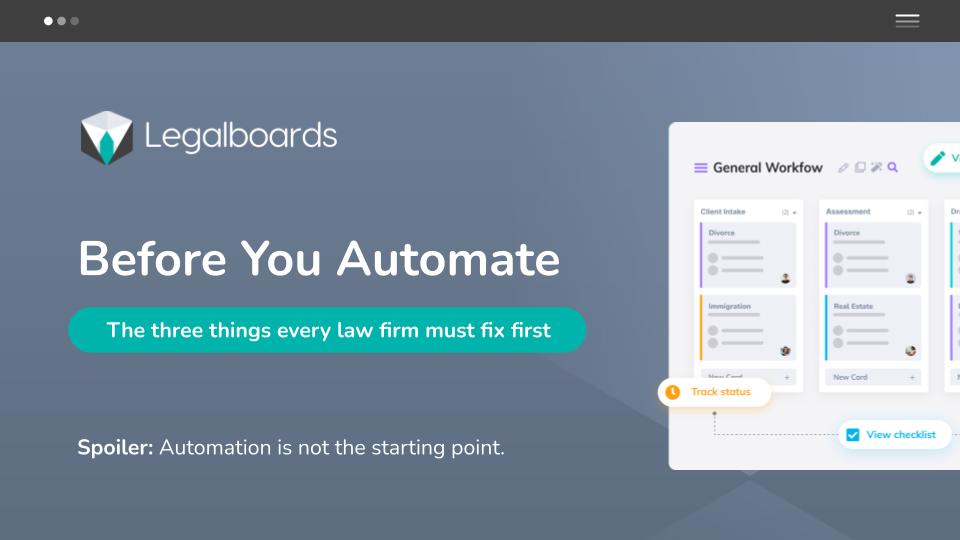
    If you want to prepare a law firm for automation, you must fix your workflows first.

    Automation does not fix broken processes. It scales them.

    Many small and mid-sized law firms jump into automation because their teams feel overwhelmed. Paralegals are chasing deadlines. Office managers are firefighting. Partners lack visibility across cases.

    But without structure, automation creates faster confusion instead of clarity.

    In this webinar, we explain exactly how to prepare a law firm for automation the right way.

    What You Must Fix Before Automating

    In the webinar, we walk through the core structural gaps that block automation success:

    1. Undefined Case Stages

    If you cannot clearly define the stages of a matter, automation has nothing to trigger from.

    2. No Clear Task Ownership

    If everyone is “kind of responsible,” no one is accountable. Automation depends on explicit ownership.

    3. Scattered Information

    When tasks live in email, spreadsheets, and different systems, automation becomes unreliable.

    4. Lack of Visibility

    If partners cannot see where cases are stuck or which matters are delayed, automation alone will not solve that.

    5. No Operational Standardization

    If your firm does not follow consistent workflows, no tool will magically create discipline.

    Automation works only when structure exists first.

    Watch the Full Webinar Replay

    In this session, you will learn:

    • The 5 structural mistakes that make automation fail
    • How to map your legal workflows properly
    • What small firms should standardize before adding automation
    • When automation actually creates leverage instead of complexity

    Download the Workflow Preparation Kit

    To help you apply what we cover in the webinar, we created a practical preparation kit.

    Inside the kit:

    • Workflow mapping template
    • Task ownership checklist
    • Case stage definition worksheet
    • Automation readiness assessment

    When Structure Is Clear, Automation Becomes Powerful

    Once workflows are defined and responsibilities are clear, automation can:

    • Reduce manual follow-ups
    • Improve case visibility
    • Decrease deadline anxiety
    • Recover significant non billable time

    But only after the foundation is solid.

    If you want to see how structured workflows and automation work together in practice:

    Explore Legalboards → https://website-backend.legalboards.com

    See how workflows are structured

    Schedule a conversation

    For broader context on legal operations trends, the Legal Executive Institute provides industry research

  • Legalboards Announces Partnership With Clerx

    Legalboards Announces Partnership With Clerx

    Legalboards is partnering with Clerx to help small and mid-sized law firms bring more structure and clarity to client intake.

    This partnership connects two parts of the same workflow that are often disconnected in practice: the first client call and the internal work that follows.

    Why This Partnership Exists

    Client intake is one of the most operationally fragile moments in a law firm.

    Calls arrive at unpredictable times. Information is captured quickly. Then the real work begins: follow-ups, document collection, internal review, and decisions. Without a clear handoff, intake becomes dependent on memory, inboxes, and constant check-ins.

    Legalboards and Clerx are partnering to reduce that friction.

    About Clerx

    Clerx is an AI-powered receptionist and phone intake platform built for small and mid-sized law firms.

    Clerx answers inbound calls instantly, captures and qualifies leads, gathers intake details, and ensures calls are handled consistently, including after hours. The focus is not on replacing people, but on making sure every potential client is handled reliably and no opportunity is missed due to timing or availability.

    In this partnership, Clerx owns the first interaction.

    About Legalboards

    Legalboards is a legal operations platform designed to bring visibility and structure to how law firms run their internal workflows.

    Using visual, customizable boards, Legalboards helps firms manage intake, tasks, and case-related work in one place. Teams can see ownership, next steps, and status without relying on spreadsheets, emails, or manual follow-ups.

    In this partnership, Legalboards owns execution after intake begins.

    Integration Intention

    The Clerx and Legalboards integration is designed around intake continuity.

    When Clerx captures a new lead by phone, that information can flow into Legalboards as a structured intake item. From there, Legalboards workflows guide what happens next.

    This means:

    • Intake details are not trapped in call notes or inboxes
    • Ownership is clear from the start
    • Follow-ups and next steps are visible to the whole team

    This is a workflow handoff, not a complex technical build. The goal is operational clarity, not feature overload.

    What This Means for Law Firms

    Firms using Clerx and Legalboards together can expect:

    • Fewer manual handoffs between phone intake and internal systems
    • Clear visibility into new leads and intake status
    • Reduced reliance on memory and individual team members
    • More consistent follow-through after the first call

    The result is a more reliable intake process that works even when the firm is busy, understaffed, or handling higher volume.

    Built for Small and Mid-Sized Firms

    This partnership is designed for firms that want structure without enterprise complexity.

    Firms that need intake to work when calls come in after hours, when someone is out, or when volume spikes unexpectedly.

    Clerx and Legalboards support those realities instead of assuming perfect conditions.

    Book a session to explore more

    Learn More

    Explore Clerx:

    https://www.clerx.ai

    This partnership reflects how Legalboards approaches integrations: connecting the right tools at the right moments so firms can operate with less friction and more clarity.

  • How to Create an Automated Case Update Workflow in Legalboards

    How to Create an Automated Case Update Workflow in Legalboards

    An automated case update workflow helps law firms reduce manual follow-ups, eliminate status confusion, and keep cases moving without constant check-ins.

    Instead of relying on emails, spreadsheets, or verbal updates, this approach ensures that case status changes automatically when real work happens. As a result, teams gain visibility without adding extra tools or meetings.

    In this guide, we show exactly how to build an automated case update workflow inside Legalboards, following the same step-by-step setup demonstrated in the video walkthrough below.Case updates are one of the biggest sources of hidden work inside law firms. Implementing an automated

    This is not theory.

    This is a practical, step-by-step setup you can replicate.

    Watch the Full Walkthrough

    How to Automate Case Updates in Legalboards

    In this video, Bruna walks through:

    • Creating an automation inside a Legalboards workflow
    • Defining triggers based on real case activity
    • Automatically moving cases forward
    • Generating the next steps without manual follow-up

    Use the video alongside the steps below to follow along.

    What This Automation Solves

    Before diving into the setup, it’s important to understand what this automation is designed to solve.

    In most law firms, case updates are not missing. Rather, they are scattered across tools, people, and inboxes. Because of that, teams spend time searching for information instead of acting on it.

    As workflows grow more complex, this fragmentation leads to manual follow-ups, repeated questions, and late discoveries of blocked cases. Ultimately, automation should reduce this friction, not create more noise.

    The goal here is simple: when something happens in a case, the workflow updates itself and everyone sees the same status immediately.

    Step 1: Start With a Clear Workflow Board

    Automation only works if the workflow is clear.

    Inside Legalboards, Bruna starts with a board that represents the real stages of a case, not vague statuses.

    Example stages:

    • Intake received
    • Documents requested
    • Documents received
    • Filed
    • Waiting on response
    • Follow-up required
    • Completed

    Each column represents a decision point, not just a label.

    Best practice:

    If you can’t explain what moves a case from one column to the next, automation will fail.

    Step 2: Identify the Automation Trigger

    In the video, Bruna shows how to create an automation based on a specific trigger.

    A trigger is the event that proves progress happened.

    Common triggers include:

    • A card is moved to a specific column
    • A task is marked as completed
    • A document is received or uploaded
    • A deadline is reached or approaching

    Example from the workflow:

    When a case card is moved to “Documents Received”, that action becomes the trigger.

    This is critical:

    Automation should respond to work, not assumptions.

    Step 3: Define the Automated Action

    Once the trigger is clear, the next step is defining what should happen automatically.

    In Legalboards, Bruna configures actions such as:

    • Creating the next required task
    • Assigning it to the correct role
    • Setting a due date based on rules
    • Moving the case to the next stage
    • Sending an internal notification if needed

    Example:

    When documents are received:

    • Create a “Review documents” task
    • Assign it to the responsible paralegal or lawyer
    • Set a due date automatically
    • Move the case forward in the workflow

    This removes manual decision-making from repetitive work.

    Step 4: Use Roles, Not People

    One important detail Bruna highlights is using roles instead of specific names.

    Instead of assigning tasks to “Sarah” or “John”:

    • Assign tasks to “Assigned Paralegal”
    • Or “Responsible Lawyer”

    Why this matters:

    • Staff changes don’t break automations
    • Workload stays balanced
    • The workflow scales as the firm grows

    This is a small setup choice with a big operational impact.

    Step 5: Automate Case Movement Carefully

    Not every automation should move a case automatically.

    Bruna shows how to:

    • Move cards automatically only when the next step is guaranteed
    • Leave manual movement when judgment is required

    Good rule:

    If a human still needs to decide, don’t automate the move.

    Legalboards lets you automate selectively, so control stays with the team.

    Step 6: Add Safeguards and Visibility

    Automation should surface risk, not hide it.

    In the workflow shown:

    • Deadlines are visible on the board
    • Overdue tasks are clearly flagged
    • Bottlenecks appear instantly
    • Partners can see status without asking

    This is where automation and visibility work together.

    The result:

    Paralegals stop acting as human dashboards.

    Partners stop chasing updates.

    Real Example: What Changes After This Automation

    Before:

    • Case updates required emails or meetings
    • Tasks were created manually
    • Follow-ups depended on memory
    • Status questions interrupted the team daily

    After:

    • Case status updates itself
    • Next steps are created automatically
    • Deadlines are enforced by the system
    • Everyone sees the same truth in real time

    The work doesn’t change.

    The friction disappears.

    Common Mistakes to Avoid

    Automating a Broken Workflow

    If the process is unclear, automation will make it worse.

    Fix the workflow first.

    Over-Automating Decisions

    Automation should handle routine steps, not professional judgment.

    Treating Automation as “Set and Forget”

    Review automations quarterly as workflows evolve.

    When This Type of Automation Makes Sense

    This setup is ideal for:

    • Immigration
    • Family law
    • Personal injury
    • Litigation support
    • High-volume, process-driven practices

    Anywhere the same steps repeat across cases, automation pays off fast.

    How Legalboards Supports This

    Legalboards was designed to:

    • Model real legal workflows
    • Automate repetitive steps
    • Keep humans in control
    • Provide real-time visibility across all cases

    It integrates with tools like Clio, MyCase, Outlook, Google Calendar, DocuSign, and Dropbox, so automation fits into your existing stack.

    Talk through your workflow directly:

    https://website-backend.legalboards.com/schedule-a-call/

    Final Takeaway

    Automation is not about speed.

    It’s about consistency and visibility.

    If your firm still relies on people to remember what happens next, this is exactly the type of workflow automation you should be building.

    Watch the video.

    Replicate the setup.

    Adjust it to your practice.

    That’s how automation actually works in a law firm.

  • How to Finally Get Your Team to Use the Workflow (Without Chasing Them)

    How to Finally Get Your Team to Use the Workflow (Without Chasing Them)

    Most law firms already have workflows.
    Boards exist. Tools exist. Processes are documented.

    What’s missing is adoption.

    Attorneys forget to update tasks.
    Paralegals end up chasing information.
    Office managers clean up boards that no one fully uses.

    In this Legalboards Academy webinar, Bruna Gonçalves, Legal Operations Designer at Legalboards, explains why workflow adoption breaks down inside legal teams and how firms can fix it without adding pressure or extra admin work.

    Watch the full session on YouTube:

    Why Workflow Adoption Fails in Law Firms

    Teams don’t ignore workflows because they don’t care.

    They ignore them because the system doesn’t match how legal work actually happens.

    During the webinar, Bruna highlighted the most common reasons workflows stop being used:

    • Too many tools and duplicate updates
    • No clear rules for when and how to update the board
    • Workload spikes that break routines
    • Processes designed for ideal weeks, not real ones

    When a workflow depends on discipline and memory, it fails as soon as deadlines pile up.

    The Hidden Cost of Poor Workflow Adoption

    When workflows are inconsistently updated, firms start operating reactively.

    Bruna walked through what typically happens:

    • A task moves forward, but the board is not updated
    • Another team member assumes the work is still pending
    • Deadlines live in email threads instead of shared systems
    • Attorneys ask for updates that should already be visible
    • Paralegals become the single point of truth

    Nothing is technically wrong.

    The team is just carrying too much information in their heads.

    This is where stress, rework, and missed visibility start to compound.

    The Four Pillars Behind Sustainable Workflow Adoption

    Rather than pushing training or enforcement, Bruna focuses on four core behaviors that make workflows stick.

    Ease

    If updating the workflow takes effort, people skip it.

    Simple, intuitive systems are easier to use than to avoid.

    Clarity

    Teams need to know what to do, when to do it, and what “done” looks like.

    Clear roles and visible progress remove hesitation.

    Repetition

    Small, repeatable routines work better than one-time training sessions.

    Habits reduce decision fatigue.

    Value

    People adopt workflows that save time instead of creating more work.

    When the system carries the structure, adoption happens naturally.

    How to Roll Out a Workflow Without Overwhelming the Team

    Bruna shared three practical rollout strategies that work consistently across firms.

    Start Small

    Begin with a pilot group or a single case type.

    Fix friction early before scaling.

    Define Clear Usage Rules

    Decide what must live in the workflow and what does not.

    Ambiguity kills adoption.

    Simplify to Essential Tasks

    Remove anything that does not actively move the case forward.

    A shorter workflow gets used more often.

    What Successful Workflow Adoption Looks Like in Practice

    When workflows are adopted correctly, teams see immediate changes:

    • Predictable next steps across cases
    • Clear ownership without micromanagement
    • Faster movement through tasks
    • Less mental load for paralegals and attorneys

    The workflow holds the structure so the team can focus on legal work.

    How Legalboards Supports Workflow Adoption

    During the session, Bruna demonstrated how Legalboards reinforces these behaviors by design.

    Automations That Reduce Manual Work

    • Tasks appear automatically when cases move stages
    • Deadlines adjust when dates change
    • Follow-ups are created without manual setup

    Learn more about task automation here:

    Shared Visibility Across the Firm

    Every case lives on a shared board where the team can see:

    • what is active
    • what is overdue
    • what needs attention today
    • who owns each task

    Filtering by role, urgency, or case type keeps focus where it matters.

    Key Takeaways From the Webinar

    Bruna closed the session with simple outcomes firms should aim for:

    • workflows that update themselves
    • fewer follow-up emails
    • no guessing about case status
    • lower stress for paralegals
    • better visibility for attorneys
    • consistent execution even during busy weeks

    Adoption is not about forcing behavior.

    It’s about designing systems that support real work.

    If you want to see how these concepts apply to your firm, you can schedule a short demo to walk through your workflow and identify where adoption usually breaks.

    Schedule a demo:

    https://website-backend.legalboards.com/schedule-a-call/

  • How Immigration Teams Keep Case Clarity When USCIS Is Unpredictable

    How Immigration Teams Keep Case Clarity When USCIS Is Unpredictable

    Family based immigration work should be predictable. You file, you track, you wait. Except it never goes that way.

    Appointments shift. RFEs land without warning. Clients panic. Attorneys chase updates. Paralegals hold everything together with spreadsheets, notes, and memory.

    In this webinar session, Bruna Gonçalves, Legal Operations Designer at Legalboards, showed how immigration teams can bring order back into the process by using workflows that adapt to USCIS unpredictability.

    Watch Bruna’s full session on YouTube:

    Why Immigration Cases Derail Even in Organized Firms

    Most delays are outside the firm’s control. USCIS changes timelines with little communication. Even one adjustment can force a full rebuild of the case plan.

    Common issues immigration firms face:

    Biometrics delays

    The entire case pauses until the appointment is completed.

    Interview reschedules

    Everything that was prepared must be reviewed again.

    RFEs

    Sudden deadlines force teams into crisis mode.

    Decision variability

    Cases with identical profiles take completely different amounts of time.

    Bruna explained that these shifts create compound problems. They do not come one at a time. They show up in the middle of other work, creating situations where even well structured teams lose visibility.

    For more context on how immigration workflows look inside the platform, explore the Immigration Board Template: https://website-backend.legalboards.com/resources/working-in-legalboards/immigration-board-management/

    The Real Impact of USCIS Shifts Inside a Law Firm

    During the webinar, Bruna walked through what actually happens the moment a date changes.

    A biometrics appointment gets pushed.

    The attorney emails the paralegal for updated prep.

    The paralegal is already deep in another case.

    The client sends updates in multiple emails.

    Someone changes the spreadsheet but forgets the shared calendar.

    Another team member is not aware an RFE arrived.

    Nothing is technically wrong. The team is just overwhelmed by timing.

    This is when cases fall out of sync.

    Not because the team is disorganized, but because they are trying to manage unpredictable timing with tools that do not adapt.

    How Legalboards Helps Immigration Firms Stay in Control

    Bruna demonstrated how automation stabilizes the entire workflow. Teams do less manual tracking. The system does the repetitive work.

    You can also see how task updates work behind the scenes in our guide on Update Task Automations: https://website-backend.legalboards.com/resources/working-in-legalboards/automation-action-task-creation/

    Automations That Move With the Case

    When a key date is added or updated, the workflow updates itself.

    Add interview date. The prep tasks appear.

    Move a card to RFE. The checklist and due dates generate instantly.

    Mark approval. Follow up tasks appear and the case closes cleanly.

    The firm stops rebuilding the workflow every time USCIS changes something.

    Clear Visibility at All Times

    Bruna showed how every case sits on a board where the team can see:

    • what is active

    • what is overdue

    • what needs attention today

    • who is responsible for each step

    Filtering by attorney, paralegal, urgency, or case type makes it simple to focus on the cases that need action.

    Reminders and Follow Ups Without Extra Work

    USCIS delays and reschedules create surprise deadlines. Legalboards removes the stress by sending:

    • automatic reminders for biometrics, interviews, and RFEs

    • notifications to assigned team members

    • optional client follow ups

    The system ensures nothing is missed.

    Bruna’s Walkthrough Example

    Bruna presented a real world style example based on common family based cases.

    A simple I130 and AOS matter. Easy on paper. Then the timing shifted.

    Case Comparison

    Without LegalboardsWith Legalboards
    Biometrics rescheduled and no clean way to update downstream tasksAdd biometrics date and all next steps appear automatically
    RFE arrives the same week and creates sudden manual deadlinesMove case to RFE and a full checklist with the correct due date generates instantly
    Interview moved after prep was already done, forcing reworkAdd interview date and all prep tasks repopulate without starting over
    Calendar updated in one place but not synced across the teamAll dates and tasks update in the shared workflow used by the entire team
    Emails pile up with scattered updates from the clientNotes, docs, and updates sit inside the case card instead of email threads
    Attorney cannot see real progress without asking the paralegalAttorney sees the exact status on the board in real time
    Paralegal holds everything together with spreadsheets and remindersThe workflow handles the structure so the paralegal focuses on the case itself
    High stress, easy to lose track of what is done and what is pendingPredictable steps, automatic follow ups, and no missed deadlines

    If you want to see how other firms improved their processes, here is a workflow precision case study: https://website-backend.legalboards.com/resources/blog/strauss-attorneys-legalboards-workflow-precision/

    Final Result Bruna Highlighted

    • no missed deadlines

    • no duplicated work

    • no lost documents

    • no guessing

    • clients stay informed

    • team stress drops

    • attorney gets clarity without extra oversight

    The team works the case. The system handles the structure.

    Benefits Immigration Firms See With Automated Workflows

    At the end of the session, Bruna focused on simple outcomes immigration teams want.

    Clear timelines even when USCIS shifts.

    Less time rebuilding packets.

    Better client communication without manual chasing.

    Consistent follow ups.

    Clean visibility across all cases.

    Predictable work for attorneys and paralegals.

    A calmer practice with fewer fires.

    These are real daily wins for firms managing family based cases.

    Access the Workflow Bruna Used in the Webinar

    The exact workflow Bruna demonstrated during the session is available inside Legalboards.

    Create your Legalboards account to explore it.

    Sign up here: https://app.legalboards.io/register

    Common Questions From the Webinar Audience

    How does Legalboards help with biometrics and interview delays?

    When a date changes, the workflow updates itself. Tasks, deadlines, and reminders shift automatically.

    Can Legalboards work with Docketwise or Clio?

    Yes. Matters and contacts sync cleanly. Legalboards adds automation and visibility on top of your existing tools.

    How does it help with RFEs?

    Move the case to the RFE stage. A complete checklist and the correct due dates appear instantly.

    Do I need to rebuild my workflows from scratch?

    No. Start with Bruna’s immigration workflow inside Legalboards. Customize it from there.

    Does Legalboards replace my spreadsheets?

    Yes. You get a shared, real time board that shows everything in one place.

  • Working With Legalboards: 5 Smart Ways to Improve Client Communication

    Working With Legalboards: 5 Smart Ways to Improve Client Communication

    Webinar | August 20 at 1:00 PM (Eastern Time)

    Strong communication isn’t just a client expectation, it’s your firm’s competitive edge. But with scattered updates, busy inboxes, and too many tools, even great teams can drop the ball.

    Join us on August 20 at 1:00 PM (Eastern Time) for a focused 30-minute session:
    “Working With Legalboards: 5 Smart Ways to Improve Client Communication.”

    This session will be led by Tai Miranda, co-founder of Legalboards and an experienced legal operations strategist with over 15 years helping firms streamline their processes.

    You’ll walk away with four practical ideas plus one strategic mindset shift that can help you improve communication without adding more work.

    Register Now
    Secure your spot for the August 20 webinar at 1:00 PM (Eastern time).
    Book Your Seat Now

    What You’ll Learn

    1. Stop Being the Bottleneck
    When critical information is stored in your head or scattered across emails, progress slows. Learn how Legalboards’ Matter Timeline and Shared Matter View give your team instant access to what’s happening, without relying on you to be the go-between.

    2. Keep Clients in the Loop (Automatically)
    Even when there’s no major update, clients still want to know things are moving. With task and email automation, you can keep them informed without manual follow-ups.

    3. Turn Your Board Into a Digital Office
    If your team is hybrid or remote, a shared Kanban-style board replaces sticky notes and inbox threads. Easily assign tasks, track progress, and stay aligned by practice area or case type.

    4. Let the System Handle the Handoffs
    Handoffs are where things often go wrong. Use Cascade Mode and pre-built Task Lists to ensure that the next step is clear, assigned, and tracked, automatically.

    5. Rethink Communication as a Workflow Strategy
    Improving communication doesn’t have to mean more work. With a better system, updates happen naturally and clients feel confident in your process.

    Why Attend?

    • Reduce non-billable follow-up time by up to 25%
    • Improve team visibility without adding new meetings
    • Deliver a more consistent, professional client experience

    This webinar is especially helpful for midsize firms and legal operations teams looking to reduce manual work and improve communication across the board.

    Register Now
    Secure your spot for the August 20 webinar at 1:00 PM (Eastern time).
    Book Your Seat Now

    Prefer a 1-on-1 walkthrough?
    Schedule a 15-minute call to see how Legalboards could work for your firm.

  • Confidential, Compliant, and Organized: A Legal Team’s Guide to Document Management

    Confidential, Compliant, and Organized: A Legal Team’s Guide to Document Management

    In the legal world, precision and reliability aren’t just preferred, they’re essential. Legal professionals manage an overwhelming volume of documentation: contracts, case files, evidence records, regulatory filings, and more. 

    Every detail matters, every version counts, and every document must be readily accessible, secure, and accurately stored. When working on legal projects, efficient document management can be the difference between success and setbacks.

    So, how can legal teams ensure they’re handling documentation the right way? By following best practices that align with the unique demands of legal work.

    Legal projects are often complex, high-stakes, and deadline-driven. Whether you’re preparing for litigation, managing a corporate transaction, or navigating regulatory compliance, you’re working with dozens, sometimes hundreds, of sensitive documents.

    Poor document management can lead to:

    • Missed deadlines due to lost or inaccessible files

    • Costly errors caused by outdated versions

    • Non-compliance with regulatory requirements

    • Security breaches and client trust issues

    A structured document management system (DMS) isn’t just helpful; it’s critical. It brings clarity, accountability, and efficiency to every stage of a legal project.

    Legal teams frequently encounter several persistent challenges when it comes to managing documents effectively. Version control can quickly become a nightmare, particularly when multiple stakeholders, such as partners, associates, clients, and external counsel, are all editing the same file at different stages of development. 

    This lack of clarity often results in the use of duplication, inconsistencies, or outdated versions by mistake.

    At the same time, legal documents contain highly sensitive information, so maintaining robust access controls and data security is non-negotiable. 

    However, this must be carefully balanced with the need to ensure that authorized users can quickly access the information they need, especially under time-sensitive conditions.

    Legal projects are also rarely siloed; they often require seamless collaboration among various parties, including clients, external law firms, and internal departments such as finance, human resources, or compliance.

    Add to this the burden of regulatory compliance, which demands rigorous standards for record-keeping, confidentiality, retention, and auditability, and it’s clear why document management remains a critical pressure point for legal teams aiming to work both efficiently and securely.

    To overcome these hurdles, legal teams should implement the following best practices:

    1. Use a Centralized, Cloud-Based DMS: A cloud-based platform ensures that documents are always available from any device, in any location. Look for systems that offer encryption, two-factor authentication, and automated backups.

    2. Enforce Strict Version Control Protocols: Use software that automatically tracks and labels versions. This ensures that everyone works from the most current file and that previous versions are still accessible when needed.

    3. Establish Consistent Naming Conventions and Folder Structures: Create a documented protocol for naming files and organizing folders. This improves searchability, reduces duplication, and helps onboard new team members quickly.

    4. Implement Role-Based Access Controls: Assign permissions based on job function. This protects client confidentiality and ensures users only access what they need.

    5. Regularly Archive and Review Files: Outdated documents should be archived by established retention policies. Regular file reviews reduce clutter and improve compliance.

    6. Integrate Document Management with Legal Project Tools: Connect your DMS with project management software. This keeps documents linked to relevant tasks, milestones, and timelines, providing better visibility and workflow automation.

    Tools and Technologies to Consider

    Several platforms are designed specifically for the legal sector:

    • Clio: Combines case management with document storage

    • NetDocuments: A popular cloud DMS tailored to law firms

    • iManage: Offers robust compliance and collaboration features

    Additionally, tools like DocuSign, Adobe Acrobat Pro, and Microsoft 365 support document automation, electronic signatures, and secure document sharing.

    Building a Culture of Best Document Practices

    While having the right technology in place is essential, it’s not sufficient on its own to ensure effective document management within legal teams. Lasting success depends on building a strong internal culture that prioritizes clarity, consistency, and accountability. 

    This begins with a well-defined document management policy that outlines key standards for file naming, storage, access, and retention, including the duration for which documents should be retained and the procedures for their secure destruction.

    Assigning roles and responsibilities ensures that everyone, from paralegals to partners, understands their part in maintaining document integrity. 

    However, a policy only works if people follow it. That’s why regular training sessions are crucial, as they help team members stay current with best practices and new systems. 

    Just as important is conducting periodic audits to uncover potential gaps in compliance or efficiency and to make continuous improvements. 

    By embedding these practices into the day-to-day workflow, legal teams foster a shared responsibility for document discipline, turning what could be a source of risk into a foundation of operational strength.

    In Summary:  Document Management That Delivers Results

    Legal projects thrive on clarity, organization, and accountability. By adopting smart document management practices, legal teams can reduce risk, enhance collaboration, and keep projects moving smoothly.

    Whether you’re a solo solicitor or part of a corporate legal department, the right systems and practices will save time, cut costs, and improve client satisfaction.

    Document management isn’t just a back-office function. It’s a strategic asset that supports better outcomes in every legal project.

    Ready to bring more structure to your legal workflows? Start with a clear policy, the right tools, and a commitment to best practices.


    Your Questions Answered

    Legal professionals often struggle with version control issues, misplaced files, unclear naming conventions, and inconsistent access permissions. These problems can slow down projects, increase the risk of errors, and jeopardize compliance.

    👉 Legalboards helps address these challenges by integrating with trusted document management tools like Google Drive and OneDrive. You can link files directly to tasks, use structured workflows, and define roles to keep your team organized, accountable, and audit-ready.

    How can legal teams maintain version control and avoid duplication?

    Without a structured system, teams may work off outdated files or accidentally overwrite important changes. Version confusion not only wastes time but can result in costly mistakes.

    👉 Through integrations with cloud storage platforms, Legalboards makes it easy to attach the latest file versions to your visual workflow. You’ll always know which document is connected to a task and who updated it last — all without leaving the board.

    What’s the best way to ensure document security and controlled access?

    Legal documents often contain highly sensitive client data, so it’s critical to implement strict access controls and encryption.

    👉 Legalboards leverages the security of integrated platforms like Google Drive and OneDrive, where you can manage file permissions based on user roles. Within Legalboards, you control access to workflows, tasks, and linked documents for secure collaboration.

    How do I streamline collaboration across departments or with external counsel?

    Legal projects often involve multiple stakeholders, and using emails or disconnected systems can lead to delays and confusion.

    👉 Legalboards connects your project boards with document storage tools, so internal and external users can collaborate efficiently. Assign tasks, link relevant documents, and communicate within a single visual system -no more chasing updates across multiple platforms.

    How can we make document management more efficient over the long term?

    Efficiency isn’t just about tools. It’s about habits. Legal teams need systems that encourage consistency, automation, and accountability.

    👉 By automating task management and integrating with your preferred document tools, Legalboards helps you build repeatable processes. Create templates, assign tasks with linked documents, and monitor progress in real-time to keep projects moving forward.


  • Mastering Legal Time Tracking: How the Right Billing Software Can Transform Your Practice

    Mastering Legal Time Tracking: How the Right Billing Software Can Transform Your Practice

    Billing and time tracking might not be the most glamorous part of legal practice. However, they are among the most important. Accurate timekeeping is essential not only for firm profitability but also for maintaining transparency, ensuring compliance, and fostering client satisfaction. 

    As legal professionals navigate increasing workloads and rising client expectations, outdated or manual timekeeping methods pose a challenge. Tracking methods can lead to missed revenue and administrative headaches. That’s where modern legal billing software comes in.


    Many law firms still rely on manual time entry, spreadsheets, or disconnected tools to track billable hours. These traditional methods are prone to human error, often fail to capture all billable time, and create unnecessary delays in invoicing. 

    Attorneys frequently find themselves reconstructing work hours at the end of the day or week, which can lead to underbilling and compliance issues. Additionally, firms may face difficulties in managing retainers, trust accounting, and varying billing rules across clients or jurisdictions.


    When evaluating software, it’s crucial to choose a solution designed with legal professionals in mind. 

    The right platform should offer features like:

    • Real-time and retrospective time capture to record work as it happens or log it later.

    • Customizable billing rules and rates per client, matter, or jurisdiction.

    • Trust accounting and compliance tracking for legal and financial requirements.

    • Reporting tools for audits, forecasting, and productivity analysis.

    These features aren’t just conveniences; they’re essential for running a compliant, efficient, and profitable practice.

    The Benefits of Using the Right Tool


    Adopting the right legal billing and time tracking software can bring both immediate and long-term benefits to your firm. First, accurate and automated time capture ensures that no billable minutes slip through the cracks, directly improving revenue. 

    Second, automating invoice generation reduces administrative time and minimizes errors, allowing your team to focus more on client service.

    Transparent billing also enhances client trust. When clients receive detailed, consistent invoices, they’re more likely to pay on time and appreciate the value of the work delivered. For firm leadership, access to time tracking data enables better decision-making, from resource allocation to budgeting and forecasting.

    Why the Right Time Tracking Partner Matters

    Choosing a partner who understands the unique demands of legal practice can make all the difference when it comes to time tracking. 

    A purpose-built solution should embed time capture directly into your workflows, making it seamless to track billable hours alongside case management, task lists, and internal communications.

    With the right partner, legal professionals can capture time effortlessly as they work, apply customized billing rules for different practice areas, generate professional invoices from logged time, and monitor team performance and billable targets in real time.

    Look for a provider that integrates with the tools your firm already usessuch as Clio, Microsoft 365, or matter management systems. 

    This will help eliminate duplication, reduce administrative overhead, and create a more streamlined and efficient legal operation.

    The Importance Of Time Tracking Software

    In today’s competitive legal market, firms can’t afford to leave money on the table or waste time with outdated billing practices.

    Legal billing and time tracking software is more than a productivity tool; it’s a critical system that supports growth, compliance, and client satisfaction.

    By investing in the right solution, such as Legalboards, your firm can turn timekeeping from a frustrating task into a strategic advantage. 

    The result? Faster payments, improved profitability, and a smoother experience for everyone involved.


    Ready to streamline your legal billing? Discover how Legalboards can modernize your time tracking and help your firm thrive. Schedule your free demo today.


    Your Questions Answered 

    Why is accurate time tracking so important for law firms?


    Accurate time tracking ensures lawyers capture all billable hours, meet client expectations, and stay compliant with financial regulations. Without it, firms risk underbilling, missed revenue, and reduced trust from clients.

    👉Legalboards makes this easy by embedding time capture directly into your legal workflow, allowing attorneys to track billable minutes as they complete tasks. No reconstruction required.

    Can time tracking software adapt to different billing models?

    Yes. Law firms often employ various billing structures, including hourly billing, flat fees, contingency fees, and retainers, and the software must support multiple billing models to serve the diverse needs of their clients.

    👉Legalboards supports customizable billing rules for each client or case type, ensuring every invoice aligns with the correct fee arrangement and jurisdictional requirement.

    How can time tracking software reduce administrative workload?


    Modern platforms automate the process of recording time, generating invoices, and tracking performance, freeing up lawyers and staff to focus on legal work instead of spreadsheets.

    👉Legalboards automates invoice generation from time logs and provides real-time billing insights, significantly cutting down manual entry and administrative overhead.

    What should I look for in terms of integrations with time tracking software?


    Look for tools that integrate with your existing legal tech stack, like case management, document systems, or Microsoft 365, to streamline data flow and avoid double entry.

    👉Legalboards integrates seamlessly with Clio, Microsoft 365, and other tools, making it easy to centralize your firm’s operations in a single platform.

    How can time tracking software help improve law firm performance?


    By capturing data on how time is spent, firms gain insights into billable vs. non-billable hours, resource allocation, and team productivity. This helps leaders make informed operational decisions.

    👉Legalboards provides built-in performance dashboards and billing analytics, so firms can monitor targets, adjust workflows, and drive profitability.