Category: Webinars

  • Deadline Drift in Law Firms: Why One Court Date Change Creates Operational Chaos

    Deadline Drift in Law Firms: Why One Court Date Change Creates Operational Chaos

    A court date changes.

    On the surface, it looks simple. Someone moves a calendar entry and the team adjusts.

    But inside most law firms, that single change triggers something much bigger.

    Depositions shift.

    Expert deadlines move.

    Client preparation meetings change.

    Internal reviews need to be rescheduled.

    Documents that were due next week now need to be ready tomorrow.

    What looked like a five minute calendar update becomes hours of coordination across the firm.

    This is what we call deadline drift.

    And for many law firms, it is one of the most invisible operational risks in legal practice.

    Watch the Webinar

    What Actually Causes Deadline Drift

    Deadline drift is not a calendar problem.

    It’s a workflow problem.

    In most firms, deadlines live in calendars. But the work that leads to those deadlines lives somewhere else. Emails. Notes. People’s heads.

    So when one date changes, nothing else updates with it.

    And that’s where things start to break.

    A deposition gets rescheduled, but no one updates the prep tasks.

    A filing deadline moves, but the draft is still sitting in someone’s inbox.

    A client meeting shifts, but the documents are not ready.

    The system tracks the date.

    But it doesn’t track the work behind the date.

    So the team starts chasing.

    Chasing updates.

    Chasing documents.

    Chasing each other.

    This is why a simple change turns into chaos.

    Why Calendars and Reminders Don’t Fix This

    Most firms try to solve this with more reminders.

    More alerts.

    More calendar entries.

    More follow-ups.

    But that only increases noise.

    It doesn’t create clarity.

    Paralegals already run multiple reminder systems just to avoid missing something 

    They send emails weeks before deadlines. Then again days before. Then again the day before.

    Not because it works.

    But because they don’t trust the system.

    And they’re right not to.

    Because reminders don’t show:

    Who owns the task

    What stage the work is in

    What’s blocking progress

    So even with perfect calendars, the work is still invisible.

    What Deadline Drift Looks Like Day to Day

    If you’ve worked inside a law firm, you’ve seen this.

    Someone asks: “Are we ready for this deadline?”

    And the answer is:

    “I think so.”

    That uncertainty is the problem.

    Because in reality:

    The document might still need review

    The client might not have sent what’s needed

    The attorney might not even know it’s pending

    Paralegals end up managing dozens of these moving pieces at once, often across 40, 50, or more active cases 

    So they build their own systems.

    Notes. Checklists. Spreadsheets. Sticky reminders.

    And still, things slip.

    Not because people are careless.

    But because the system doesn’t show the full picture.

    The Shift: From Tracking Dates to Managing Work

    This is the core idea we break down in the webinar.

    Deadlines don’t fail because of dates.

    They fail because the work before the deadline is not visible, structured, or owned.

    When you shift from:

    “Did we track the date?”

    to:

    “Can we see the work that leads to the date?”

    everything changes.

    Now, when a court date moves:

    All related tasks move with it

    Ownership stays clear

    The team sees what needs to happen next

    No chasing. No guessing.

    Just flow.

    Watch the Full Webinar

    If you want to go deeper into this, we walk through real examples and how firms are handling this shift in practice.

    If this feels familiar and you want to see how this could work inside your firm, you can book a quick session with Bruna.

    She’ll walk through your current workflow and show you where deadline drift is happening and how to fix it.

    Schedule a conversation with Bruna here
  • How to Prepare a Law Firm for Automation

    How to Prepare a Law Firm for Automation

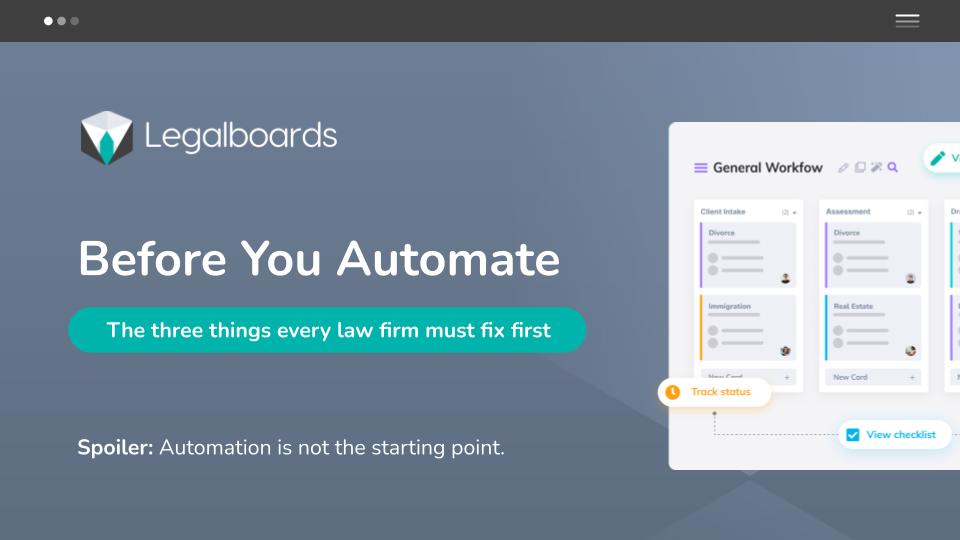
    If you want to prepare a law firm for automation, you must fix your workflows first.

    Automation does not fix broken processes. It scales them.

    Many small and mid-sized law firms jump into automation because their teams feel overwhelmed. Paralegals are chasing deadlines. Office managers are firefighting. Partners lack visibility across cases.

    But without structure, automation creates faster confusion instead of clarity.

    In this webinar, we explain exactly how to prepare a law firm for automation the right way.

    What You Must Fix Before Automating

    In the webinar, we walk through the core structural gaps that block automation success:

    1. Undefined Case Stages

    If you cannot clearly define the stages of a matter, automation has nothing to trigger from.

    2. No Clear Task Ownership

    If everyone is “kind of responsible,” no one is accountable. Automation depends on explicit ownership.

    3. Scattered Information

    When tasks live in email, spreadsheets, and different systems, automation becomes unreliable.

    4. Lack of Visibility

    If partners cannot see where cases are stuck or which matters are delayed, automation alone will not solve that.

    5. No Operational Standardization

    If your firm does not follow consistent workflows, no tool will magically create discipline.

    Automation works only when structure exists first.

    Watch the Full Webinar Replay

    In this session, you will learn:

    • The 5 structural mistakes that make automation fail
    • How to map your legal workflows properly
    • What small firms should standardize before adding automation
    • When automation actually creates leverage instead of complexity

    Download the Workflow Preparation Kit

    To help you apply what we cover in the webinar, we created a practical preparation kit.

    Inside the kit:

    • Workflow mapping template
    • Task ownership checklist
    • Case stage definition worksheet
    • Automation readiness assessment

    When Structure Is Clear, Automation Becomes Powerful

    Once workflows are defined and responsibilities are clear, automation can:

    • Reduce manual follow-ups
    • Improve case visibility
    • Decrease deadline anxiety
    • Recover significant non billable time

    But only after the foundation is solid.

    If you want to see how structured workflows and automation work together in practice:

    Explore Legalboards → https://website-backend.legalboards.com

    See how workflows are structured

    Schedule a conversation

    For broader context on legal operations trends, the Legal Executive Institute provides industry research

  • How to Finally Get Your Team to Use the Workflow (Without Chasing Them)

    How to Finally Get Your Team to Use the Workflow (Without Chasing Them)

    Most law firms already have workflows.
    Boards exist. Tools exist. Processes are documented.

    What’s missing is adoption.

    Attorneys forget to update tasks.
    Paralegals end up chasing information.
    Office managers clean up boards that no one fully uses.

    In this Legalboards Academy webinar, Bruna Gonçalves, Legal Operations Designer at Legalboards, explains why workflow adoption breaks down inside legal teams and how firms can fix it without adding pressure or extra admin work.

    Watch the full session on YouTube:

    Why Workflow Adoption Fails in Law Firms

    Teams don’t ignore workflows because they don’t care.

    They ignore them because the system doesn’t match how legal work actually happens.

    During the webinar, Bruna highlighted the most common reasons workflows stop being used:

    • Too many tools and duplicate updates
    • No clear rules for when and how to update the board
    • Workload spikes that break routines
    • Processes designed for ideal weeks, not real ones

    When a workflow depends on discipline and memory, it fails as soon as deadlines pile up.

    The Hidden Cost of Poor Workflow Adoption

    When workflows are inconsistently updated, firms start operating reactively.

    Bruna walked through what typically happens:

    • A task moves forward, but the board is not updated
    • Another team member assumes the work is still pending
    • Deadlines live in email threads instead of shared systems
    • Attorneys ask for updates that should already be visible
    • Paralegals become the single point of truth

    Nothing is technically wrong.

    The team is just carrying too much information in their heads.

    This is where stress, rework, and missed visibility start to compound.

    The Four Pillars Behind Sustainable Workflow Adoption

    Rather than pushing training or enforcement, Bruna focuses on four core behaviors that make workflows stick.

    Ease

    If updating the workflow takes effort, people skip it.

    Simple, intuitive systems are easier to use than to avoid.

    Clarity

    Teams need to know what to do, when to do it, and what “done” looks like.

    Clear roles and visible progress remove hesitation.

    Repetition

    Small, repeatable routines work better than one-time training sessions.

    Habits reduce decision fatigue.

    Value

    People adopt workflows that save time instead of creating more work.

    When the system carries the structure, adoption happens naturally.

    How to Roll Out a Workflow Without Overwhelming the Team

    Bruna shared three practical rollout strategies that work consistently across firms.

    Start Small

    Begin with a pilot group or a single case type.

    Fix friction early before scaling.

    Define Clear Usage Rules

    Decide what must live in the workflow and what does not.

    Ambiguity kills adoption.

    Simplify to Essential Tasks

    Remove anything that does not actively move the case forward.

    A shorter workflow gets used more often.

    What Successful Workflow Adoption Looks Like in Practice

    When workflows are adopted correctly, teams see immediate changes:

    • Predictable next steps across cases
    • Clear ownership without micromanagement
    • Faster movement through tasks
    • Less mental load for paralegals and attorneys

    The workflow holds the structure so the team can focus on legal work.

    How Legalboards Supports Workflow Adoption

    During the session, Bruna demonstrated how Legalboards reinforces these behaviors by design.

    Automations That Reduce Manual Work

    • Tasks appear automatically when cases move stages
    • Deadlines adjust when dates change
    • Follow-ups are created without manual setup

    Learn more about task automation here:

    Shared Visibility Across the Firm

    Every case lives on a shared board where the team can see:

    • what is active
    • what is overdue
    • what needs attention today
    • who owns each task

    Filtering by role, urgency, or case type keeps focus where it matters.

    Key Takeaways From the Webinar

    Bruna closed the session with simple outcomes firms should aim for:

    • workflows that update themselves
    • fewer follow-up emails
    • no guessing about case status
    • lower stress for paralegals
    • better visibility for attorneys
    • consistent execution even during busy weeks

    Adoption is not about forcing behavior.

    It’s about designing systems that support real work.

    If you want to see how these concepts apply to your firm, you can schedule a short demo to walk through your workflow and identify where adoption usually breaks.

    Schedule a demo:

    https://website-backend.legalboards.com/schedule-a-call/

  • How Immigration Teams Keep Case Clarity When USCIS Is Unpredictable

    How Immigration Teams Keep Case Clarity When USCIS Is Unpredictable

    Family based immigration work should be predictable. You file, you track, you wait. Except it never goes that way.

    Appointments shift. RFEs land without warning. Clients panic. Attorneys chase updates. Paralegals hold everything together with spreadsheets, notes, and memory.

    In this webinar session, Bruna Gonçalves, Legal Operations Designer at Legalboards, showed how immigration teams can bring order back into the process by using workflows that adapt to USCIS unpredictability.

    Watch Bruna’s full session on YouTube:

    Why Immigration Cases Derail Even in Organized Firms

    Most delays are outside the firm’s control. USCIS changes timelines with little communication. Even one adjustment can force a full rebuild of the case plan.

    Common issues immigration firms face:

    Biometrics delays

    The entire case pauses until the appointment is completed.

    Interview reschedules

    Everything that was prepared must be reviewed again.

    RFEs

    Sudden deadlines force teams into crisis mode.

    Decision variability

    Cases with identical profiles take completely different amounts of time.

    Bruna explained that these shifts create compound problems. They do not come one at a time. They show up in the middle of other work, creating situations where even well structured teams lose visibility.

    For more context on how immigration workflows look inside the platform, explore the Immigration Board Template: https://website-backend.legalboards.com/resources/working-in-legalboards/immigration-board-management/

    The Real Impact of USCIS Shifts Inside a Law Firm

    During the webinar, Bruna walked through what actually happens the moment a date changes.

    A biometrics appointment gets pushed.

    The attorney emails the paralegal for updated prep.

    The paralegal is already deep in another case.

    The client sends updates in multiple emails.

    Someone changes the spreadsheet but forgets the shared calendar.

    Another team member is not aware an RFE arrived.

    Nothing is technically wrong. The team is just overwhelmed by timing.

    This is when cases fall out of sync.

    Not because the team is disorganized, but because they are trying to manage unpredictable timing with tools that do not adapt.

    How Legalboards Helps Immigration Firms Stay in Control

    Bruna demonstrated how automation stabilizes the entire workflow. Teams do less manual tracking. The system does the repetitive work.

    You can also see how task updates work behind the scenes in our guide on Update Task Automations: https://website-backend.legalboards.com/resources/working-in-legalboards/automation-action-task-creation/

    Automations That Move With the Case

    When a key date is added or updated, the workflow updates itself.

    Add interview date. The prep tasks appear.

    Move a card to RFE. The checklist and due dates generate instantly.

    Mark approval. Follow up tasks appear and the case closes cleanly.

    The firm stops rebuilding the workflow every time USCIS changes something.

    Clear Visibility at All Times

    Bruna showed how every case sits on a board where the team can see:

    • what is active

    • what is overdue

    • what needs attention today

    • who is responsible for each step

    Filtering by attorney, paralegal, urgency, or case type makes it simple to focus on the cases that need action.

    Reminders and Follow Ups Without Extra Work

    USCIS delays and reschedules create surprise deadlines. Legalboards removes the stress by sending:

    • automatic reminders for biometrics, interviews, and RFEs

    • notifications to assigned team members

    • optional client follow ups

    The system ensures nothing is missed.

    Bruna’s Walkthrough Example

    Bruna presented a real world style example based on common family based cases.

    A simple I130 and AOS matter. Easy on paper. Then the timing shifted.

    Case Comparison

    Without LegalboardsWith Legalboards
    Biometrics rescheduled and no clean way to update downstream tasksAdd biometrics date and all next steps appear automatically
    RFE arrives the same week and creates sudden manual deadlinesMove case to RFE and a full checklist with the correct due date generates instantly
    Interview moved after prep was already done, forcing reworkAdd interview date and all prep tasks repopulate without starting over
    Calendar updated in one place but not synced across the teamAll dates and tasks update in the shared workflow used by the entire team
    Emails pile up with scattered updates from the clientNotes, docs, and updates sit inside the case card instead of email threads
    Attorney cannot see real progress without asking the paralegalAttorney sees the exact status on the board in real time
    Paralegal holds everything together with spreadsheets and remindersThe workflow handles the structure so the paralegal focuses on the case itself
    High stress, easy to lose track of what is done and what is pendingPredictable steps, automatic follow ups, and no missed deadlines

    If you want to see how other firms improved their processes, here is a workflow precision case study: https://website-backend.legalboards.com/resources/blog/strauss-attorneys-legalboards-workflow-precision/

    Final Result Bruna Highlighted

    • no missed deadlines

    • no duplicated work

    • no lost documents

    • no guessing

    • clients stay informed

    • team stress drops

    • attorney gets clarity without extra oversight

    The team works the case. The system handles the structure.

    Benefits Immigration Firms See With Automated Workflows

    At the end of the session, Bruna focused on simple outcomes immigration teams want.

    Clear timelines even when USCIS shifts.

    Less time rebuilding packets.

    Better client communication without manual chasing.

    Consistent follow ups.

    Clean visibility across all cases.

    Predictable work for attorneys and paralegals.

    A calmer practice with fewer fires.

    These are real daily wins for firms managing family based cases.

    Access the Workflow Bruna Used in the Webinar

    The exact workflow Bruna demonstrated during the session is available inside Legalboards.

    Create your Legalboards account to explore it.

    Sign up here: https://app.legalboards.io/register

    Common Questions From the Webinar Audience

    How does Legalboards help with biometrics and interview delays?

    When a date changes, the workflow updates itself. Tasks, deadlines, and reminders shift automatically.

    Can Legalboards work with Docketwise or Clio?

    Yes. Matters and contacts sync cleanly. Legalboards adds automation and visibility on top of your existing tools.

    How does it help with RFEs?

    Move the case to the RFE stage. A complete checklist and the correct due dates appear instantly.

    Do I need to rebuild my workflows from scratch?

    No. Start with Bruna’s immigration workflow inside Legalboards. Customize it from there.

    Does Legalboards replace my spreadsheets?

    Yes. You get a shared, real time board that shows everything in one place.

  • Working With Legalboards: 5 Smart Ways to Improve Client Communication

    Working With Legalboards: 5 Smart Ways to Improve Client Communication

    Webinar | August 20 at 1:00 PM (Eastern Time)

    Strong communication isn’t just a client expectation, it’s your firm’s competitive edge. But with scattered updates, busy inboxes, and too many tools, even great teams can drop the ball.

    Join us on August 20 at 1:00 PM (Eastern Time) for a focused 30-minute session:
    “Working With Legalboards: 5 Smart Ways to Improve Client Communication.”

    This session will be led by Tai Miranda, co-founder of Legalboards and an experienced legal operations strategist with over 15 years helping firms streamline their processes.

    You’ll walk away with four practical ideas plus one strategic mindset shift that can help you improve communication without adding more work.

    Register Now
    Secure your spot for the August 20 webinar at 1:00 PM (Eastern time).
    Book Your Seat Now

    What You’ll Learn

    1. Stop Being the Bottleneck
    When critical information is stored in your head or scattered across emails, progress slows. Learn how Legalboards’ Matter Timeline and Shared Matter View give your team instant access to what’s happening, without relying on you to be the go-between.

    2. Keep Clients in the Loop (Automatically)
    Even when there’s no major update, clients still want to know things are moving. With task and email automation, you can keep them informed without manual follow-ups.

    3. Turn Your Board Into a Digital Office
    If your team is hybrid or remote, a shared Kanban-style board replaces sticky notes and inbox threads. Easily assign tasks, track progress, and stay aligned by practice area or case type.

    4. Let the System Handle the Handoffs
    Handoffs are where things often go wrong. Use Cascade Mode and pre-built Task Lists to ensure that the next step is clear, assigned, and tracked, automatically.

    5. Rethink Communication as a Workflow Strategy
    Improving communication doesn’t have to mean more work. With a better system, updates happen naturally and clients feel confident in your process.

    Why Attend?

    • Reduce non-billable follow-up time by up to 25%
    • Improve team visibility without adding new meetings
    • Deliver a more consistent, professional client experience

    This webinar is especially helpful for midsize firms and legal operations teams looking to reduce manual work and improve communication across the board.

    Register Now
    Secure your spot for the August 20 webinar at 1:00 PM (Eastern time).
    Book Your Seat Now

    Prefer a 1-on-1 walkthrough?
    Schedule a 15-minute call to see how Legalboards could work for your firm.

  • Shift Your Mindset to Drive Better Engagement, Performance, and Accountability in Your Law Firm

    Shift Your Mindset to Drive Better Engagement, Performance, and Accountability in Your Law Firm


    Thank you to everyone who joined us for the fantastic 30-Minute Webinar: Shift Your Mindset to Drive Better Engagement, Performance & Accountability – watch the recording now.

    When Your Team Has Potential, But the Performance Isn’t There

    If you’ve ever looked around your office and thought, “We could be doing more,” you’re not alone. Maybe your paralegals are overwhelmed and missing details. Maybe your junior associates are checking tasks off without thinking ahead. Or maybe you’re just tired of being the only one keeping the ball rolling.

    These signs often point to the same root cause, not a lack of skill, but a lack of structure, communication, and ownership.

    Here’s the good news: it’s fixable not just by throwing in new KPIs or hiring more people, but by shifting how you lead. With the right mindset (and the right systems), you can guide your team to manage themselves better, take more ownership, and show up more consistently.

    Help Your Team Manage Their Priorities, Without Micromanaging

    Let’s start with a mindset shift: you’re not managing tasks. You’re managing clarity.

    Your team doesn’t just need to do the work; they need to know why it matters, what to prioritize, and how you’ll review progress. That starts with giving them tools to manage their list while still staying aligned with yours.

    Let’s start with a mindset shift: you’re not managing tasks. You’re managing clarity.

    In many firms, teams get stuck not because of the workload itself, but because they aren’t sure what to prioritize or how their work fits into the bigger picture. When priorities shift without notice or aren’t communicated clearly, confusion and delays follow.

    One way to support better performance is to make work visible. Some firms utilise visual workflows or task boards to map out legal matters, breaking them down into stages, assigning deadlines, and clearly defining ownership. When team members can see what’s in progress and what’s expected next, they’re more likely to manage their workload effectively and stay aligned without constant oversight.

    This kind of visibility can also reduce the need for repeated check-ins or status meetings. Rather than tracking progress through emails or verbal updates, everyone can refer to the same shared view of the matter.

    Want to stay in the loop without chasing updates? Use Legalboards’ activity tracking and checklist features to keep priorities front and center, so nothing gets lost.

    Related Reading: The Rise of Legal Automation: Streamlining Workflows for Efficiency and Growth

    Delegate for Impact: Not Just Output

    Delegation isn’t just assigning tasks; it’s setting your team up for success.

    Here’s where most leaders get stuck: they delegate what needs to be done, but not what success looks like. When expectations are unclear, you get half-finished work, repeated mistakes, or endless re-dos.

    Too often, tasks are assigned without enough context or clarity. This leads to confusion, delays, or results that fall short of the mark.

    Delegating effectively means matching the task to the right person, clearly defining what a good outcome looks like, and making space for questions along the way.

    In legal practice, this might look like providing a junior associate with a precedent document, outlining the objective of a client letter, or clarifying the expected timeline for a research task.

    Attaching relevant materials and explicitly stating the desired outcome makes it easier for team members to take ownership, without needing to ask for clarification afterwards.

    When expectations are clear and well-supported, people feel more confident, which in turn builds trust. Done poorly, delegation can lead to bottlenecks and rework. Done thoughtfully, it strengthens communication, accountability, and team performance.

    Turn Feedback into Growth: Not Frustration

    When performance lags, the default response is often frustration. But what if the problem isn’t their attitude, it’s the lack of coaching?

    Recognition and feedback aren’t “nice to have.” They’re the fuel for professional growth. Legal professionals, especially in smaller firms, often don’t get the structured mentorship or reviews they’d benefit from.

    Try replacing disappointment with structured feedback. Praise what works. Tackle what doesn’t, honestly but constructively. 

    Clear communication and documentation of work in progress, such as tracking status updates, keeping a record of comments or decisions, and maintaining a matter history, can help identify where something went off track.

    When issues arise, having this context allows you to address problems constructively and use them as learning opportunities, rather than assigning blame.

    Want to set formal goals? Use Legalboards’ integration with your practice management tools to create workflows that reflect quarterly goals or recurring reviews, helping you coach to specific outcomes, not just vague impressions.

    Related Reading: Optimizing Law Firm Operations with Workflow and Automation

    Make Goal-Setting a Team Sport: Not a Solo Task

    Most performance issues stem from mismatched expectations. Instead of annual reviews that feel like a surprise, shift to shorter cycles with shared goals.

    Ask yourself:

    • Do your team members know what success looks like this month?

    • Are they clear on what’s expected by next Friday?

    One way to support consistent follow-through is to make short-term goals visible and specific, such as “submit first draft of motion by Tuesday” or “review disclosure by end of week.” When goals are clearly tied to matter workflows and regularly reviewed, it becomes easier for everyone to stay on track.

    This kind of structure helps build a culture of alignment and accountability, not because someone is micromanaging, but because expectations are shared and progress is transparent.

    Related Reading: How Legalboards Transformed Law Firm Operations

    A Simple Challenge to Try This Week

    Choose one goal for your team this week. Something simple, but tangible.

    Maybe it’s “complete all intake reviews by Thursday.” Or “submit a daily update on litigation files.” Then, make it visible. Track it. Talk about it.

    Small steps can spark big change, especially when your team sees that you’re committed to clarity, not just control.

    Ready to Lead with Confidence? If any of this resonates, whether you’re dealing with low engagement, unclear ownership, or stalled performance.


    📌 Presented by: Sandra Bekhor, MBA

    📅 Recorded live on: June 26, 2025

    📍 Hosted by: Legalboards – Legal Workflow Automation

    You’ll learn how to:

    • Shift your mindset and lead more effectively.

    • Set clear, measurable goals with your team.

    • Use Legalboards to support your delegation and reviews.

    • Coach your team toward growth, without micromanaging.

    Watch the recording now…

  • Legalboards Unveiled: How AI, Kanban, and Smart Task Management Are Shaping the Future of Law Firms

    Legalboards Unveiled: How AI, Kanban, and Smart Task Management Are Shaping the Future of Law Firms

    Last week, our “What’s New in Legalboards — Live Demo & Q&A” webinar offered a deep dive into the evolving landscape of legal workflow automation. It was led by Legalboards co-founder Tai Miranda. The session provided a practical, live exploration of how midsize law firms can enhance their operations. Also, it showcased how firms can foster productivity and gain clearer insights into their cases.

    Catch the full session here:

    Demystifying Workflow Creation with AI

    One of the most compelling demonstrations in the session focused on Legalboards’ AI-powered workflow generation. Tai illustrated how the platform simplifies the often-complex task of setting up new processes. By providing a few key details about your firm’s objectives, practice area, and jurisdiction, Legalboards can present tailored workflow options. This feature aims to reduce the initial setup burden. It allows firms to establish structured processes more efficiently without needing to build from scratch.

    Understanding that law firms typically operate within a diverse technology ecosystem, the webinar explored Legalboards’ integration capabilities. Tai explained how the platform can work alongside existing case management systems like Clio, PracticePanther, and MyCase. The idea is for Legalboards to function as an enhancing layer. It provides additional workflow visibility and automation without requiring a complete overhaul of your current tools. Furthermore, it’s designed to operate effectively as a standalone solution for firms seeking a centralized hub.

    Gaining Clarity: Visualizing Workloads and Identifying Bottlenecks

    The session emphasized the analytical power of Kanban-style boards within Legalboards. Tai showcased how these real-time visual dashboards offer immediate insights into your firm’s workload. For instance, observing a “legal research” column with five active matters but only three assigned team members can quickly signal a bottleneck. This allows for proactive resource allocation. Features like “red flags” and “overdue” indicators further assist in highlighting areas that require immediate attention. Hence, they promote a more responsive approach to case management.

    Rethinking Task Assignment: The “Pull” Methodology with Task Pool

    A notable new feature was the Task Pool. It encourages a “pull” rather than “push” approach to task management. Tai described how firm leaders can assign tasks to “squads” or teams (e.g., a paralegal squad) instead of direct individual assignments. This allows team members to self-select tasks from the shared pool when they have capacity. It fosters greater autonomy and helps ensure that work is consistently picked up and completed. This reduces the risk of items being overlooked. Overall, it represents an interesting shift in how workload can be managed within a firm.

    Open Dialogue: Your Questions, Our Answers

    In keeping with its interactive format, the webinar concluded with a dedicated Q&A segment. Tai and Bruna, our customer support specialist, addressed a range of attendee questions. Topics covered included the specifics of Clio synchronization, methods for filtering tasks by client, and how checklist items behave within the system. This live discussion aimed to provide clear, direct answers to common inquiries.

    Exploring Efficiency for Your Firm

    The webinar served as an informative overview of how Legalboards is designed to support law firms. It aims for more efficient and transparent operations. For practice leaders exploring scalability or operations managers seeking alternatives to manual tracking, this session offers insights. It’s also valuable for anyone interested in the practical application of legal tech.

    Discover how Legalboards can fit into your firm’s operational strategy.

    Schedule a Free Demo

  • Privacy 101 with Garabyte Consulting

    Privacy 101 with Garabyte Consulting

    The Legalboards team was excited to be joined by Susie and Monifa from Garabyte for an informative session originally held on November, 13th, 2024. Susie and Monifa talked all about the basics of privacy, the intersection of privacy and cybersecurity, and how firms can approach building their own privacy programs.

    Watch The Webinar

    In this free previously recorded webinar, you’ll be able to either start or refine your law firm’s privacy best practices. 

    Susie and Monifa will help you identify key areas, nuances of what’s required when dealing with client information across locations, and more. This is a can’t miss session for anyone looking to enhance their privacy policies.

  • Key Ways to Successfully Grow, Manage, and Create the Elder Law Practice You Need

    Key Ways to Successfully Grow, Manage, and Create the Elder Law Practice You Need

    The Legalboards team was excited to be joined by Audrey Ehrhardt, Esq., CEO of Practice42 for an informative session originally held on May 28th, 2024. Audrey talked all about elder law practices and how to make your Elder Law practice become more efficient.

    Watch The Webinar

    In this free previously recorded webinar, you’ll get some strategies for creating, growing, and managing a successful Elder Law practice. 

    Learn How To Implement These Tips Using Legalboards

    Want to learn more about how to take the theories and make them practical? Stay tuned for a special course that will help you apply what you learned during this session. Curious about how Legalboards can help with the way you work? Learn more about our time-saving features here

    If you have any questions about the session, please feel free to reach out to us here!

  • Tips & Tricks To Stay On Top Of Your Estate Planning Cases

    Tips & Tricks To Stay On Top Of Your Estate Planning Cases

    The Legalboards team was excited to be joined by Audrey Ehrhardt, Esq., CEO of Practice42 for an informative session originally held on February 29th, 2024. Audrey talked all about estate planning workflows, how to improve what firms already do, and how to keep delivering superior service to clients.

    Watch The Webinar

    In this free previously recorded webinar, you’ll get 5 tips and tricks to help you improve how you handle your estate planning cases. This session is a can’t miss for estate planners who want to learn more about how they can communicate and streamline their current processes. With these tips and tricks, you’ll be able to save money, time, and stress without sacrificing the quality of service you provide to clients.

    Learn How To Implement These Tips Using Legalboards

    Want to learn more about how to take the theories and make them practical? Stay tuned for a special course that will help you apply what you learned during this session. Curious about how Legalboards can help with the way you work? Learn more about our time-saving features here

    If you have any questions about the session, please feel free to reach out to us here!

  • Applying Agile to Legal Practices with John Grant

    Applying Agile to Legal Practices with John Grant

    We were excited to be joined by John E. Grant from Agile Attorney Consulting for a very special session all about Kanban and the implementation of it and other Agile methodologies within a law firm. This webinar was originally recorded on November 16th, 2023. 

    This webinar is also a part of our free course, which you can register for here.

    In this webinar (watch below), you’ll get an overview of the Kanban framework, Agile methodologies, and how to successfully implement within your firm. John will cover some key concepts to use so you can enhance what you’re currently doing.

    Learn How To Implement These Tips Using Legalboards

    Want to learn more about how to take the theories and make them practical? Enroll in our course where we take you through the concepts John talked about within Legalboards.

    Curious about how Legalboards can help with the way you work? Learn more about our time-saving features here.

  • MyCase and Legalboards Webinar

    MyCase and Legalboards Webinar

    We’re excited about teaming up with MyCase to help busy lawyers save time and stress through our integration. By using both Legalboards and MyCase, you’ll be able to make the most out of both software. This free webinar was hosted by Rafael Miranda, CEO of Legalboards, and originally recorded live on July 27,  2023.

    Learn How to Save 30+ Hours per Month with MyCase and Legalboards

    In this webinar, you’ll get an overview of the Kanban framework, the MyCase and Legalboards integration, and learn some tips & tricks for use.

    An Overview of the Kanban Framework

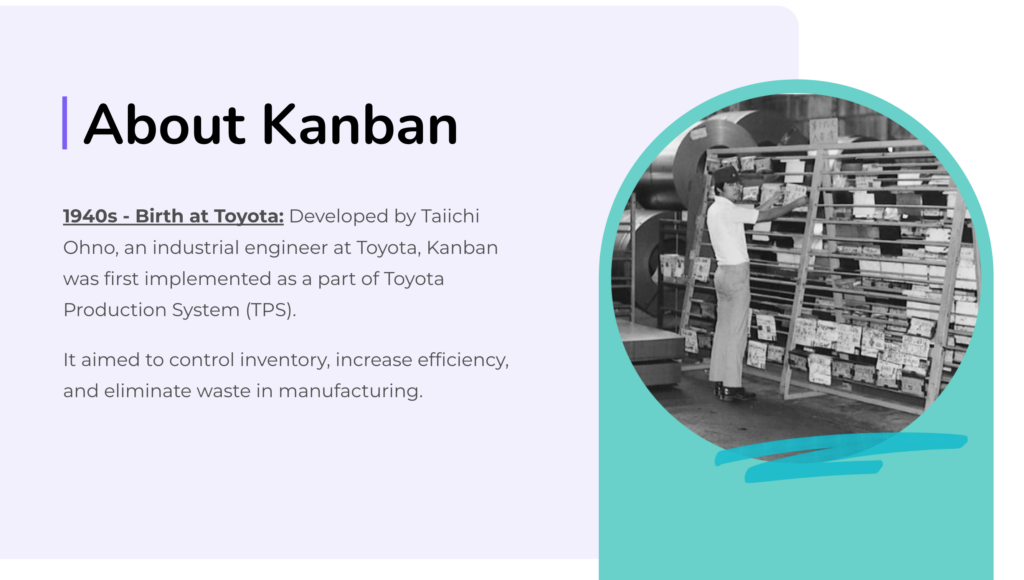
    Kanban was created in the 1940s by an engineer at Toyota named Taiichi Ohno (shown below). The goal of this original framework was to control inventory, maximize efficiency, and reduce waste for manufacturing.

    From there, Kanban was implemented by other industries starting in the 1980s. Now, Kanban is used in various industries, including legal, to help apply project management strategies.

    Kanban For Lawyers: MyCase + Legalboards Integration

    Because of its rising relevance to the legal industry, Kanban has helped lawyers organize their workflows and streamline processes. The Kanban framework is especially effective when there are multiple items to keep track of and team dynamics in play.

    In the webinar, Rafael will go over how to tell when your firm needs to think about implementing Kanban and how to do so. With the MyCase and Legalboards integration, you can start using Kanban to organize your workflow in just a few easy clicks. Click here for more information about the integration.

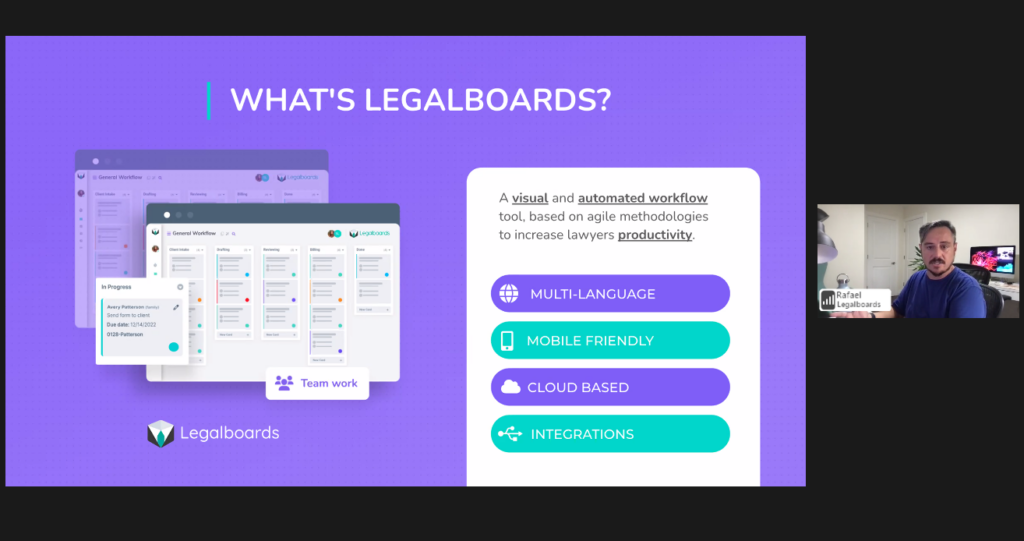
    Legalboards CEO Rafael explaining what Legalboards is and how the MyCase and Legalboards integration works using product demonstration of Legalboards

    Watch the Webinar on Demand

    Want to watch the full webinar? Get access to the free recording here. If you have any questions or would like any additional information, please contact us at info@legalboards.com.

    Curious about how Legalboards can help with the way you work? Learn more about our time-saving features here.